Movavi vs ClipFM
In the clash of Movavi vs ClipFM, which AI Video Editing tool emerges victorious? We assess reviews, pricing, alternatives, features, upvotes, and more.
If you had to choose between Movavi and ClipFM, which one would you go for?
Let's take a closer look at Movavi and ClipFM, both of which are AI-driven video editing tools, and see what sets them apart. The upvote count reveals a draw, with both tools earning the same number of upvotes. Join the aitools.fyi users in deciding the winner by casting your vote.
Want to flip the script? Upvote your favorite tool and change the game!
Movavi


What is Movavi ?
Movavi Video Editor 2024 enables users to create and edit videos with a variety of tools designed for both beginners and experienced creators. It provides features such as background removal, motion tracking, noise reduction, color correction, and video stabilization to enhance video projects.
What sets Movavi apart is its combination of over 6,000 effects and transitions with AI-powered tools that speed up editing tasks like cutting and overlay effects. This balance of extensive creative options and intelligent automation helps users produce polished videos efficiently.
The software supports a wide range of video formats and offers a drag-and-drop interface that simplifies applying filters, titles, and effects. Movavi also includes a free music library and tutorials to assist users in mastering video editing techniques.
Movavi Video Editor 2024 is designed primarily for Windows users who want to create engaging content such as travel videos, vlogs, or family memories without a steep learning curve. Its value lies in making powerful editing accessible while maintaining quality results.
Overall, Movavi stands out for its extensive effects, AI enhancements, and approachable design that help users bring their video ideas to life quickly and effectively.
ClipFM
What is ClipFM?
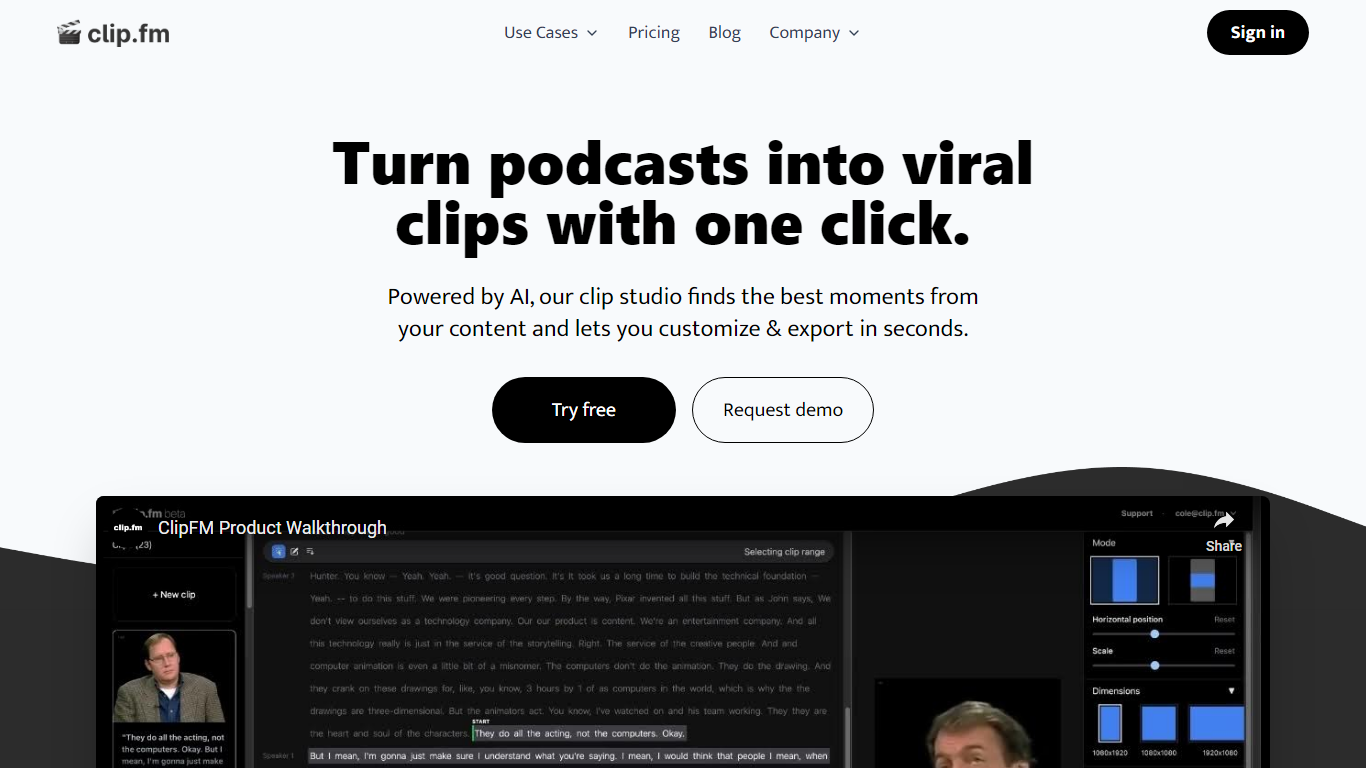
ClipFM turns long podcast and interview recordings into short social clips with one click. Upload a video, and ClipFM uses AI to find highlight moments, then exports vertical clips you can post to TikTok, YouTube Shorts, and similar platforms.
Manual clipping means scrubbing through hour-long episodes to find quotable lines. ClipFM automates moment detection and ships a clip studio where you adjust start and end points before export, which is closer to Opus Clip or Descript's repurposing flow than a full timeline editor. The homepage showcases example Shorts with view counts as social proof.
It fits podcasters, YouTube creators, and marketing teams who publish conversational video and need a steady stream of short-form clips without hiring a dedicated editor. English audio content such as interviews and speeches is the primary use case on the marketing site.
Movavi Upvotes
ClipFM Upvotes
Movavi Top Features
AI-powered video cutting speeds up editing tasks
Background removal tool for clean subject isolation
Motion tracking to follow objects smoothly in videos
Free music library included for adding soundtracks
Over 6,000 effects and transitions to customize videos
ClipFM Top Features
Detects highlight moments in long videos and turns them into short social clips automatically
Offers a clip studio to adjust start and end points before exporting
Markets a 7-day free trial on the homepage with cancel-anytime billing
Supports monthly and yearly plans with 6 months free when billed annually per the pricing page
Shows example YouTube Shorts with view counts on the homepage as sample output
Pricing FAQ lists a 14-day free trial on the starter plan and PayPal plus card payments
Movavi Category
- Video Editing
ClipFM Category
- Video Editing
Movavi Pricing Type
- Freemium
ClipFM Pricing Type
- Freemium