
Last updated 08-11-2026
Category:
Reviews:
Join thousands of AI enthusiasts in the World of AI!
ClipFM
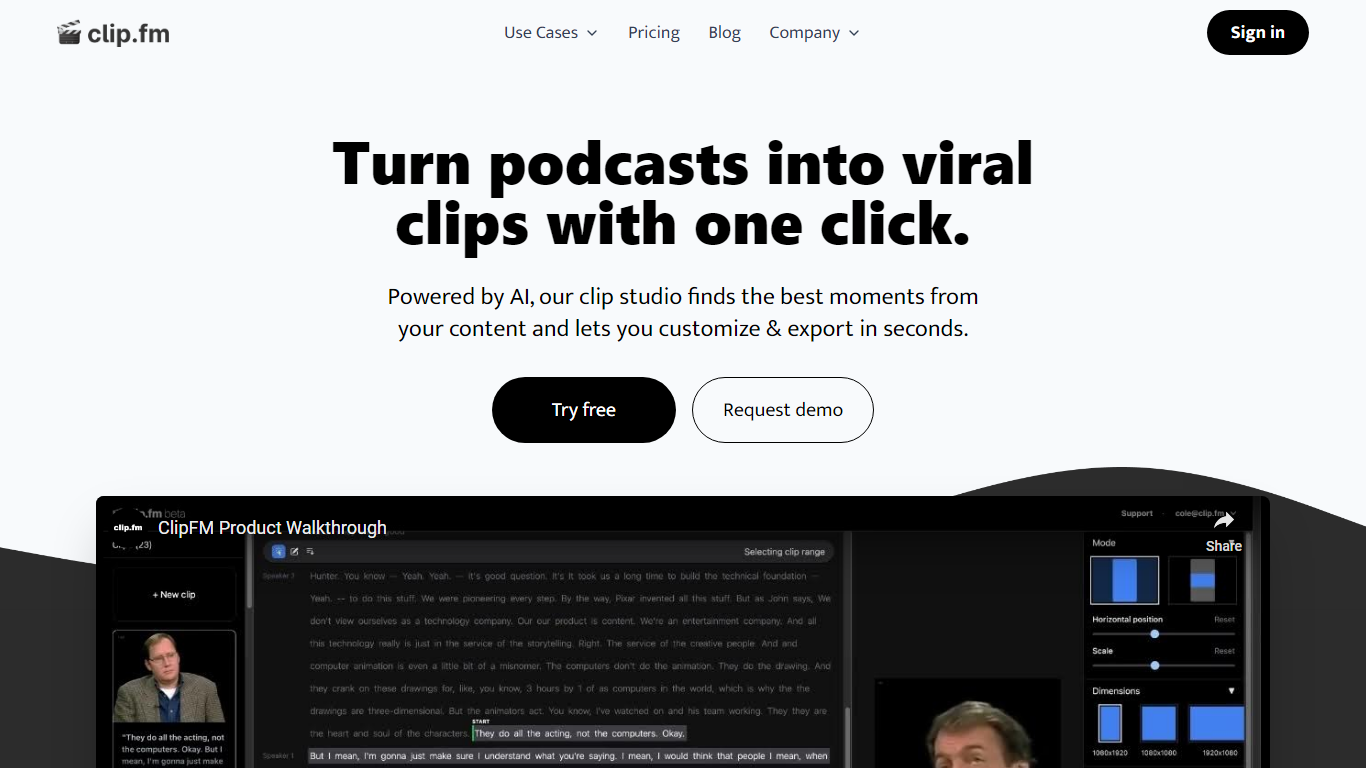
ClipFM turns long podcast and interview recordings into short social clips with one click. Upload a video, and ClipFM uses AI to find highlight moments, then exports vertical clips you can post to TikTok, YouTube Shorts, and similar platforms.
Manual clipping means scrubbing through hour-long episodes to find quotable lines. ClipFM automates moment detection and ships a clip studio where you adjust start and end points before export, which is closer to Opus Clip or Descript's repurposing flow than a full timeline editor. The homepage showcases example Shorts with view counts as social proof.
It fits podcasters, YouTube creators, and marketing teams who publish conversational video and need a steady stream of short-form clips without hiring a dedicated editor. English audio content such as interviews and speeches is the primary use case on the marketing site.
Detects highlight moments in long videos and turns them into short social clips automatically
Offers a clip studio to adjust start and end points before exporting
Markets a 7-day free trial on the homepage with cancel-anytime billing
Supports monthly and yearly plans with 6 months free when billed annually per the pricing page
Shows example YouTube Shorts with view counts on the homepage as sample output
Pricing FAQ lists a 14-day free trial on the starter plan and PayPal plus card payments
Automates highlight detection so you skip manual timeline scrubbing
Built specifically for podcast and interview repurposing rather than general editing
Free trial available before committing to a paid plan
Monthly and annual billing with an advertised annual discount
Homepage shows real Shorts examples with view counts as output references
Pricing page does not list specific dollar amounts in the fetched marketing copy
Homepage says 7-day trial while pricing FAQ says 14 days on the starter plan
Optimized for English conversational video, not general motion graphics editing
What does ClipFM do?
ClipFM finds the best moments in long videos and turns them into short clips for social media. ClipFM targets podcasters and creators who want highlight reels without manually scrubbing full episodes.
Does ClipFM offer a free trial?
Yes. ClipFM advertises a 7-day free trial on its homepage and a 14-day free trial on the starter plan in its pricing FAQ. ClipFM lets you cancel anytime according to both pages.
Can I change my ClipFM plan later?
Yes. ClipFM says you can upgrade or downgrade at any time and changes apply on your next billing cycle. ClipFM pricing supports monthly and yearly billing options.
What payment methods does ClipFM accept?
ClipFM accepts major credit cards, debit cards, and PayPal according to its pricing FAQ. ClipFM notes business plans can also pay by invoice.
What content works best on ClipFM?
ClipFM focuses on conversational video such as podcasts, interviews, and speeches. ClipFM's homepage examples are English-language clips formatted for YouTube Shorts-style distribution.
Can I edit clips before posting on ClipFM?
Yes. ClipFM includes a clip studio where you adjust start and end points on AI-selected moments before export. ClipFM is designed to deliver ready-to-post clips within minutes after upload.