Typeframes vs ClipFM
In the face-off between Typeframes vs ClipFM, which AI Video Editing tool takes the crown? We scrutinize features, alternatives, upvotes, reviews, pricing, and more.
In a face-off between Typeframes and ClipFM, which one takes the crown?
If we were to analyze Typeframes and ClipFM, both of which are AI-powered video editing tools, what would we find? The community has spoken, Typeframes leads with more upvotes. Typeframes has attracted 7 upvotes from aitools.fyi users, and ClipFM has attracted 6 upvotes.
Don't agree with the result? Cast your vote and be a part of the decision-making process!
Typeframes


What is Typeframes?
Typeframes converts simple text prompts into engaging product videos optimized for social media platforms like YouTube, Instagram, and TikTok. It enables users to produce high-quality videos quickly without advanced video editing skills.
What sets Typeframes apart is its AI-driven approach that simplifies video production by offering customizable templates and automated suggestions to boost engagement. Unlike traditional video editors, it focuses on speed and ease of use, allowing creators to generate videos in minutes rather than hours.
The platform supports exporting videos in multiple resolutions tailored for different social media formats, including vertical videos. This makes Typeframes especially useful for content creators and marketers aiming to produce consistent, platform-optimized video content efficiently.
By streamlining the video creation process, Typeframes helps users save time and resources while enhancing their social media presence with visually appealing videos.
ClipFM
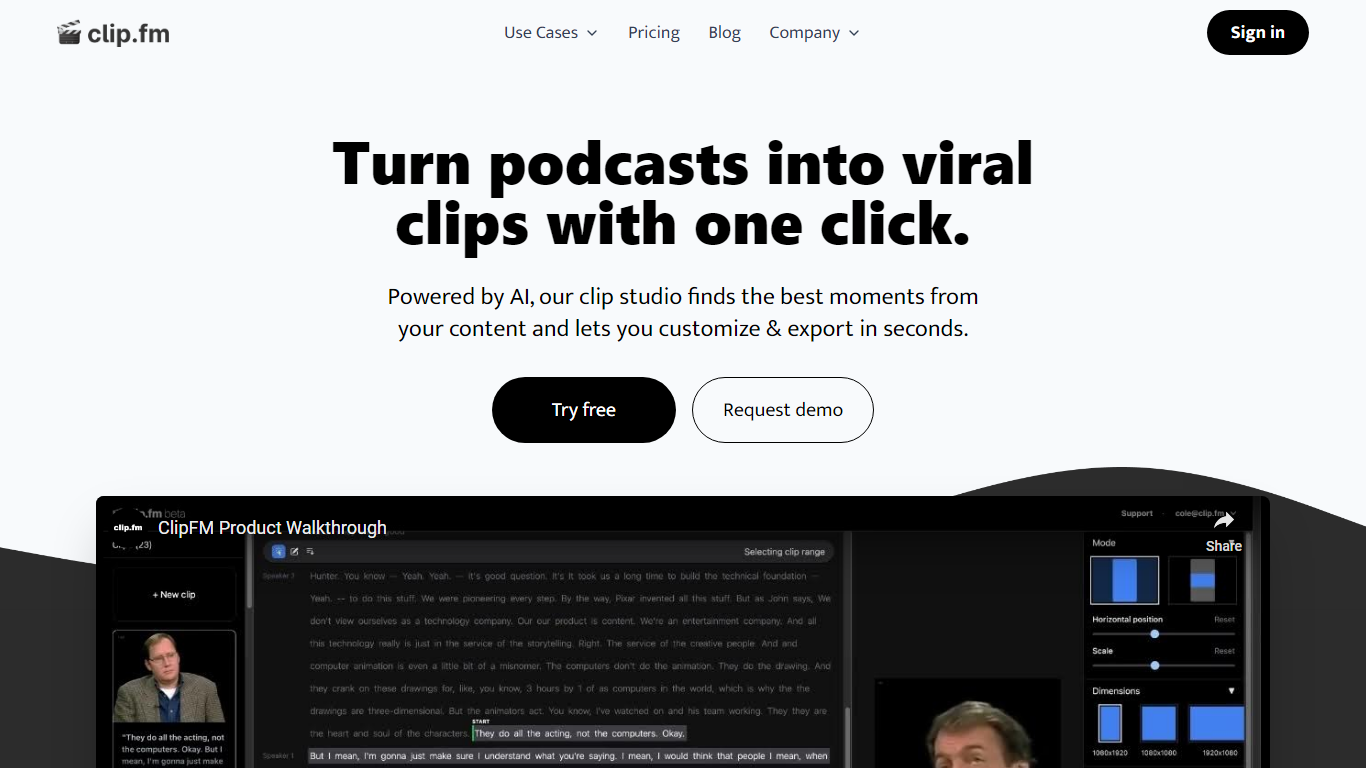
What is ClipFM?
ClipFM turns long podcast and interview recordings into short social clips with one click. Upload a video, and ClipFM uses AI to find highlight moments, then exports vertical clips you can post to TikTok, YouTube Shorts, and similar platforms.
Manual clipping means scrubbing through hour-long episodes to find quotable lines. ClipFM automates moment detection and ships a clip studio where you adjust start and end points before export, which is closer to Opus Clip or Descript's repurposing flow than a full timeline editor. The homepage showcases example Shorts with view counts as social proof.
It fits podcasters, YouTube creators, and marketing teams who publish conversational video and need a steady stream of short-form clips without hiring a dedicated editor. English audio content such as interviews and speeches is the primary use case on the marketing site.
Typeframes Upvotes
ClipFM Upvotes
Typeframes Top Features
Transform text prompts into engaging videos quickly
Customize templates to match your brand style easily
Create vertical videos optimized for social platforms
Simple interface requires no video editing skills
Export videos in multiple resolutions including high quality
AI-driven suggestions to boost video engagement
ClipFM Top Features
Detects highlight moments in long videos and turns them into short social clips automatically
Offers a clip studio to adjust start and end points before exporting
Markets a 7-day free trial on the homepage with cancel-anytime billing
Supports monthly and yearly plans with 6 months free when billed annually per the pricing page
Shows example YouTube Shorts with view counts on the homepage as sample output
Pricing FAQ lists a 14-day free trial on the starter plan and PayPal plus card payments
Typeframes Category
- Video Editing
ClipFM Category
- Video Editing
Typeframes Pricing Type
- Freemium
ClipFM Pricing Type
- Freemium