PageBrain vs OLOCR
In the face-off between PageBrain vs OLOCR, which AI Search Engine tool takes the crown? We scrutinize features, alternatives, upvotes, reviews, pricing, and more.
In a face-off between PageBrain and OLOCR, which one takes the crown?
If we were to analyze PageBrain and OLOCR, both of which are AI-powered search engine tools, what would we find? PageBrain is the clear winner in terms of upvotes. The upvote count for PageBrain is 7, and for OLOCR it's 6.
You don't agree with the result? Cast your vote to help us decide!
PageBrain

What is PageBrain?
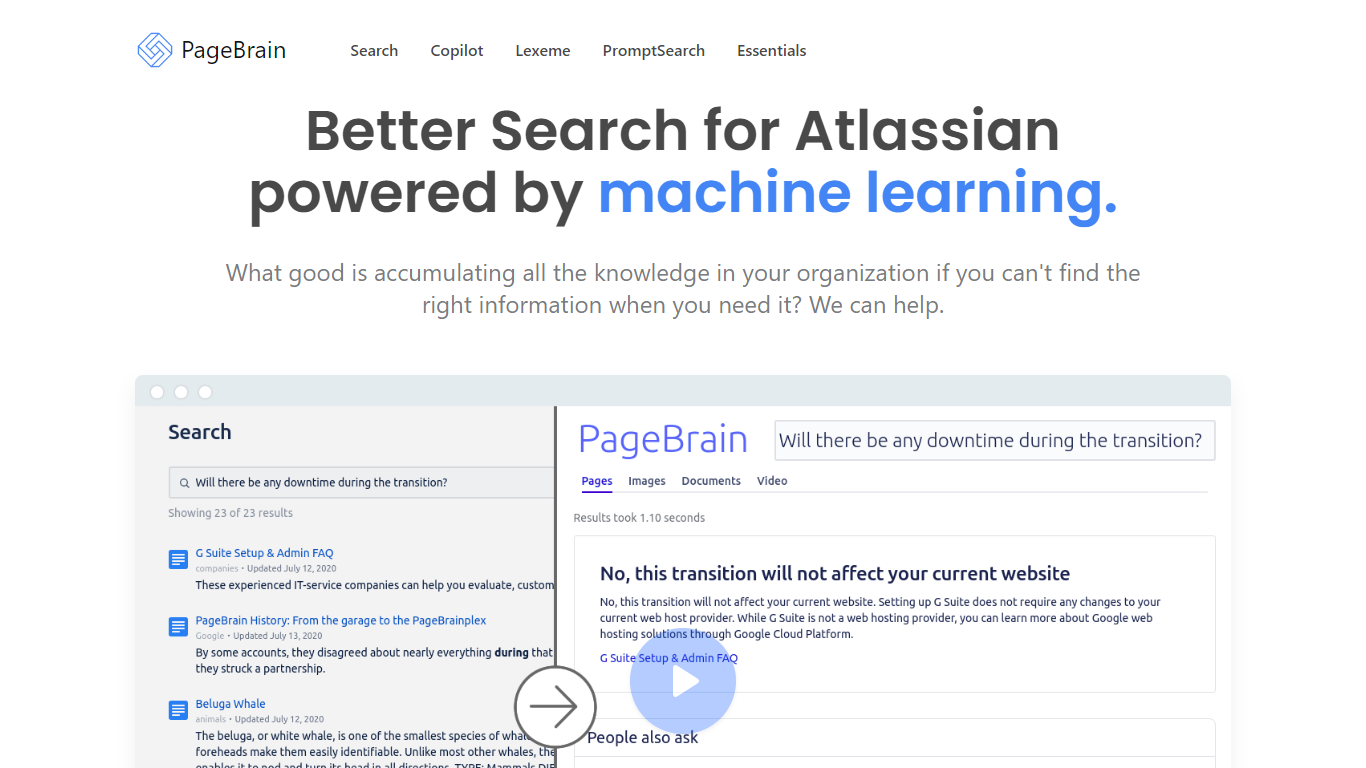
PageBrain offers an array of tools designed to enhance the productivity and efficiency of your organization's search capabilities, particularly within the Atlassian ecosystem. With a focus on leveraging machine learning technology, PageBrain improves your ability to quickly and accurately find the knowledge stored across your company's resources.
Additionally, PageBrain provides an open-source ChatGPT text editor that streamlines the workflow by eliminating the need to alternate between your conversation with ChatGPT and other text editing tools. The platform also facilitates creative processes with a feature for exploring and learning how to craft prompts for Stable Diffusion.
For those invested in UI workflows, PageBrain introduces Comfy.ICU, which serves as a platform for sharing ComfyUI workflows similar to Imgur, thus fostering a community of sharing and collaboration. PageBrain simplifies the process of locating information and enhances productivity with its suite of search and development tools.
OLOCR
What is OLOCR?
OLOCR is a browser-based OCR service for pulling text out of images and PDFs. You upload a file, the recognition runs on your device, and you get editable text you can copy or export. No software install is required.
The site covers a full set of conversion tools: image to text, PDF to text, GIF to text, image and PDF to Word, searchable PDF creation, and image translation with on-image text replacement. It supports 111 languages and handles batch uploads with no file count or size caps on the free tier.
Optional AI Optimization can clean up messy OCR output by fixing character errors, restoring spaces, and rebuilding paragraphs. Core OCR stays local in the browser; only recognized text goes to a server when you opt into AI Optimization.
PageBrain Upvotes
OLOCR Upvotes
PageBrain Top Features
Search: Advanced search functionalities powered by machine learning, specifically designed for Atlassian platforms.
Copilot: A feature to guide and assist users throughout the search process.
Lexeme: Sophisticated parsing of search queries to yield better results.
PromptSearch: A tool assisting users in creating effective prompts for machine learning models like Stable Diffusion.
Essentials: The fundamental tools and features that constitute PageBrain's core offerings.
OLOCR Top Features
Runs OCR entirely in the browser so images and PDFs never leave your device
Converts images, PDFs, GIFs, and animated WebP into text, Word files, or searchable PDFs
Recognizes text in 111 languages including CJK and Arabic scripts
Batch processing with unlimited files and no file size limits on the free plan
Optional AI Optimization fixes OCR errors and rebuilds readable paragraphs from extracted text
Image Translator erases original text and overlays translated copy directly on the image
PageBrain Category
- Search Engine
OLOCR Category
- Search Engine
PageBrain Pricing Type
- Freemium
OLOCR Pricing Type
- Freemium