PDF to Study Cards vs Learnitive
When comparing PDF to Study Cards vs Learnitive, which AI Education tool shines brighter? We look at pricing, alternatives, upvotes, features, reviews, and more.
Between PDF to Study Cards and Learnitive, which one is superior?
When we put PDF to Study Cards and Learnitive side by side, both being AI-powered education tools, Learnitive stands out as the clear frontrunner in terms of upvotes. Learnitive has been upvoted 36 times by aitools.fyi users, and PDF to Study Cards has been upvoted 6 times.
Feeling rebellious? Cast your vote and shake things up!
PDF to Study Cards

What is PDF to Study Cards?
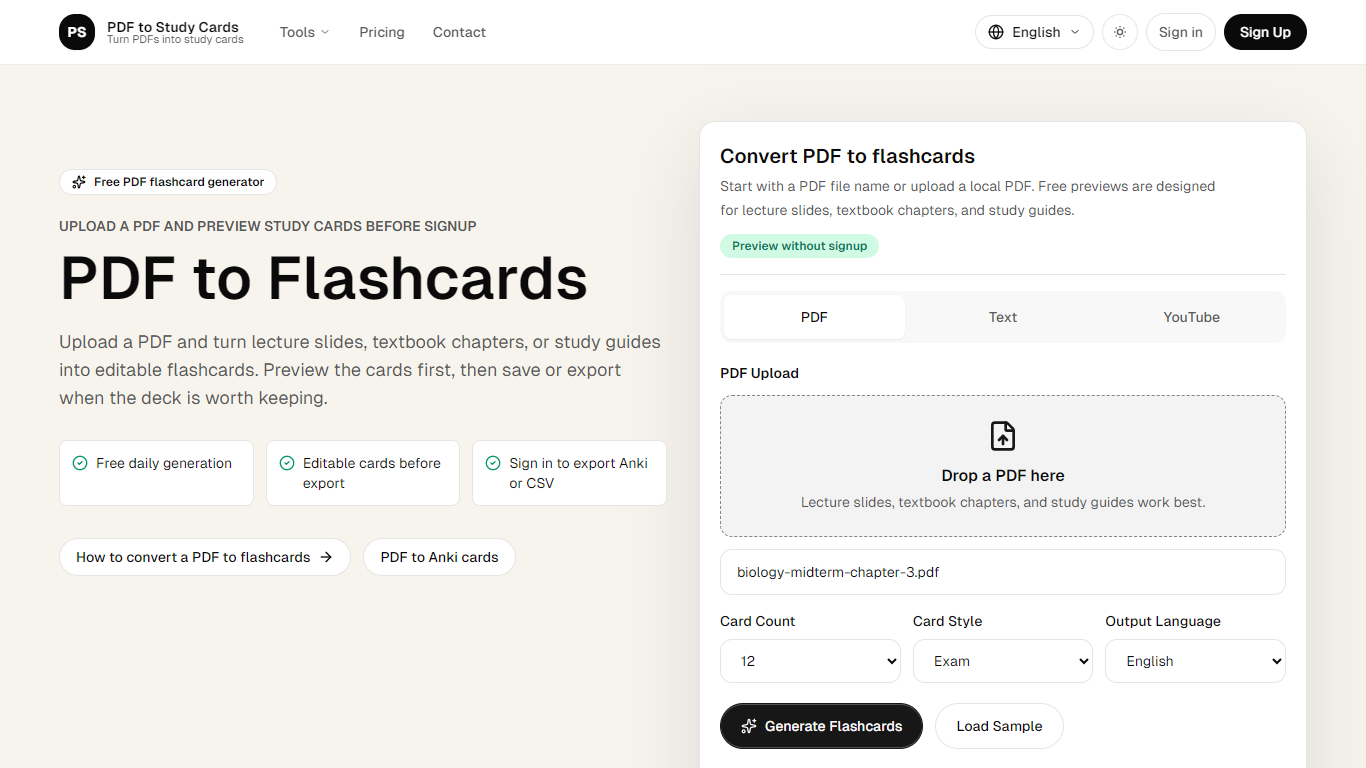
PDF to Study Cards converts lecture slides, textbook chapters, and study guides into editable question-and-answer flashcards. Upload a PDF, pick how many cards you want, and review the full deck in your browser before you create an account or pay anything.
The workflow is built around previewing first. You generate cards, rewrite weak prompts, restore the original wording, and delete duplicates in the editor. Saving a deck, exporting to Anki or CSV, or processing larger PDFs only comes after you decide the result is worth keeping.
Beyond PDFs, the same converter accepts pasted text and YouTube transcript URLs, so lecture notes and recorded lessons can follow the same path to flashcards. Output languages include English, Chinese, and Spanish.
Students prepping for midterms, nursing exams, or law courses are the core audience. The site also publishes dedicated flows for Anki export and related converters when you need cards in a specific study app format.
Learnitive
What is Learnitive?
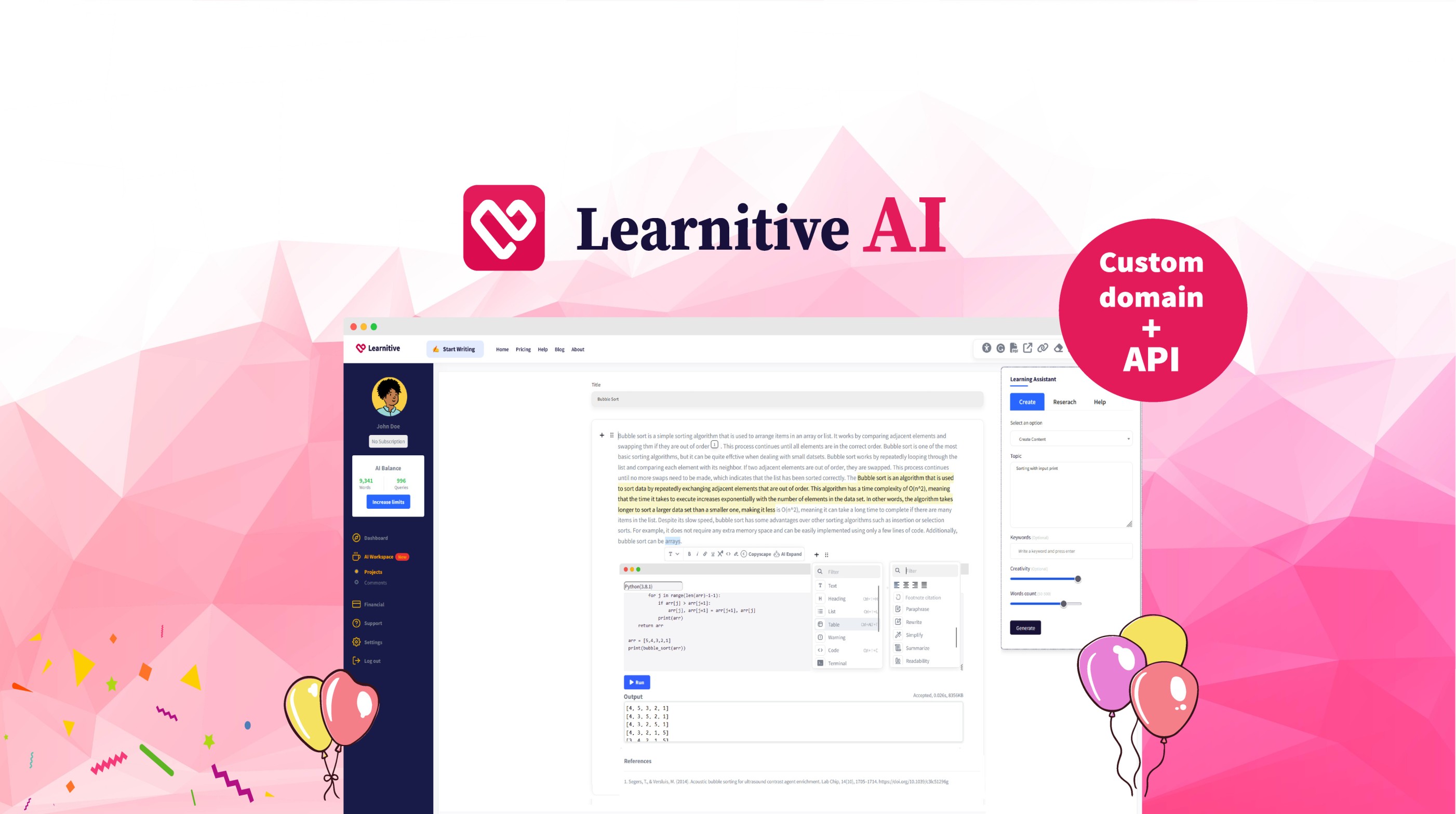
Learnitive helps students and researchers draft academic writing with AI while grounding answers in a library of 250 million papers. The editor includes plagiarism checks through Copyscape and a Judge0 code sandbox for runnable examples inside lessons.
Paid tiers sell prepaid word credits instead of a flat monthly seat. Learn30 covers 25,000 words for $9, Learn365 delivers 1 million words for $99, and a $49 lifetime option targets writers who want a one-time purchase rather than recurring billing.
WordPress plugins extend the same writing and research workflow into blogs and course sites, so teams can publish from familiar CMS dashboards without retraining authors on a new interface.
PDF to Study Cards Upvotes
Learnitive Upvotes
PDF to Study Cards Top Features
Preview a full flashcard deck before signup or payment
Choose 12, 20, or 30 cards with Exam, Simple, or Definition styles
Edit front and back text, restore originals, or delete weak cards in the preview
Export reviewed decks as Anki-compatible TSV or CSV after sign-in
Convert PDFs, pasted text, or YouTube transcripts in English, Chinese, or Spanish
Learnitive Top Features
Search and cite from a corpus of 250 million academic papers
Free tier includes 1,000 words before you buy credits
Learn30 adds 25,000 words for $9 and Learn365 adds 1 million words for $99
Copyscape plagiarism checks run inside the writing workflow
Judge0 code sandbox executes snippets without leaving the editor
WordPress plugins bring the editor into existing blogs and course sites
PDF to Study Cards Category
- Education
Learnitive Category
- Education
PDF to Study Cards Pricing Type
- Freemium
Learnitive Pricing Type
- Freemium