pdfAssistant.ai vs Genius PDF
Explore the showdown between pdfAssistant.ai vs Genius PDF and find out which AI PDF tool wins. We analyze upvotes, features, reviews, pricing, alternatives, and more.
In a face-off between pdfAssistant.ai and Genius PDF, which one takes the crown?
When we contrast pdfAssistant.ai with Genius PDF, both of which are exceptional AI-operated pdf tools, and place them side by side, we can spot several crucial similarities and divergences. The users have made their preference clear, pdfAssistant.ai leads in upvotes. pdfAssistant.ai has garnered 7 upvotes, and Genius PDF has garnered 6 upvotes.
Disagree with the result? Upvote your favorite tool and help it win!
pdfAssistant.ai
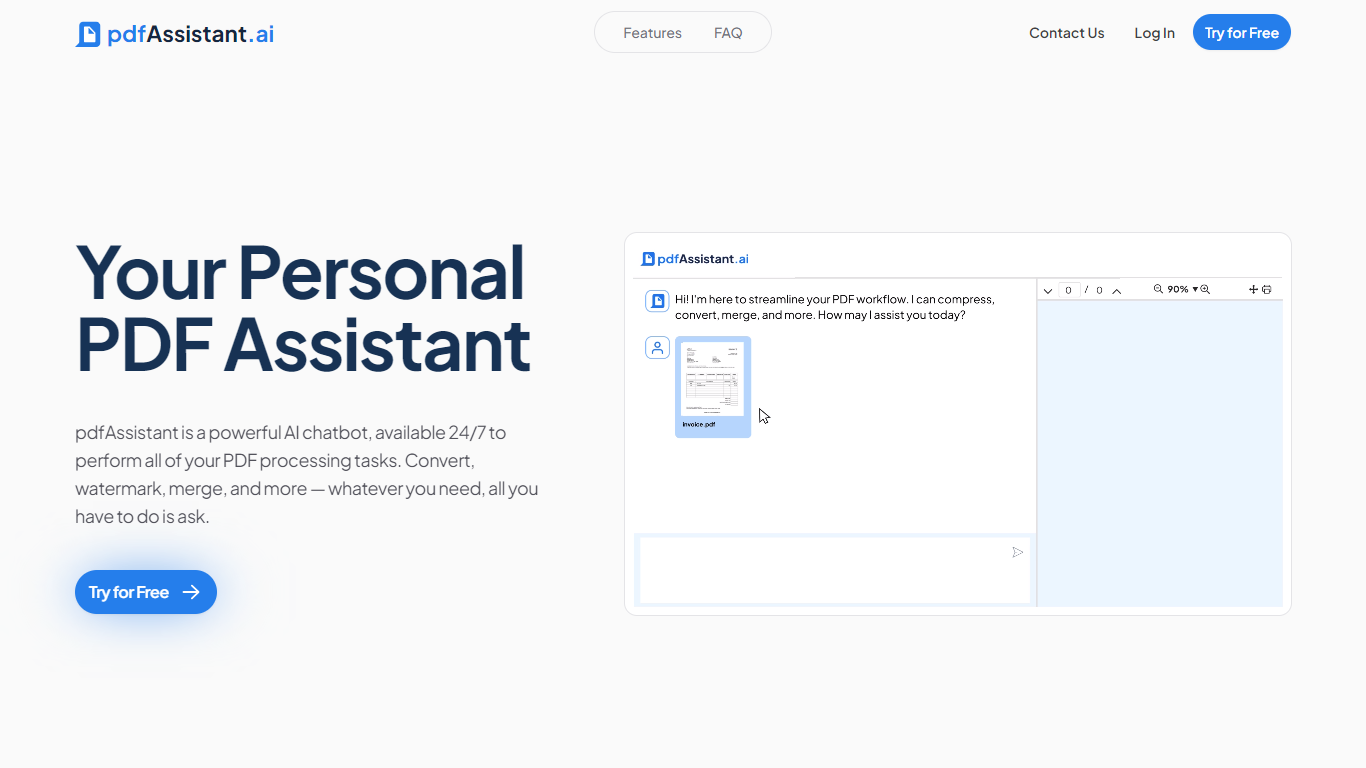

What is pdfAssistant.ai ?
pdfAssistant.ai is a PDF automation platform from Datalogics that turns everyday document tasks into reusable workflows. Instead of clicking through menus for every file, you describe what you need in plain language, chain operations together, and run the same workflow across one file or thousands.
The platform sits on the Adobe PDF Library, the same engine behind Acrobat, with AI layered on top for conversational tasks and workflow building. That combination covers heavy-duty PDF work like redaction, OCR, PDF/A archival conversion, and batch merges alongside quick one-off jobs in AI Studio.
It targets teams in finance, legal, HR, and publishing who process documents at volume but do not want to write custom scripts. Integrations via MCP bring pdfAssistant into ChatGPT, Claude, and Codex, while Adobe Express add-ons handle specialized export formats.
Genius PDF
What is Genius PDF?
Upload a PDF to Genius PDF, ask questions about its text, and get answers pulled straight from the document in your browser. The site pitches the tool to students reviewing coursework, professionals scanning business documents, and readers exploring literature or historical archives.
Most PDF apps focus on editing or converting files. Genius PDF stays narrow: it reads what you upload and answers in plain language. The free tier caps you at 50 questions, 50 pages, and 3 PDFs per month, which is enough to test the workflow before paying $5 or $15 monthly for higher limits.
Students can query textbooks, handouts, presentations, and research papers without flipping page by page. Professionals use it on financial reports, sales data, proposals, training manuals, and legal contracts stored in secure cloud storage you can delete anytime. The tool understands multiple languages and answers in the language you prefer.
pdfAssistant.ai Upvotes
Genius PDF Upvotes
pdfAssistant.ai Top Features
Chain 40+ PDF operations into reusable workflows and batch-run them across thousands of files
Describe one-off tasks in plain language with AI Studio to summarize, extract, or generate PDFs
Connect via MCP to ChatGPT, Claude, and Codex so assistants run your PDF workflows in chat
Built on Adobe PDF Library with TLS 1.3 and AES-256 encryption; files auto-delete within 24 hours
Export press-ready PDF/X, archival PDF/A, and custom images through Adobe Express add-ons
Genius PDF Top Features
Free tier includes 50 questions per month across up to 50 pages and 3 PDF uploads
$5 per month plan raises limits to 650 questions, 150 pages, and 10 PDFs
$15 per month plan allows 2,500 questions, 1,000 pages, 25 PDFs, and up to 10 users
Answers questions in your preferred language even when the source PDF uses another language
Stores uploads in encrypted cloud storage with optional deletion at any time
Students can query textbooks, handouts, and academic articles without manual page flipping
pdfAssistant.ai Category
- PDF
Genius PDF Category
- PDF
pdfAssistant.ai Pricing Type
- Freemium
Genius PDF Pricing Type
- Freemium