Pluralsight vs Paperclips Copilot
In the face-off between Pluralsight vs Paperclips Copilot, which AI Education tool takes the crown? We scrutinize features, alternatives, upvotes, reviews, pricing, and more.
In a face-off between Pluralsight and Paperclips Copilot, which one takes the crown?
If we were to analyze Pluralsight and Paperclips Copilot, both of which are AI-powered education tools, what would we find? Both tools are equally favored, as indicated by the identical upvote count. You can help us determine the winner by casting your vote and tipping the scales in favor of one of the tools.
Think we got it wrong? Cast your vote and show us who's boss!
Pluralsight

What is Pluralsight?
Pluralsight is a technology skills platform for individuals and organizations building expertise in AI, cloud, security, data, and software development. The library includes 6,500+ expert-led courses, 800+ learning paths, 500+ Skill IQ assessments, 3,500+ hands-on labs, certification prep, and sandboxes for practice in secure environments.
Iris, Pluralsight's conversational AI assistant, uses retrieval augmented generation on top of the course library to recommend learning paths, answer technical questions, provide coding help, and run in-the-moment knowledge checks. Individual plans are organized around Core Tech and specialty add-ons (AI+, Cloud+, Data+, Security+), with a Complete plan that bundles the full library.
For enterprises, Pluralsight offers team analytics, integrations, professional services, and programs like AI Academy, Cloud Ready, and Secure Ready. The company reports 2,500+ expert authors, 22,000 business customers, and use by 70% of the Fortune 500.
Paperclips Copilot
What is Paperclips Copilot?
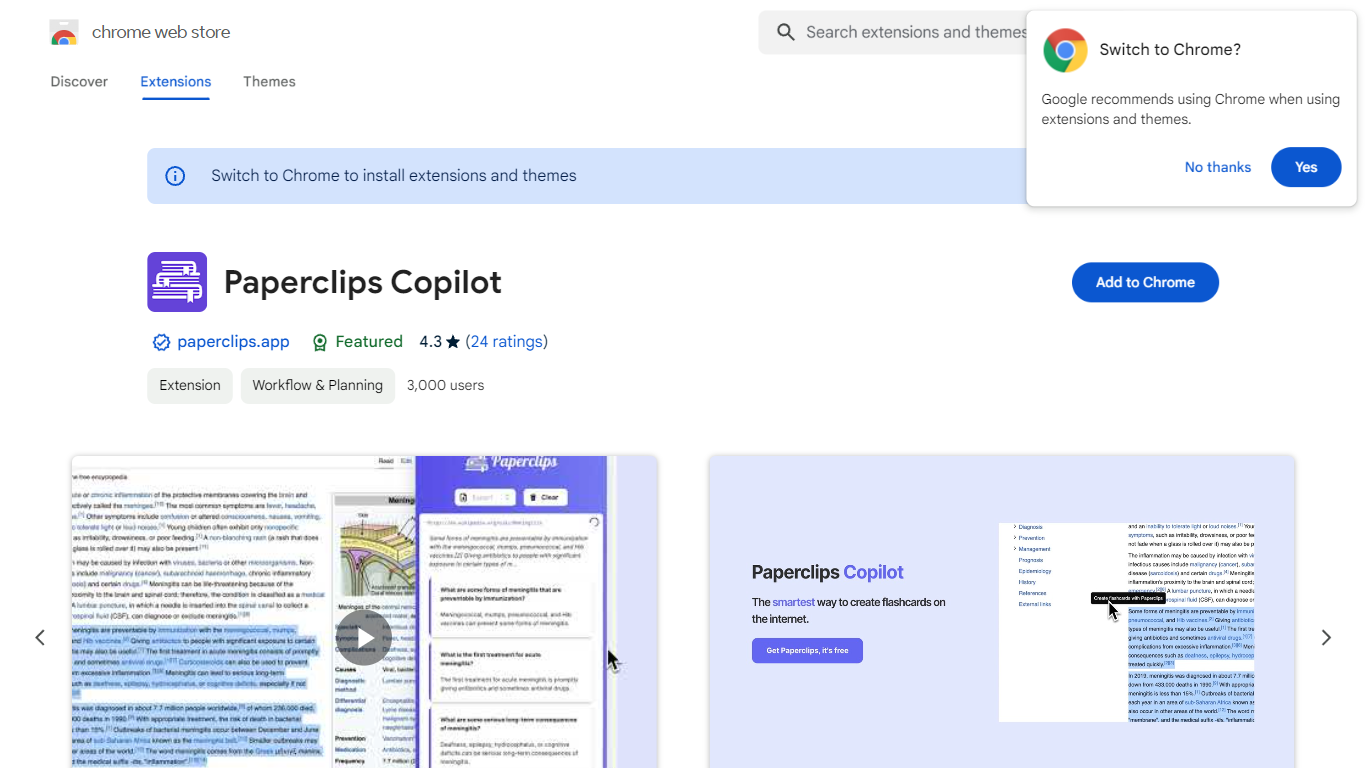
Paperclips Copilot is a Chrome extension for education that turns highlighted web text into study flashcards without leaving the page you are reading. Select a passage on a course site, research paper, blog post, or news article, click the tooltip that appears, and the extension builds a card you can review later.
Where many flashcard apps expect you to paste notes into a separate web app or build cards by hand, Paperclips Copilot stays inside Chrome and works from live browsing. Cards stay organized in the extension and sync across open tabs, so a reading session on one page can feed a deck you review on another.
The listing targets students who study from online sources and already use spaced-repetition tools. Export paths cover Anki, Quizlet, and other platforms, which matters if your class deck already lives outside the browser.
Pluralsight Upvotes
Paperclips Copilot Upvotes
Pluralsight Top Features
6,500+ expert-led courses across AI, cloud, security, data, software development, and IT ops
800+ curated learning paths and certification prep with practice exams
Skill IQ assessments benchmark ability and recommend where to start in a path
3,500+ hands-on labs plus cloud and AI sandboxes for practice without production risk
Iris AI assistant for personalized recommendations, coding help, and knowledge checks
Paperclips Copilot Top Features
Highlight web text and click the popup tooltip to create a flashcard in one step
Flashcards stay organized in the extension and sync across all open Chrome tabs
Export decks to Anki, Quizlet, and other study platforms from the extension
Chrome Web Store listing shows version 1.0.4, updated October 10, 2023
Extension size is 2.24 MiB with about 2,000 users on the Chrome Web Store
Works from course notes, research papers, blog posts, and news articles you read online
Pluralsight Category
- Education
Paperclips Copilot Category
- Education
Pluralsight Pricing Type
- Freemium
Paperclips Copilot Pricing Type
- Freemium