RaveDJ vs Supercreator AI
In the face-off between RaveDJ vs Supercreator AI, which AI Video Generation tool takes the crown? We scrutinize features, alternatives, upvotes, reviews, pricing, and more.
In a face-off between RaveDJ and Supercreator AI, which one takes the crown?
If we were to analyze RaveDJ and Supercreator AI, both of which are AI-powered video generation tools, what would we find? Supercreator AI stands out as the clear frontrunner in terms of upvotes. Supercreator AI has been upvoted 52 times by aitools.fyi users, and RaveDJ has been upvoted 6 times.
Feeling rebellious? Cast your vote and shake things up!
RaveDJ
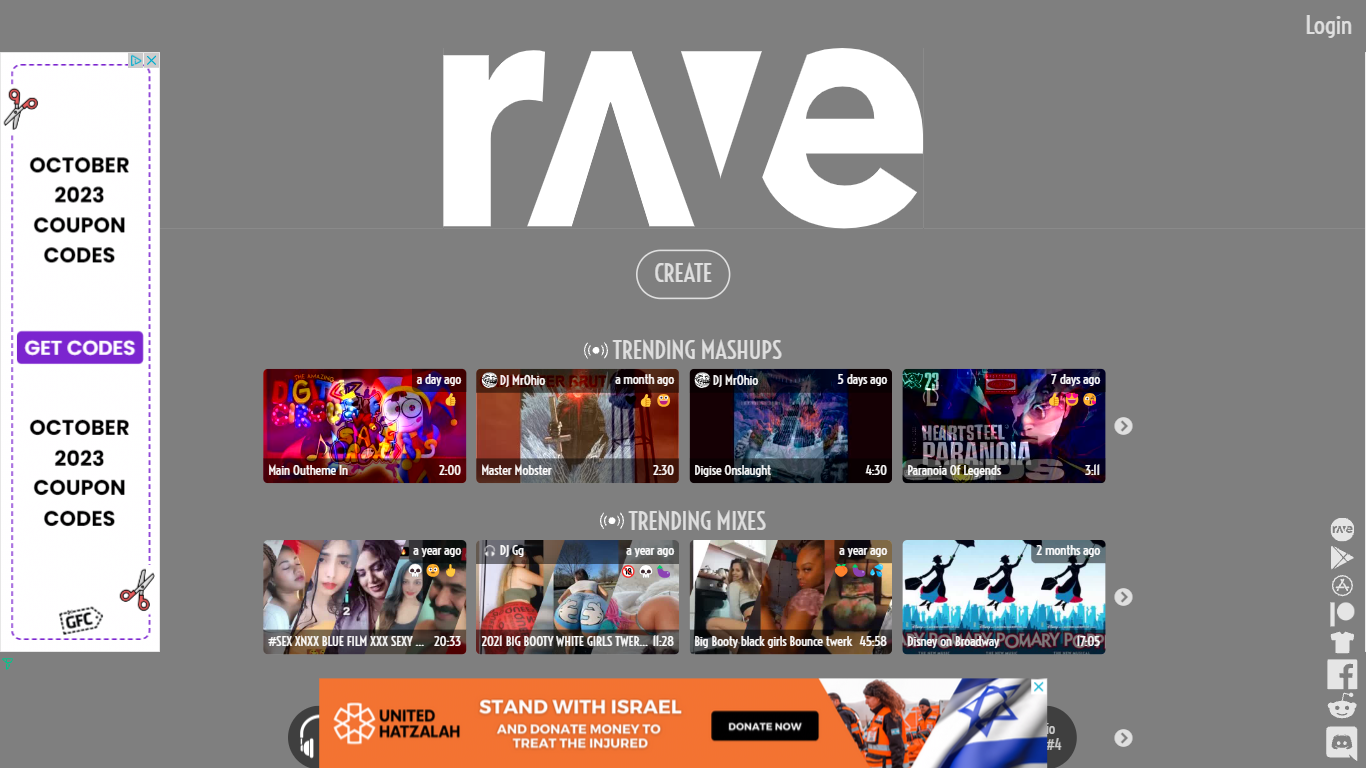

What is RaveDJ?
RaveDJ is an innovative website that offers a unique and exciting way to create custom mixes and mashups of your favorite songs. With the help of artificial intelligence, RaveDJ allows you to effortlessly combine and blend songs from YouTube and Spotify, making it the world's first AI-powered DJ. Whether you're looking for a high-energy mix for the gym or a playlist for a party, RaveDJ has got you covered.
Using RaveDJ is incredibly easy. Simply select the songs or playlists that you want to mix, and let the AI do the rest. The advanced algorithms analyze the tempo, key, and structure of the songs to create seamless transitions and harmonious blends. You can customize the mix even further by adjusting the length, intensity, and other parameters to suit your preferences.
One of the standout features of RaveDJ is its extensive library of songs and playlists. With access to both YouTube and Spotify, you have an endless array of music at your fingertips. Whether you're into the latest pop hits, classic rock anthems, or underground dance tracks, RaveDJ has something for everyone.
Not only can you create your own mixes, but RaveDJ also offers a wide variety of pre-made mixes and mashups created by other users. This allows you to discover new music and genres, and provides endless inspiration for your own creations. You can also save and share your mixes with friends and fellow music enthusiasts, making RaveDJ a social platform for music lovers.
RaveDJ is completely free to use, making it accessible to anyone who wants to unleash their inner DJ. Whether you're a music enthusiast, aspiring DJ, or just someone who loves to dance, RaveDJ offers a fun and creative way to explore and enjoy music.
Supercreator AI

What is Supercreator AI?
Supercreator is a mobile app that uses artificial intelligence to make it easy and quick to create original short videos fast for TikTok, Reels, Shorts, and more.
Unleash the power of AI-assisted video creation
Supercreator is the next generation of the video creation studio. We leverage the power of artificial intelligence to condense more than 100 tedious and time-consuming tasks into one simple application.
With a product designed for speed, power and efficiency - Supercreator turns any ordinary person into, well.. a Supercreator 🚀⚡️️
RaveDJ Upvotes
Supercreator AI Upvotes
RaveDJ Category
- Video Generation
Supercreator AI Category
- Video Generation
RaveDJ Pricing Type
- Freemium
Supercreator AI Pricing Type
- Freemium