
Last updated 08-12-2026
Category:
Reviews:
Join thousands of AI enthusiasts in the World of AI!
RaveDJ
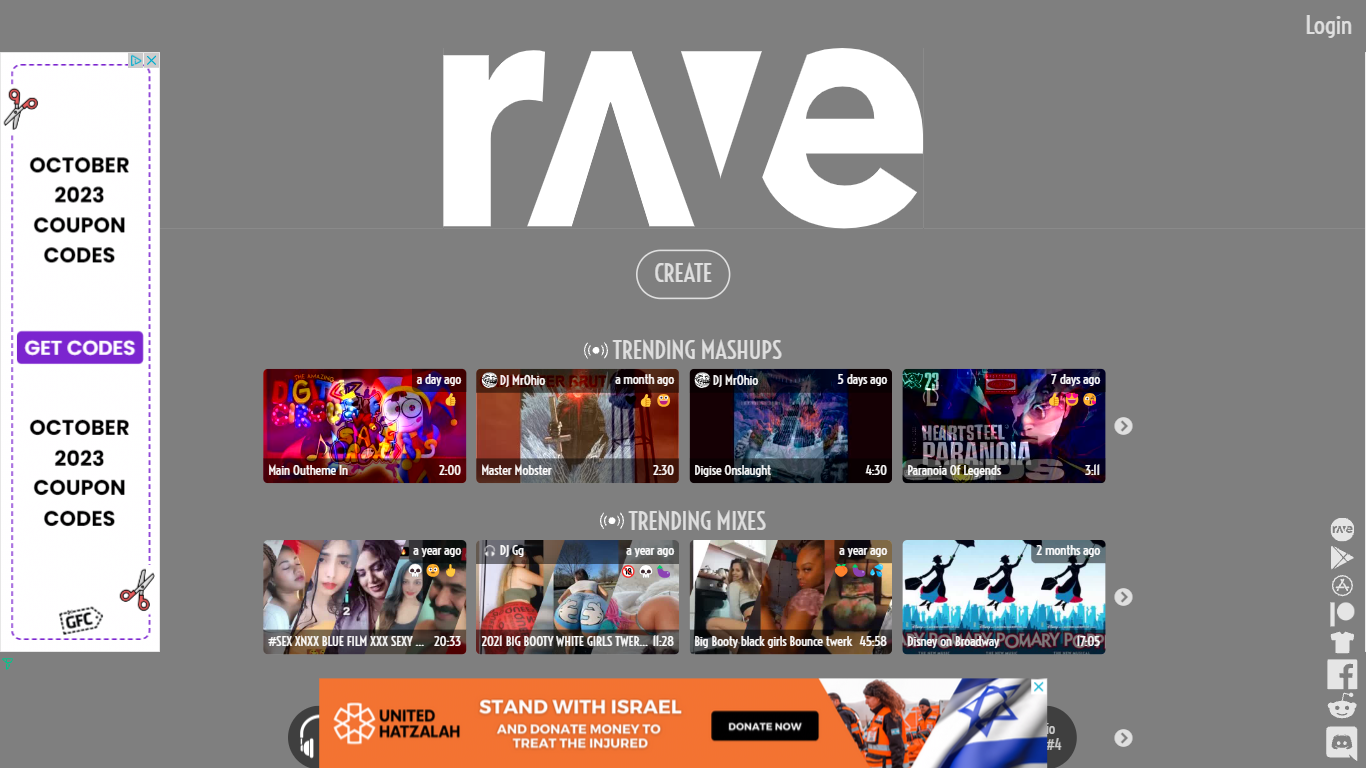
Blend tracks from YouTube and Spotify into mashups or longer DJ sets straight from your browser on RaveDJ. The web mixer uses AI to line up beats and transitions with one click, then publishes results as shareable MP4 video and MP3 audio on the community feed.
Most DJ software expects local files and manual cueing. RaveDJ skips that by pulling songs from streaming links and automating the blend. Compared with a full digital audio workstation, you trade waveform editing for speed: paste or search tracks, pick mashup mode for two songs or DJ set mode for a longer stack, and let the mixer handle tempo matching.
Bedroom DJs, party hosts, and gym listeners can browse trending mashups, hour-long mixes, and featured collections in Latin, EDM, and Indie before creating their own. Login through Facebook, Google, or Twitter is available when you want to post mixes and build a DJ profile.
Pull songs from YouTube and Spotify without downloading files to your computer first
Mashup mode blends two tracks; DJ set mode stacks many songs into one longer mix
Published mixes export as MP4 video and MP3 audio files with thumbnails
Trending feeds surface mashups, multi-hour mixes, and DJ profiles with emoji reactions
Featured browse rows include Hot Mixes, Latin, EDM, and Indie collections on the homepage
Sign in with Facebook, Google, or Twitter to post mixes and manage a DJ profile
Free mixing from YouTube and Spotify links with no paid tier on the site.
One-click mashup and DJ set modes remove manual beat matching for casual users.
Community trending feeds and featured genre rows make discovery easy.
Outputs include MP4 video and MP3 audio files ready to share.
Mixing depends on tracks staying available on YouTube or Spotify.
No native RaveDJ desktop app; the mixer runs in the browser.
Terms restrict commercial use without written consent from Rave Inc.
Is RaveDJ free to use?
Yes, RaveDJ is free. The site mixes and mashups songs from YouTube and Spotify at no charge, and optional Patreon support is separate from using the mixer.
What music sources does RaveDJ support?
RaveDJ mixes tracks from YouTube and Spotify. On the create page you can add individual songs or playlists from either source before building a mashup or DJ set.
What is the difference between mashup and DJ set modes on RaveDJ?
On RaveDJ, mashup mode blends two songs together, while DJ set mode stacks many tracks into one longer mix. Both modes use the same AI mixer after you add songs from YouTube or Spotify.
Does RaveDJ require an account?
RaveDJ lets you open the mix page and add songs without signing in first. Creating a profile and posting mixes uses Facebook, Google, or Twitter login per the Rave terms.
What formats does RaveDJ output for mixes?
RaveDJ publishes mixes with MP4 video and MP3 audio files plus thumbnail images on each mix page. Shared links play those hosted files from rave.dj assets.
Who operates RaveDJ?
RaveDJ is operated by Rave Inc., a Canada-based company. Terms and privacy pages list contact at [email protected] and a mailing address in Ancaster, Ontario.