Stable Audio vs SpeechGPT
In the clash of Stable Audio vs SpeechGPT, which AI Audio Generation tool emerges victorious? We assess reviews, pricing, alternatives, features, upvotes, and more.
When we put Stable Audio and SpeechGPT head to head, which one emerges as the victor?
Let's take a closer look at Stable Audio and SpeechGPT, both of which are AI-driven audio generation tools, and see what sets them apart. The community has spoken, Stable Audio leads with more upvotes. Stable Audio has received 7 upvotes from aitools.fyi users, while SpeechGPT has received 6 upvotes.
You don't agree with the result? Cast your vote to help us decide!
Stable Audio


What is Stable Audio ?
Stable Audio turns text descriptions into full music tracks, individual stems, and sound effects through a browser-based studio from Stability AI. You type a prompt covering genre, mood, instruments, and BPM, and the model returns downloadable audio up to six minutes long at 44.1 kHz stereo. The same workspace handles audio-to-audio generation, where an uploaded clip, recording, or vocal melody guides how the output develops.
Where tools like Suno optimize for finished songs from a single lyric prompt, Stable Audio leans toward producer workflows: style transfer on existing audio, stem-level generation, and SFX from short text cues like "car passing by" or "explosion." You can dial input audio strength and prompt strength separately, which makes it practical for iterating on samples rather than replacing a whole composition pipeline.
Producers, video editors, and game developers use it for beds, transitions, and licensed background audio. The free Personal plan caps you at ten generations a month for non-commercial work, while Pro, Studio, and Max subscriptions add commercial Creator licensing and monthly generation counts from 250 up to 2,500 tracks.
SpeechGPT
What is SpeechGPT?
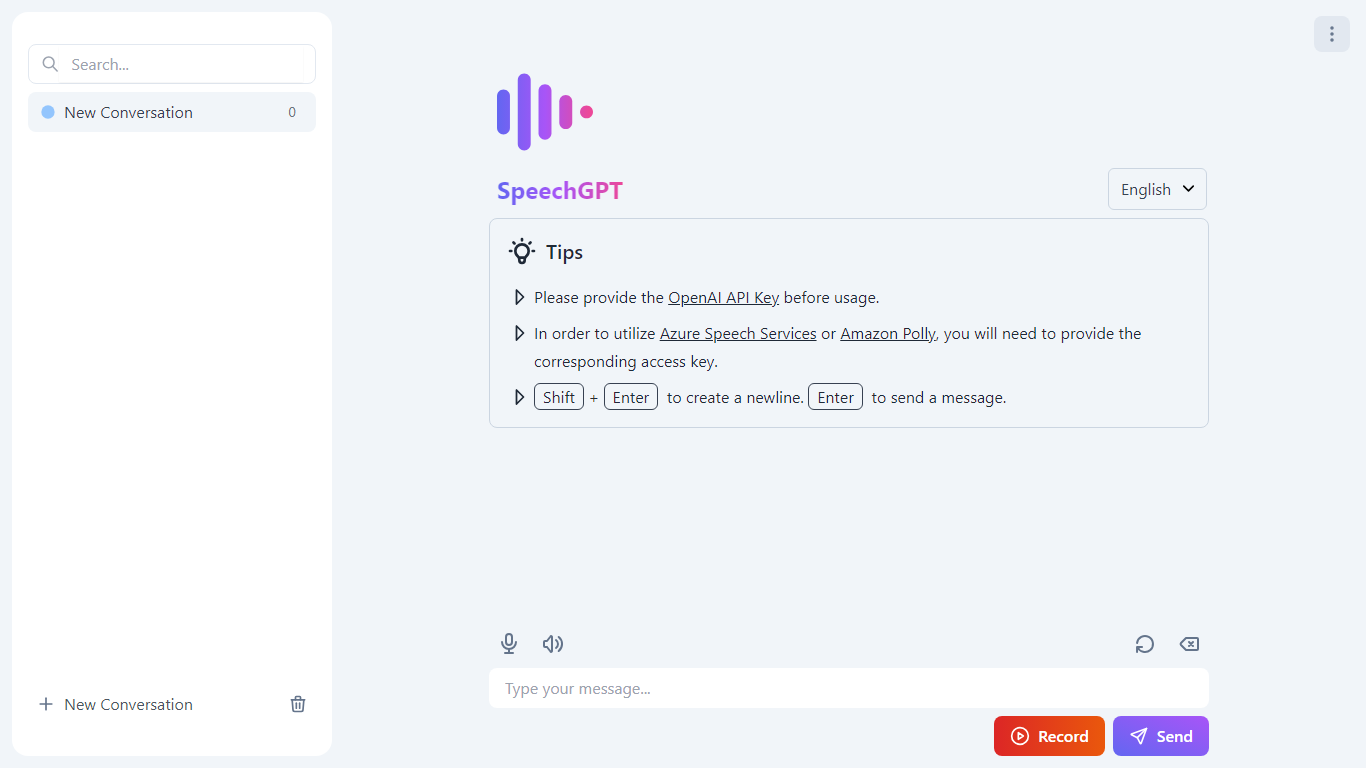
SpeechGPT lets you hold voice conversations in the browser using your own OpenAI API key. You type or record messages, send them through a chat interface, and hear spoken replies without installing desktop software.
Unlike hosted TTS services that bundle model costs into a subscription, SpeechGPT runs in the browser and bills you only through the OpenAI, Azure Speech Services, or Amazon Polly accounts you connect. That makes it a lightweight option for developers and language learners who already have API access and want a simple voice chat front end.
The interface supports English, Spanish, and Chinese UI labels, includes a record button for speech input, and stores session data locally in the browser. It suits developers testing voice chat flows, language learners practicing spoken prompts, and anyone who wants a minimal ChatGPT voice client on mobile or desktop.
Stable Audio Upvotes
SpeechGPT Upvotes
Stable Audio Top Features
Generate music up to 6 minutes long at 44.1 kHz stereo
Free plan includes 10 track generations per month with Stable Audio 2.5
Audio-to-audio accepts MP3, WAV, MP4, and AIFF uploads for style transfer
Pro plan at $11.99 per month unlocks 250 generations and commercial Creator licensing
Text prompts support genre, BPM, mood, and instrument details for targeted output
Vocal input beta turns humming or singing into full backing tracks
SpeechGPT Top Features
Chat interface accepts typed messages or recorded speech input with Enter to send
Requires your OpenAI API key in settings before the app will run conversations
Optional Azure Speech Services or Amazon Polly access keys for alternate text-to-speech backends
UI available in English, Spanish, and Chinese from the in-app language selector
Shift plus Enter inserts a newline without sending the message
Runs as a web app on Vercel with no separate desktop install required
Stable Audio Category
- Audio Generation
SpeechGPT Category
- Audio Generation
Stable Audio Pricing Type
- Freemium
SpeechGPT Pricing Type
- Free