Supercreator vs Gemoo
Explore the showdown between Supercreator vs Gemoo and find out which AI Video Editing tool wins. We analyze upvotes, features, reviews, pricing, alternatives, and more.
In a face-off between Supercreator and Gemoo, which one takes the crown?
When we contrast Supercreator with Gemoo, both of which are exceptional AI-operated video editing tools, and place them side by side, we can spot several crucial similarities and divergences. The upvote count is neck and neck for both Supercreator and Gemoo. Every vote counts! Cast yours and contribute to the decision of the winner.
Disagree with the result? Upvote your favorite tool and help it win!
Supercreator


What is Supercreator?
Supercreator.ai is a creator platform from CLB Creative that pairs AI-assisted scripting and video tools with templates, communities, and automations. The product is available through the web app at app.supercreator.ai and an iOS app where users sign in with Apple ID, pick interest categories, and move from idea to finished short-form content.
The public site positions Supercreator as an invitation-only entry point for creators and partners, while legal pages describe a broader ecosystem: registered users can browse template libraries, join free or paid communities, and publish creations after account review. Premium subscribers keep scripts and videos private; free users may have their generated content visible to others on the platform.
Gemoo
What is Gemoo?
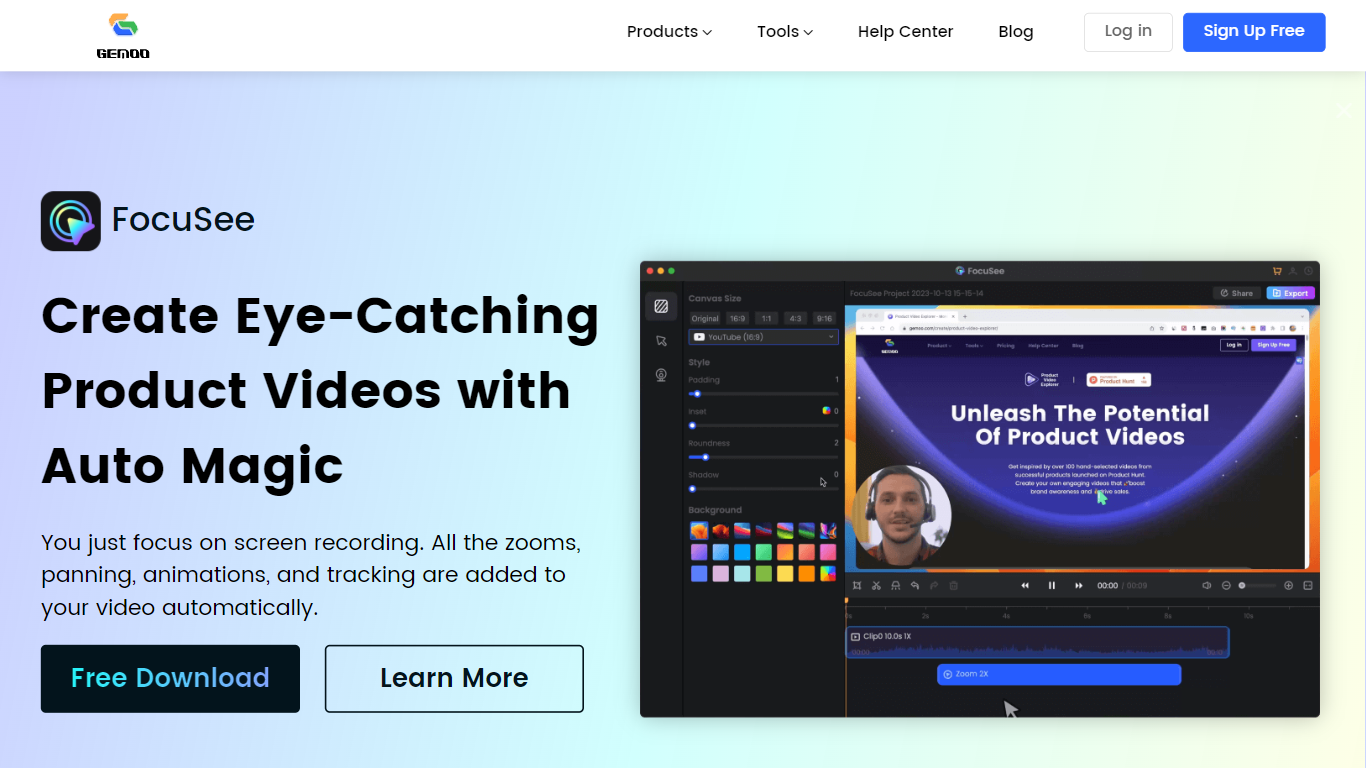
Gemoo bundles screen recording, video editing, and sharing tools for product demos and tutorials. Its recorder captures screen, webcam, and microphone together, then adds zooms, panning, and motion highlights automatically so you are not rebuilding edits frame by frame. Clippa is the browser-based editor for trimming and exporting without watermarks.
Compared with a general screen recorder, Gemoo targets polished product walkthroughs rather than raw captures. TalkEze adds speaker notes for recorded presentations, and the site also lists utilities like a YouTube transcript tool. The workflow assumes you record once and publish a link rather than handing files through multiple apps.
Marketing teams, customer success reps, and founders use it for launch videos, onboarding clips, and sales demos. Educators recording software lessons fit the same pattern. During the July 2026 enrichment check, the public homepage showed a scheduled maintenance notice, so plan details below come from the last stored product description rather than a live pricing page.
Supercreator Upvotes
Gemoo Upvotes
Supercreator Top Features
Generate video scripts with AI from your topics or existing source material
Record in-app with speech mode that turns spoken lines into on-screen text
Apply TrueDepth AR face masks and effects while filming on iPhone
Separate foreground subjects from backgrounds for green-screen style shots
Browse a template library to start projects faster
Join free or paid creator communities inside the platform
Choose interest categories such as sports, fashion, education, or finance for tailored suggestions
Gemoo Top Features
Gemoo Recorder captures screen, webcam, and microphone in one session
Auto zoom, pan, and motion tracking applied to screen recordings without manual keyframing
Clippa browser editor exports videos without watermarks
TalkEze supports talking-head recordings with on-screen speaker notes
Instant share links for recorded clips plus local download option
Supercreator Category
- Video Editing
Gemoo Category
- Video Editing
Supercreator Pricing Type
- Freemium
Gemoo Pricing Type
- Freemium