Text Reader vs SpeechGPT
In the clash of Text Reader vs SpeechGPT, which AI Audio Generation tool emerges victorious? We assess reviews, pricing, alternatives, features, upvotes, and more.
When we put Text Reader and SpeechGPT head to head, which one emerges as the victor?
Let's take a closer look at Text Reader and SpeechGPT, both of which are AI-driven audio generation tools, and see what sets them apart. There's no clear winner in terms of upvotes, as both tools have received the same number. The power is in your hands! Cast your vote and have a say in deciding the winner.
Don't agree with the result? Cast your vote and be a part of the decision-making process!
Text Reader

What is Text Reader?
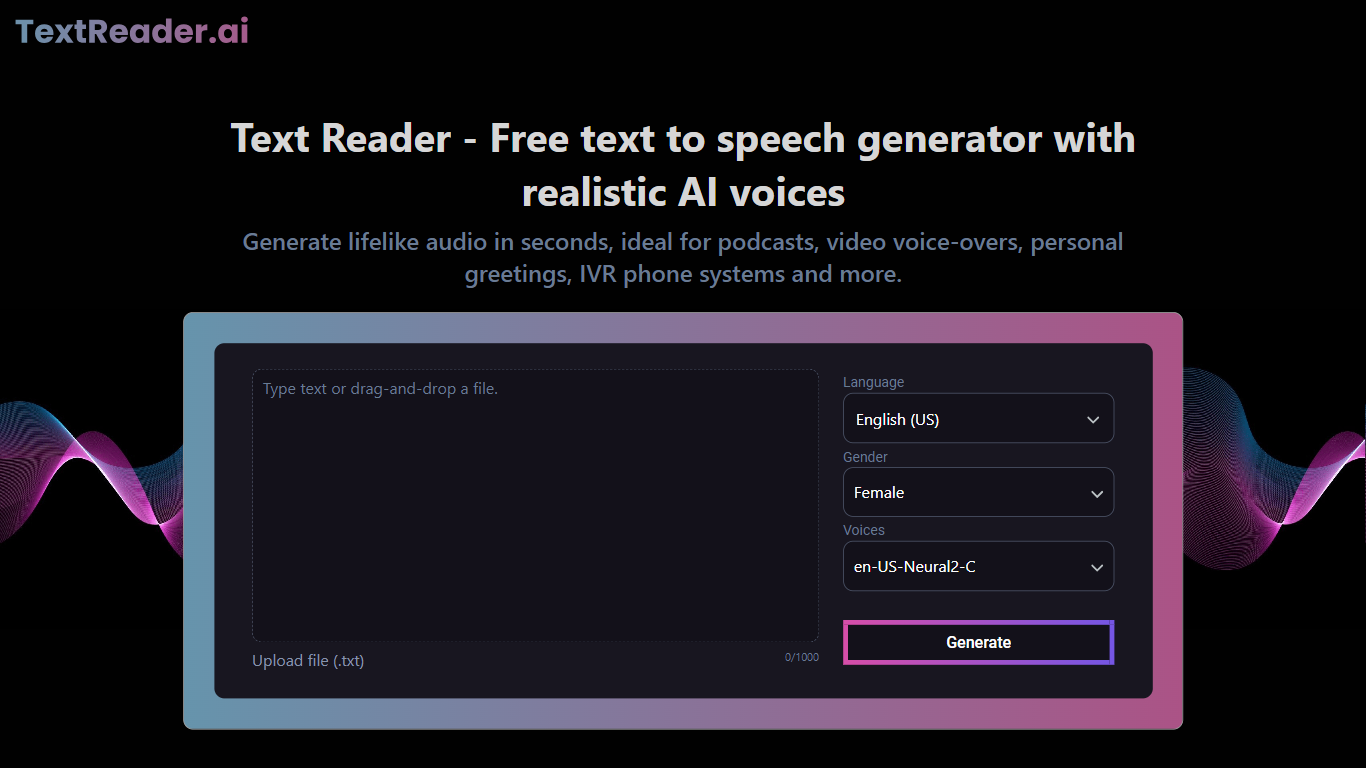
Text Reader is a free, easy-to-use text to speech generator that converts written text into natural-sounding audio in seconds. It supports over 50 languages and variants, offering realistic male and female voices powered by advanced AI algorithms. The tool is designed for both personal and commercial use, helping users save time and costs by automating voice recording tasks. It is ideal for creating podcasts, video voice-overs, personal greetings, IVR phone systems, and educational content. Text Reader also enhances accessibility for people with visual impairments or reading difficulties by providing clear audio versions of written materials.
The platform features a simple interface where users can paste or upload text, select a voice and language, and generate high-quality MP3 audio files instantly. It supports multiple use cases including converting blogs, articles, and notes into audio for on-the-go consumption. Businesses benefit from Text Reader by producing engaging voiceovers for marketing videos and improving customer service with consistent IVR recordings. Educators can create inclusive learning materials that aid comprehension and language skills.
Text Reader’s voices stand out due to their natural tone, rhythm, and emphasis, closely mimicking human speech. The service continuously improves its AI models to deliver more lifelike results. Its multilingual capabilities make it suitable for global audiences, enabling content localization without extra effort. The tool offers a cost-effective alternative to hiring voice actors or renting studios, with fast turnaround times and unlimited downloads on paid plans.
Overall, Text Reader combines ease of use, broad language support, and high-quality voice output to serve a wide range of users from individuals to businesses and educators. It helps make written content more accessible, engaging, and versatile through realistic AI-generated speech.
SpeechGPT

What is SpeechGPT?
SpeechGPT lets you hold voice conversations in the browser using your own OpenAI API key. You type or record messages, send them through a chat interface, and hear spoken replies without installing desktop software.
Unlike hosted TTS services that bundle model costs into a subscription, SpeechGPT runs in the browser and bills you only through the OpenAI, Azure Speech Services, or Amazon Polly accounts you connect. That makes it a lightweight option for developers and language learners who already have API access and want a simple voice chat front end.
The interface supports English, Spanish, and Chinese UI labels, includes a record button for speech input, and stores session data locally in the browser. It suits developers testing voice chat flows, language learners practicing spoken prompts, and anyone who wants a minimal ChatGPT voice client on mobile or desktop.
Text Reader Upvotes
SpeechGPT Upvotes
Text Reader Top Features
🎙️ Realistic AI voices with natural tone and rhythm for engaging audio
🌍 Supports over 50 languages and variants for global reach
⚡ Fast conversion of text to MP3 audio files with one click
💼 Ideal for commercial use including marketing and IVR systems
📚 Enhances accessibility and learning with audio for educational content
SpeechGPT Top Features
Chat interface accepts typed messages or recorded speech input with Enter to send
Requires your OpenAI API key in settings before the app will run conversations
Optional Azure Speech Services or Amazon Polly access keys for alternate text-to-speech backends
UI available in English, Spanish, and Chinese from the in-app language selector
Shift plus Enter inserts a newline without sending the message
Runs as a web app on Vercel with no separate desktop install required
Text Reader Category
- Audio Generation
SpeechGPT Category
- Audio Generation
Text Reader Pricing Type
- Freemium
SpeechGPT Pricing Type
- Free