
Last updated 07-26-2026
Category:
Reviews:
Join thousands of AI enthusiasts in the World of AI!
Text Reader
Text Reader is a free, easy-to-use text to speech generator that converts written text into natural-sounding audio in seconds. It supports over 50 languages and variants, offering realistic male and female voices powered by advanced AI algorithms. The tool is designed for both personal and commercial use, helping users save time and costs by automating voice recording tasks. It is ideal for creating podcasts, video voice-overs, personal greetings, IVR phone systems, and educational content. Text Reader also enhances accessibility for people with visual impairments or reading difficulties by providing clear audio versions of written materials.
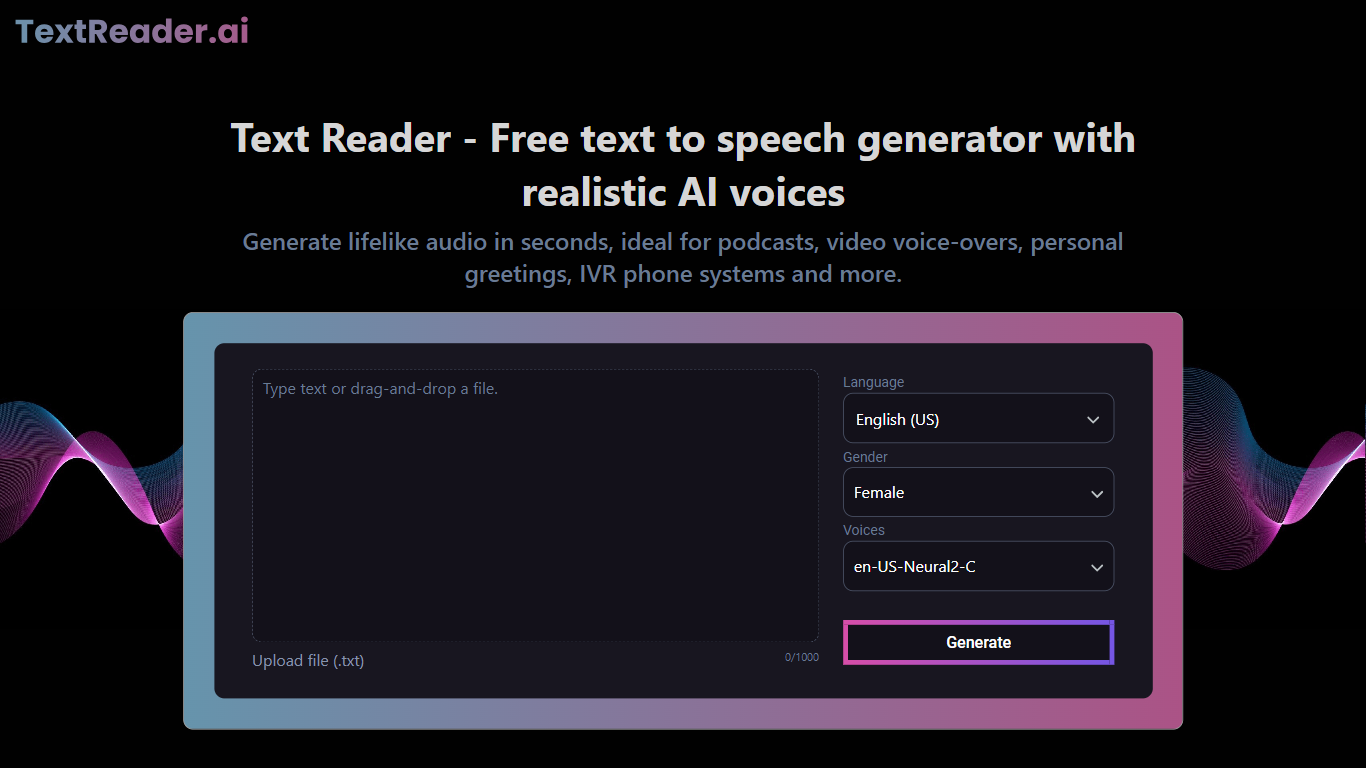
The platform features a simple interface where users can paste or upload text, select a voice and language, and generate high-quality MP3 audio files instantly. It supports multiple use cases including converting blogs, articles, and notes into audio for on-the-go consumption. Businesses benefit from Text Reader by producing engaging voiceovers for marketing videos and improving customer service with consistent IVR recordings. Educators can create inclusive learning materials that aid comprehension and language skills.
Text Reader’s voices stand out due to their natural tone, rhythm, and emphasis, closely mimicking human speech. The service continuously improves its AI models to deliver more lifelike results. Its multilingual capabilities make it suitable for global audiences, enabling content localization without extra effort. The tool offers a cost-effective alternative to hiring voice actors or renting studios, with fast turnaround times and unlimited downloads on paid plans.
Overall, Text Reader combines ease of use, broad language support, and high-quality voice output to serve a wide range of users from individuals to businesses and educators. It helps make written content more accessible, engaging, and versatile through realistic AI-generated speech.
🎙️ Realistic AI voices with natural tone and rhythm for engaging audio
🌍 Supports over 50 languages and variants for global reach
⚡ Fast conversion of text to MP3 audio files with one click
💼 Ideal for commercial use including marketing and IVR systems
📚 Enhances accessibility and learning with audio for educational content
Wide language support with natural-sounding male and female voices
Simple interface enables quick text to speech conversion and downloads
Cost-effective alternative to hiring voice actors or studios
Supports diverse use cases from personal notes to commercial voiceovers
Improves accessibility for visually impaired and learning-disabled users
Free plan limits voice generation to a small amount of text
Advanced features and longer usage require paid subscription
How do I convert text to speech with Text Reader?
Simply paste or type your text into the box, select your preferred language and voice, then click the generate button to create natural-sounding audio.
Can I use Text Reader voices for commercial projects?
Yes, Text Reader supports commercial use cases such as marketing videos, podcasts, and IVR systems with realistic AI voiceovers.
What languages does Text Reader support?
Text Reader offers over 50 languages and variants, including English, Spanish, French, Mandarin, Hindi, and many more.
How fast is the text to speech conversion?
The conversion process takes only seconds, and you can download the generated MP3 audio immediately.
What makes Text Reader voices different from other TTS tools?
Text Reader uses advanced AI algorithms and WaveNet technology to produce voices with natural tone, rhythm, and emphasis for a lifelike experience.
Is there a free version of Text Reader?
Yes, Text Reader offers a free tier with limited voice generation, allowing users to try the service before upgrading.
Can Text Reader help people with reading difficulties?
Absolutely, it converts written content into clear audio, aiding those with visual impairments or learning challenges like dyslexia.