Unity AI vs Pixela.ai
In the contest of Unity AI vs Pixela.ai, which AI Gaming tool is the champion? We evaluate pricing, alternatives, upvotes, features, reviews, and more.
If you had to choose between Unity AI and Pixela.ai, which one would you go for?
When we examine Unity AI and Pixela.ai, both of which are AI-enabled gaming tools, what unique characteristics do we discover? Neither tool takes the lead, as they both have the same upvote count. The power is in your hands! Cast your vote and have a say in deciding the winner.
Don't agree with the result? Cast your vote and be a part of the decision-making process!
Unity AI


What is Unity AI?
Unity AI puts Assistant and Generators inside Unity 6.2 so you can batch-edit scenes, draft C# scripts, and spin up sprites, textures, sounds, and animations without leaving the Editor. The Assistant reads your scene hierarchy, installed packages, and console errors, which keeps answers tied to the project on screen. Generators write output straight into Unity assets for sprites, Texture2D images, sound clips, animations, and materials.
Compared with bolt-on chat tools, Unity AI runs inside the Editor and replaces Muse Chat, Muse Generators, and Sentis with packages that share project context. Assistant exposes /ask, /run, and /code modes: ask for read-only answers, run to automate batch edits with generated scripts, and code to draft C# against the Unity API. Inference Engine work stays local for runtime models while Assistant and Generators run through Unity Cloud.
Indie studios, mobile teams, and technical artists use it to scatter objects across terrain, rename assets in bulk, explain stack traces, and spin up placeholder art before production assets land. You need Unity 6.2 or later plus a linked Unity Cloud project for the full Assistant and Generators feature set.
Pixela.ai
What is Pixela.ai?
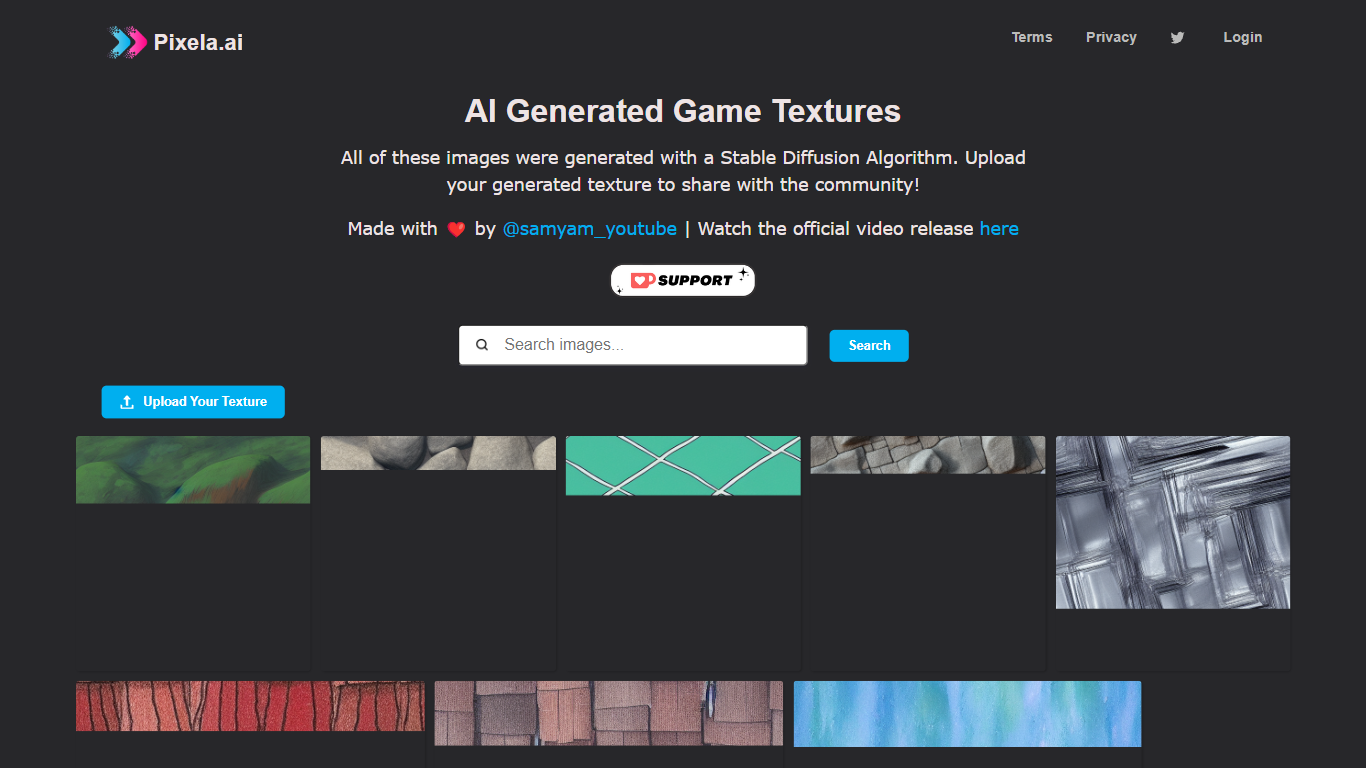
Pixela.ai is a free gaming texture gallery built around images created with Stable Diffusion. The homepage hosts a browsable grid of community-shared game textures, each available to download directly from the tile. The site collects and distributes AI-made materials for game environments rather than selling asset packs or running a full 3D pipeline.
Where most texture sites list artist-made packs or charge per download, Pixela.ai only publishes Stable Diffusion output and asks uploaders to prove their file was AI generated before it joins the gallery. That verification step keeps the feed on-topic for developers hunting synthetic tileable surfaces, not photo backups or unrelated artwork.
Indie developers and 3D artists use Pixela.ai to browse fresh materials, pull downloads into Unity or Blender, and share their own generated tiles back to the feed. Creator @samyam_youtube built the project, and the optional login handles attribution when you add textures to the public library.
Unity AI Upvotes
Pixela.ai Upvotes
Unity AI Top Features
Assistant /ask mode answers documentation and project questions without modifying files
Assistant /run mode automates batch renames and scene edits through generated Editor scripts
Generators package creates sprites, Texture2D, sound, animation, and material assets in one workflow
Inference Engine runs local inference for runtime AI models inside Unity projects
Organization admins can disable Assistant and Generators from the Unity Dashboard for all users
Partner models from Scenario and Layer AI back Generators alongside first-party Unity models
Pixela.ai Top Features
Gallery tiles are labeled as Stable Diffusion output, and hover download buttons sit on each card
Upload modal requires accepting the Terms and Privacy Policy links before submission
Verification step checks whether your upload is an AI generated image before it joins the feed
Pixela.ai lists zero pricing plans on-site, so browsing and downloading stay free
Homepage credits creator @samyam_youtube with a linked Twitter account in the header
Unity AI Category
- Gaming
Pixela.ai Category
- Gaming
Unity AI Pricing Type
- Freemium
Pixela.ai Pricing Type
- Free