
Last updated 08-22-2026
Category:
Reviews:
Join thousands of AI enthusiasts in the World of AI!
Doc Translator IO
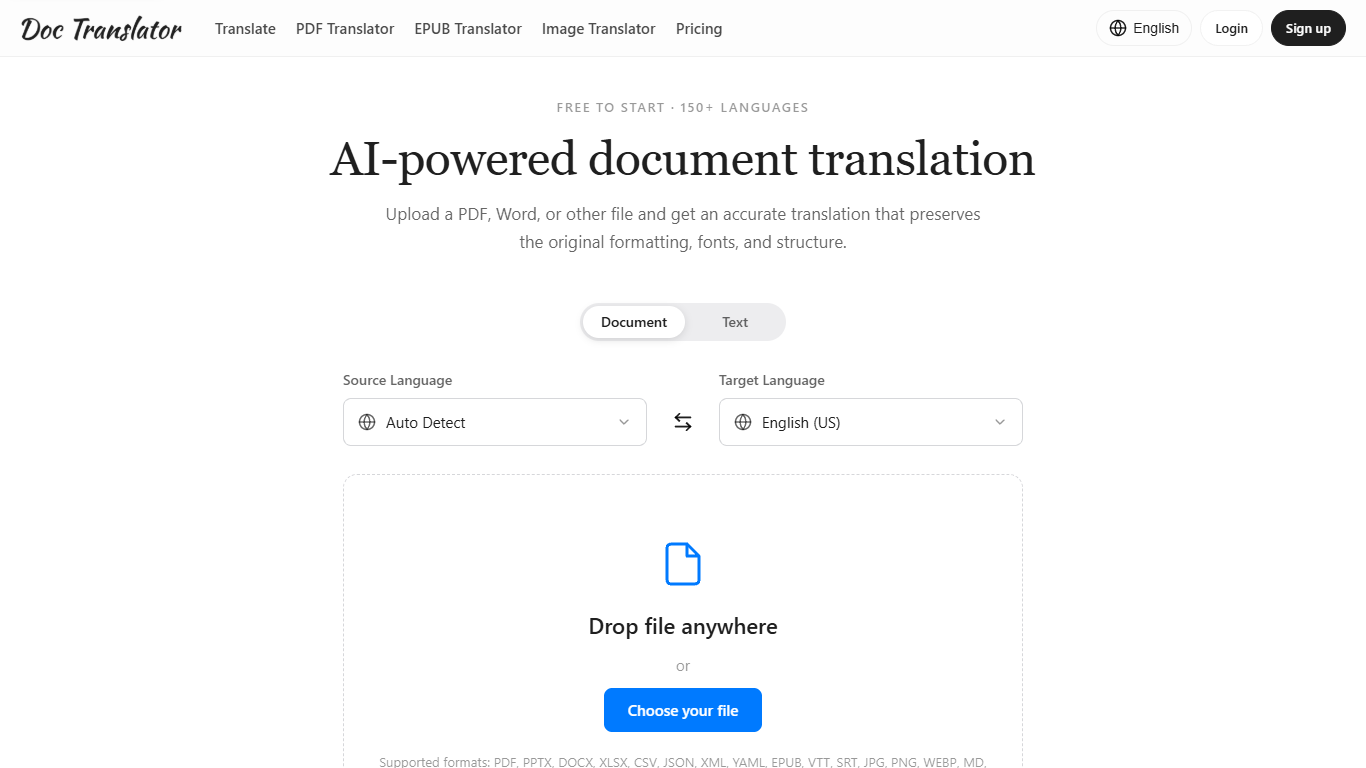
Doc Translator turns PDFs, Office files, images, and subtitle tracks into translated versions that keep the original layout intact. You upload a file, pick a target language from 150+ options, and download a result meant to look like the source. It is a document translation tool built for people who need the finished file ready to share, not a wall of loose text.
Most online translators ask you to paste text and rebuild the document yourself. This one rebuilds the file so columns, tables, fonts, and images stay in place, and it covers more than 50 formats in one drop zone, from DOCX and PPTX to EPUB, SRT, and HEIC. PDF work is treated as its own heavier path, with OCR for scans and a separate credit rate that reflects the cost of page-level work.
Students, freelancers, localization managers, and product marketers show up in the product's own examples for a reason. It fits anyone who needs a contract, deck, spreadsheet, or scanned report in another language without spending an afternoon reformatting.
Keeps columns, tables, fonts, and images in place across PDF, DOCX, PPTX, and XLSX
Covers 150+ languages with automatic source-language detection
PDF jobs cost 10 Credits per page with a 150 Credit minimum
Plans scale from 2 to 10 concurrent translation jobs
Image OCR for JPG, PNG, WebP, HEIC, and HEIF at 6 Credits each
Layout-aware output across Office, PDF, EPUB, images, and subtitles reduces reformatting work.
Credit cost is estimated before you confirm, and failed jobs are refunded automatically.
One drop zone covers 50+ formats instead of forcing separate converters per file type.
Annual billing is offered at about half the monthly sticker price across Basic, Pro, and Max.
PDF translation costs 10 Credits per page with a 150 Credit minimum, so even short PDFs burn Credits fast.
Upload size caps at 10 MB, 25 MB, or 50 MB depending on plan, which limits large decks and books.
Privacy policy keeps files available in My Files without automatic expiry, despite marketing copy that suggests auto-deletion.
No public API is documented on the site, so workflow automation stays manual uploads.
What plans does Doc Translator IO offer?
Doc Translator IO offers three paid plans: Basic, Pro, and Max. All include the same translation tools, with higher monthly Credits, larger upload limits, more concurrent jobs, and higher processing priority on Pro and Max.
How much does Doc Translator IO cost?
Doc Translator IO's paid plans are Basic at $4.90 per month, Pro at $9.90 per month, and Max at $19.90 per month when billed annually. Pro is marked most popular and includes 1,000 Credits per month with uploads up to 25 MB.
What file formats does Doc Translator IO support?
Doc Translator IO supports more than 50 formats, including PDF, DOCX, PPTX, XLSX, CSV, EPUB, Markdown, TXT, JSON, XML, YAML, SRT, VTT, and images such as JPG, PNG, WebP, HEIC, and HEIF. Maximum upload size depends on your plan.
Does Doc Translator IO preserve original formatting?
Yes. Doc Translator IO rebuilds the translated file with the same layout, fonts, tables, images, and structure when the format allows. Complex tables, custom fonts, or longer translated text can still cause small shifts, so review before publishing.
How does Doc Translator IO charge for PDFs?
Doc Translator IO prices PDF translation at 10 Credits per analyzed page, with a minimum charge of 150 Credits per PDF. Ordinary documents use about 1 Credit per 2,000 source characters. The Credit estimate is shown before you confirm the job.
Do I need an account to use Doc Translator IO?
Yes. Doc Translator IO uses an account to manage paid subscriptions, Credits, and the My Files library where you can re-download originals and translated results later.
How does Doc Translator IO handle my files?
Doc Translator IO transfers files over encrypted connections and uses them to produce your translation. Per the privacy policy, files can remain available in My Files with access links that do not automatically expire, so keep links private and avoid highly sensitive uploads.