
Last updated 11-16-2026
Category:
Reviews:
Join thousands of AI enthusiasts in the World of AI!
Flow AI Studio
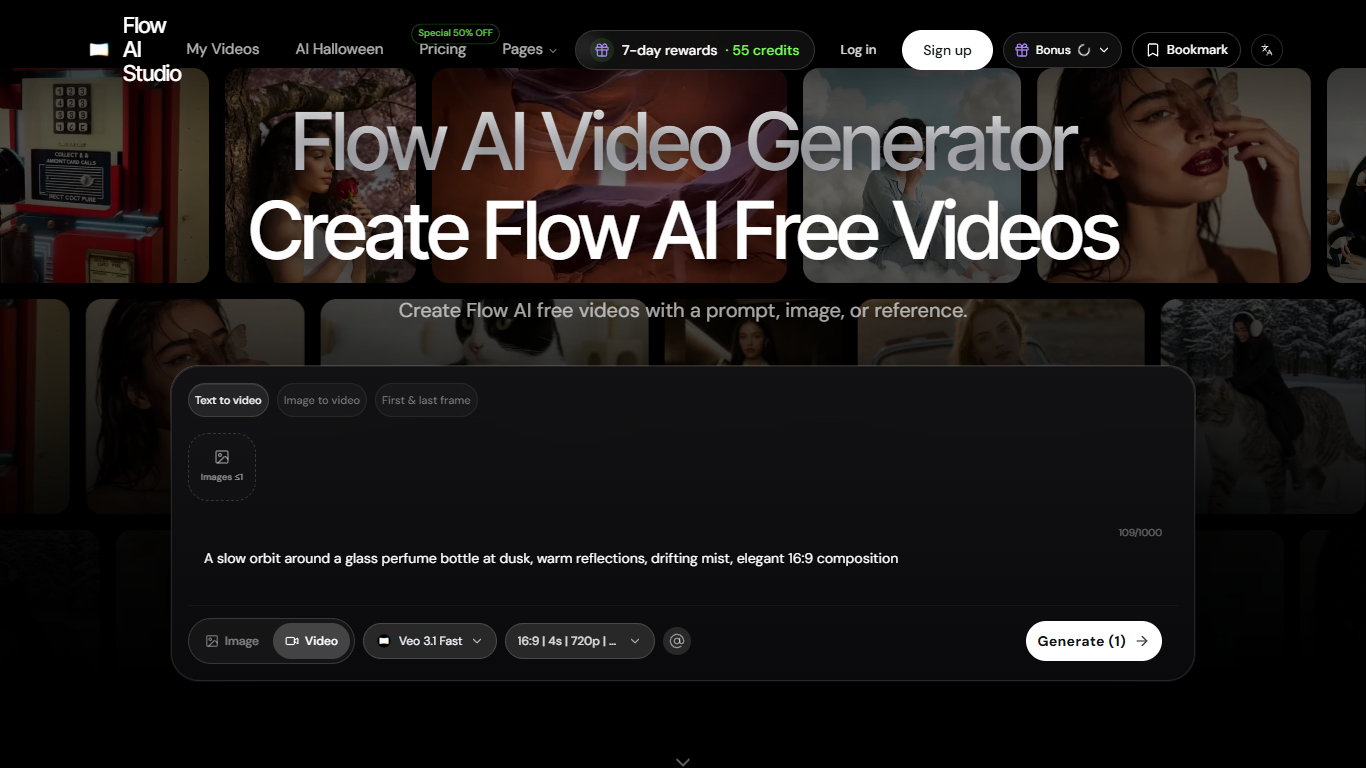
Flow AI Studio is a browser-based AI video generator that turns prompts, stills, or reference frames into short clips you can review before anyone books a shoot or opens a timeline. The workspace targets sellers, social creators, and agencies who need motion previews while a concept is still cheap to change.
Most video tools assume you already picked a direction. Flow AI Studio leans into previsualization: compare camera paths, pacing, and aspect ratios side by side, and treat stock footage search and full NLE edits as the step after you settle on a hook. First-and-last-frame control and reference-led briefs are built for continuity, not one-off novelty clips.
E-commerce teams animate approved packshots, creators stress-test opening beats per channel, and client-facing groups turn vague feedback into two or three concrete motion options. The hero generator advertises Veo 3.1 Fast with 720p on the public demo generate control and 1080p HD on paid subscriptions.
Veo 3.1 Fast in the hero UI with 16:9, 4 second, 720p defaults
Text-to-video, image-to-video, and first-and-last-frame modes in one panel
Homepage demo generate works before you open checkout or sign in
Plan vertical, widescreen, or square outputs before exporting
Pro adds API access, batch generation, and 4,800 monthly credits at list price
Paid tiers remove watermarks and unlock 1080p HD exports
Lets you run a homepage demo generate without creating an account first.
First-and-last-frame plus reference briefs suit product and portrait continuity tests.
Compares multiple aspect ratios and variations before detailed editing or a reshoot.
Subscription credits expire monthly and do not roll over on annual plans.
Full pricing tables emphasize yearly billing; monthly and one-time tabs need a signed-in checkout review.
No native mobile app, only the browser workspace.
Is Flow AI Studio free?
No. Flow AI Studio is a paid product with Basic, Pro, and Ultra subscription plans. The homepage still offers a limited demo generate flow without an account, but ongoing output requires purchased credits on a paid plan.
How much does Flow AI Studio cost?
Flow AI Studio lists Basic at $9.80 per month billed annually ($117.60 per year) with 800 monthly credits, Pro at $19.95 per month billed annually with 4,800 monthly credits, and Ultra at $99.95 per month billed annually with 30,000 monthly credits. Credits expire each monthly period and do not roll over.
What models does Flow AI Studio use for generation?
Flow AI Studio exposes Veo 3.1 Fast in the default generator controls on the homepage, including 16:9 aspect ratio, 4 second length, and 720p quality on the demo control before you subscribe.
Does Flow AI Studio support image-to-video?
Yes. Flow AI Studio supports image-to-video alongside text-to-video and first-and-last-frame workflows, so approved product photos or portraits can anchor motion instead of relying on text alone.
Does Flow AI Studio offer an API?
Yes on higher tiers. Flow AI Studio lists API access on the Pro and Ultra plans in the pricing comparison table, while Basic focuses on individual creator features such as priority queue and watermark removal.
Can I use Flow AI Studio videos commercially?
Flow AI Studio includes a commercial use license on paid plans, with marketing copy noting it on yearly Basic, Pro, and Ultra cards. Check the active plan details before client delivery because license wording differs by tier.
How do annual plan credits work on Flow AI Studio?
On annual Flow AI Studio plans, credits are issued monthly and expire at the end of each monthly period, and unused credits do not roll over. Pricing pages repeat that billing rule for Basic, Pro, and Ultra.