
Last updated 08-21-2026
Category:
Reviews:
Join thousands of AI enthusiasts in the World of AI!
Gemini Omini Video
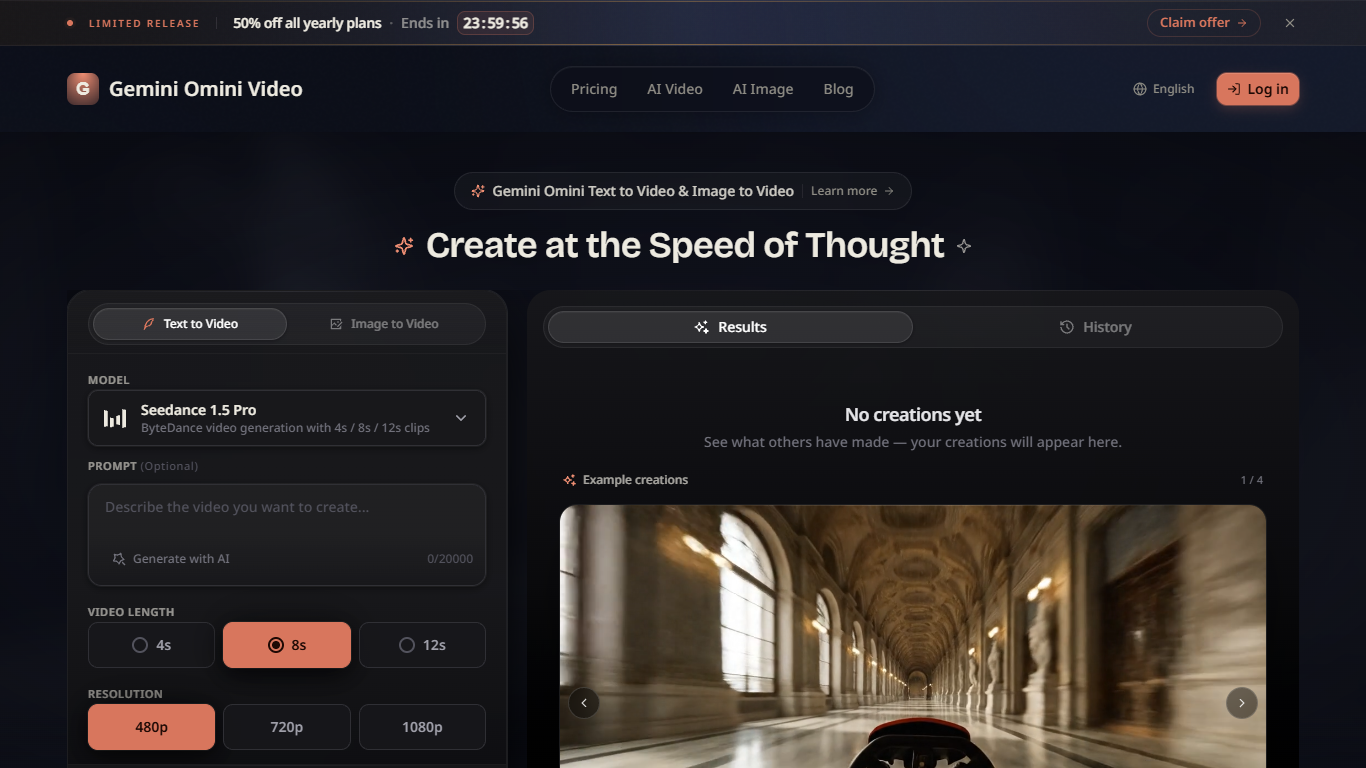
Gemini Omini Video turns text prompts or up to five reference images into short AI video clips with style presets, flexible aspect ratios, and synchronized native audio. You pick models like Google Veo 3.1 Lite, set 720p, 1080p, or 4K output, and export landscape, portrait, or square formats for YouTube, TikTok, and Instagram without a traditional edit timeline.
Many text-to-video sites stop at a single model and fixed durations. Gemini Omini Video bundles text-to-video and image-to-video on one create page, supports prompts up to 20,000 characters on the generator, and lists cinematic, anime, realistic, artistic, and minimalist styles. Free users get 5 daily credits after login while paid tiers scale to 2,300 monthly credits with 4K and 8K on Max.
Social media creators, marketers, educators, and product teams use Gemini Omini Video for social clips, ad cutdowns, educational explainers, product stories, and music visuals. The platform targets fast iteration from idea to downloadable clip rather than long-form film production.
Text-to-video and image-to-video with up to five reference images per generation
Google Veo 3.1 Lite model option for cost-effective high-volume generation
Resolution choices from 720p through 4K on the create page, up to 8K on Max plan
Aspect ratios include 16:9, 9:16, and auto with cinematic, anime, and realistic styles
Free plan grants 5 credits per day after login with HD and 4K output access
Pro plan includes 1,000 credits per month; Max includes 2,300 credits per month
Synchronized native audio generation on text-to-video and image-to-video clips
Combines text-to-video and image-to-video with up to five reference images
Multiple style presets and aspect ratios for platform-specific exports
Free daily credits let new users test before subscribing
Paid tiers scale to 2,300 monthly credits with up to 8K on Max
Google Veo 3.1 Lite option targets cost-effective batch generation
Designed for short clips, not long-form video production
Advanced models and higher resolutions require paid Pro or Max tiers
No explicit team collaboration or shared workspace features listed
Can Gemini Omini Video use text and images?
Gemini Omini Video generates videos from natural language prompts or by uploading up to five reference images to animate. Gemini Omini Video supports both text-to-video and image-to-video workflows on the same create page.
What styles does Gemini Omini Video offer?
Gemini Omini Video supports cinematic, anime, realistic, artistic, and minimalist style presets. Gemini Omini Video style controls help match tone for ads, social clips, and educational explainers.
Which aspect ratios does Gemini Omini Video support?
Gemini Omini Video exports landscape 16:9, portrait 9:16, and auto aspect ratios for YouTube, TikTok, and Instagram. Gemini Omini Video flexible formats reduce cropping when publishing across platforms.
How fast is Gemini Omini Video generation?
Gemini Omini Video typically produces clips within seconds to a few minutes depending on model and resolution settings. Gemini Omini Video priority queue access improves wait times on paid Basic, Pro, and Max plans.
Is there a free Gemini Omini Video tier?
Gemini Omini Video free plan grants 5 credits per day after login with standard quality output and community support. Gemini Omini Video free tier includes HD and 4K resolution options on the pricing page.
Can I use Gemini Omini Video commercially?
Gemini Omini Video Pro and Max plans include HD, 4K, and up to 8K resolution outputs suited for commercial ads and product stories. Gemini Omini Video paid tiers add priority queue and dedicated support for production workflows.
How do I improve Gemini Omini Video results?
Gemini Omini Video recommends detailed prompts up to 20,000 characters on the generator and matching style presets to your scene. Gemini Omini Video translate prompt option helps refine non-English inputs before generation.