
Last updated 08-21-2026
Category:
Reviews:
Join thousands of AI enthusiasts in the World of AI!
Happy Horse AI
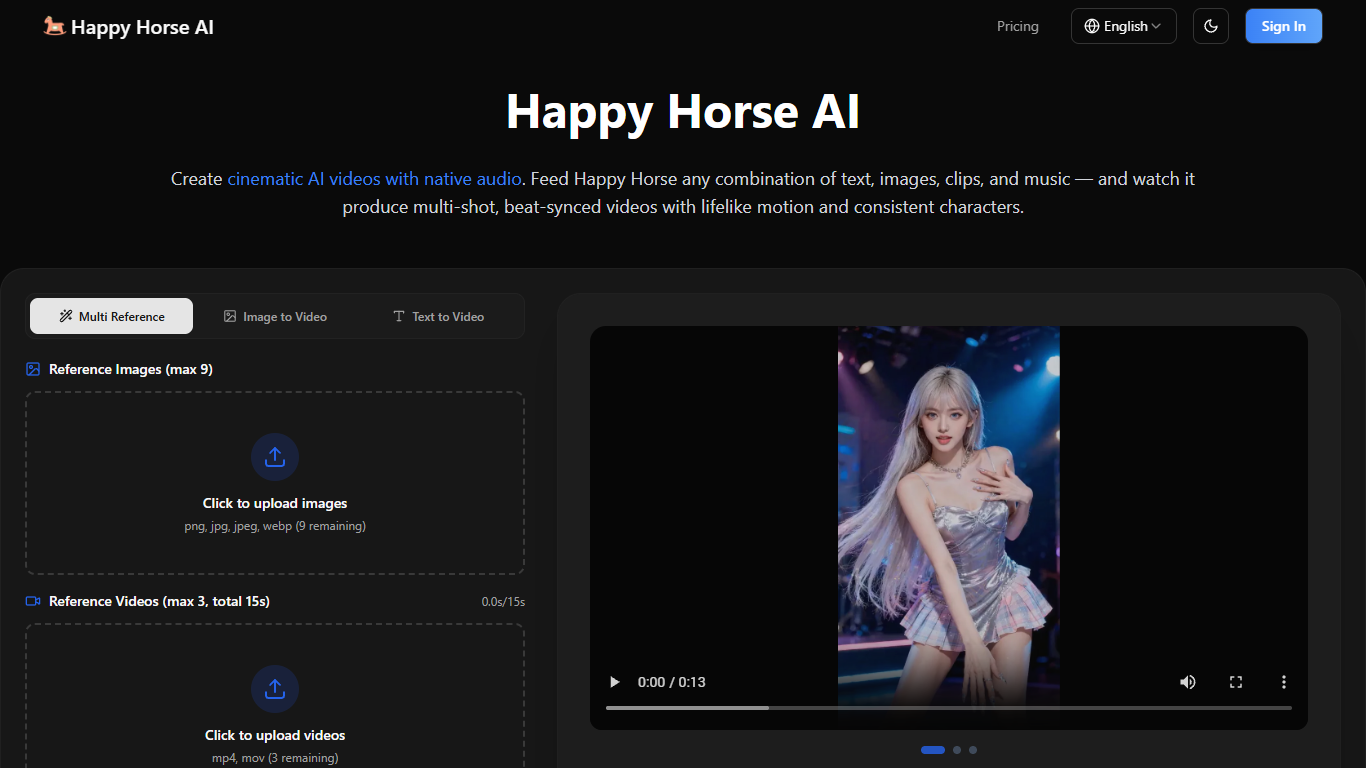
Happy Horse AI turns text, images, clips, and audio into cinematic videos with native sound in one pass. You can upload up to nine reference images, three video clips totaling 15 seconds, and three audio tracks, then steer output with a 5,000-character prompt and @ tags for each asset. Clips render at 480p or 720p in five-second segments across seven aspect ratios, including 16:9, 9:16, and 21:9 ultrawide.
Where many video tools bolt audio on after the fact or limit you to one input type, Happy Horse AI mixes modalities together and generates sound effects, music, and lip-synced dialogue in the same run as the visuals. It also aims for multi-shot sequences with natural cuts and transitions rather than a single looping take. Upload a reference clip and the model can replicate dolly zooms, rack focus, tracking shots, or handheld shake on your own subjects.
The site targets ads, social clips, product showcases, music visuals, and short narrative work. Marketing teams can remix ad templates with their branding, while solo creators transfer motion from dance or action references onto new characters. Every paid plan includes watermark-free downloads and a commercial use license, so finished videos can ship to client channels without extra clearance.
Combine up to 9 reference images, 3 video clips (15s total), and 3 audio tracks in one generation
Export 480p or 720p video in 5-second clips with seven aspect ratios including 21:9 ultrawide
Native audio with lip-synced dialogue, sound effects, and background music generated alongside video
Reference clips can replicate dolly zooms, rack focus, tracking shots, and handheld camera shake
Standard plan includes 2,000 credits per month at $19.90 with priority generation and no watermark
AI Image Studio adds text-to-image and image-to-image output at 1K, 2K, or 4K via Nano Banana Pro
Mixes text, images, video clips, and audio in one generation with @ asset tagging
Generates native audio with lip sync instead of requiring a separate audio export step
Watermark-free downloads with a commercial use license on every paid plan
Reference clips can drive specific camera moves like dolly zooms and rack focus
Includes a separate AI Image Studio for text-to-image work up to 4K resolution
No free tier; subscriptions start at $9.90 per month or credit packs from $29.90
Video generator UI caps output at 720p with a default five-second clip length
Reference video uploads limited to three clips totaling 15 seconds
Browser-only web app with no listed desktop or mobile native apps
What inputs does Happy Horse AI accept?
Happy Horse AI accepts text prompts up to 5,000 characters plus reference images (PNG, JPG, JPEG, WEBP), video clips (MP4, MOV), and audio files (MP3, WAV). You can mix multiple files across those types in a single generation and tag assets with @ references in your prompt.
Does Happy Horse AI add watermarks to videos?
No. Happy Horse AI states that every generated video is watermark-free with no branding overlays. All subscription plans and credit packs include clean downloads you can use commercially under the included commercial use license.
How much does Happy Horse AI cost?
Happy Horse AI subscriptions start at $9.90 per month for the Basic plan with 800 monthly credits. The Standard plan is $19.90 per month with 2,000 credits, and the Pro plan is $49.90 per month with 6,000 credits. One-time credit packs start at $29.90 for 1,000 credits.
What video resolution does Happy Horse AI support?
Happy Horse AI supports 480p and 720p output on its video generator, with default clip length set to five seconds. The interface lists seven aspect ratios: Auto, 16:9, 9:16, 4:3, 3:4, 21:9, and 1:1.
Can Happy Horse AI replicate camera movements?
Yes. Happy Horse AI lets you upload reference video clips so the model can copy camera work like dolly zooms, rack focus, tracking shots, and handheld shake on your own subjects. You tag specific assets in a natural-language prompt to tell the model which reference to follow.
Does Happy Horse AI include image generation?
Yes. Happy Horse AI includes an AI Image Studio for text-to-image and image-to-image creation using the Nano Banana Pro model. Image output supports 1K, 2K, and 4K resolutions with multiple aspect ratio presets.
Is commercial use allowed on Happy Horse AI?
Yes. Happy Horse AI lists a commercial use license on Basic, Standard, and Pro subscription plans as well as on one-time credit packs. Generated videos and images are described as yours to download and use without watermarks.