
Last updated 08-21-2026
Category:
Reviews:
Join thousands of AI enthusiasts in the World of AI!
Harold
Harold extracts, validates, and cleans invoices, purchase orders, receipts, and statements before they reach your accounting system or ERP. Finance and operations teams use it to stop re-keying PDFs and email attachments by hand.
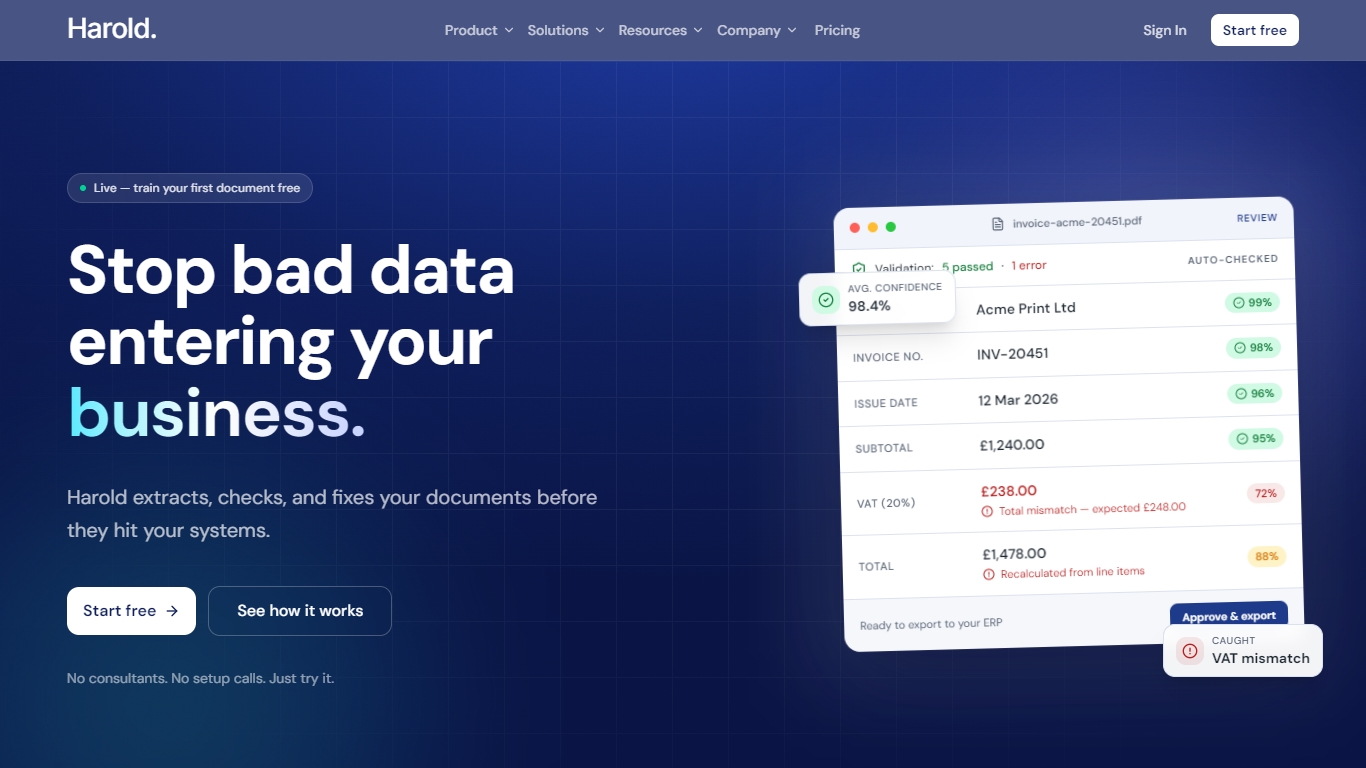
Most extraction tools stop at pulling text off the page. Harold adds a rules layer on top: IF checks, supplier mapping, GL coding, formulas, and line-item validation catch wrong VAT, missing fields, and bad totals before export. You can train layouts per supplier, shape output templates for your systems, and route clean data to CSV, Excel, Zapier, or a webhook.
Accountants use it to stop chasing incomplete invoice data. Operations teams automate purchase order intake with quantity and price checks. Small businesses forward documents to a dedicated Harold inbox without asking suppliers to change how they send files.
Rules engine flags VAT mismatches, missing fields, and bad totals before export
Train supplier layouts in minutes so recurring invoice formats stay accurate
Map supplier aliases to internal IDs once, then apply silently on every document
Validate line items row by row, not just invoice headers
Export to CSV, Excel, JSON, webhooks, or Zapier-connected ERPs like Xero and Sage
Validates extracted data with IF rules, formulas, and supplier mapping before export.
No supplier workflow change required; documents can arrive via upload or a dedicated inbox.
Month-to-month billing with no contract on Standard and Founder plans.
Line item extraction is included on all listed plans, not sold as a separate add-on.
ERP connections rely on Zapier rather than native one-click integrations.
Pricing is listed in GBP with no USD toggle on the public site.
Founder rate is a limited early-supporter offer that may not stay available.
Does Harold have a free plan?
Yes. Harold lets you start free with no credit card required. You can train your first document and try extraction before choosing a paid plan.
How much does Harold cost?
Harold Standard is £29 per month with 250 document extractions. A limited Founder plan is £19 per month with the same extraction limit. Premium is £79 per month with 1,000 extractions, and Enterprise is £149 per month with 3,000 extractions.
What file formats does Harold support?
Harold accepts PDF invoices, image files (JPG, PNG, TIFF), and email attachments sent to your Harold inbox. Scanned PDFs and image-based PDFs are supported alongside digital PDFs.
Can Harold send data to Xero or QuickBooks?
Yes. Harold exports clean structured data to CSV or Excel, and connects to accounting tools through Zapier. That includes Xero, QuickBooks, Sage, FreeAgent, and thousands of other Zapier apps.
How long does it take to train Harold on a new supplier?
Harold says most supplier templates take under 10 minutes. You upload a few sample invoices, confirm field mappings, and future documents from that supplier run through the trained layout automatically.
Does Harold require suppliers to change how they send invoices?
No. Suppliers can keep emailing PDFs as usual. You can forward attachments to a Harold inbox or upload files directly without changing supplier workflows.