
Last updated 08-21-2026
Category:
Reviews:
Join thousands of AI enthusiasts in the World of AI!
Imagine 2.0
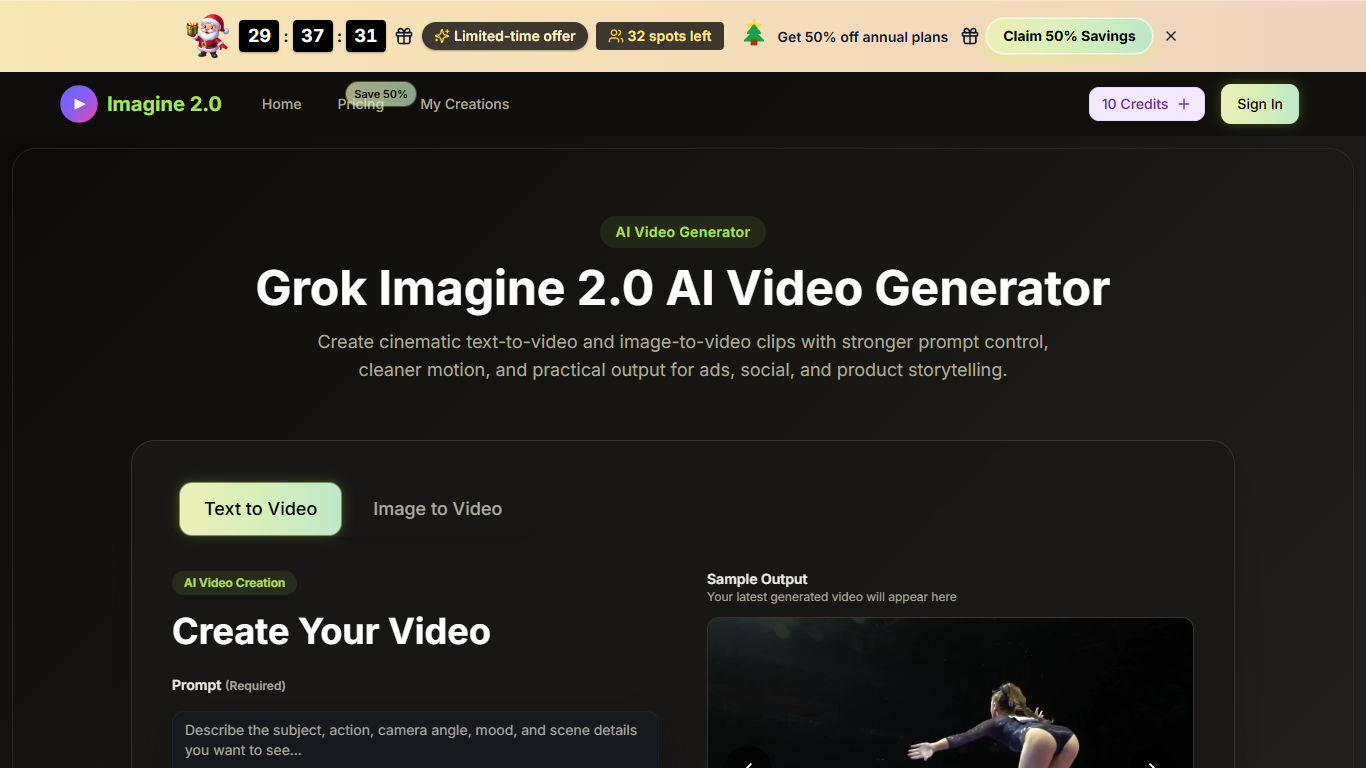
Imagine 2.0 turns text prompts or reference images into short Grok Imagine 2.0 video clips inside the browser. Creators pick text-to-video or image-to-video, set aspect ratio, duration, and quality, then generate drafts for ads, social posts, and product storytelling without opening a full edit suite.
Most AI video sites push one-shot clips. Imagine 2.0 leans into directed control: optional Bold Mode for stronger style, simple camera-move prompts, and image-to-video that tries to keep the same face or product look across frames. The homepage also exposes Lite, Fast, and Quality model modes plus 4s, 6s, and 8s durations at 720p or 1080p.
Pricing mixes free credits with paid plans. The free video generator page offers no-sign-up drafts, while paid annual tiers start at $9.9 per month for Basic with 800 monthly credits and scale to Enterprise at $49.9 per month with 6,000 monthly credits. Commercial use and watermark-free exports are included on paid plans.
Basic plan includes 800 credits per month, up to 80 videos
Enterprise plan includes 6,000 credits per month, up to 600 videos
Choose 4s, 6s, or 8s clips at 720p HD or 1080p Full HD
Aspect ratios include 16:9, 9:16, 1:1, 4:3, 3:4, and 21:9
Free video generator page works with no sign-up for quick drafts
Image-to-video mode keeps a reference face or product style across frames
Supports both text and image starts with camera-move prompt control.
Free no-sign-up generator page lowers the barrier to test ideas.
Paid tiers include commercial rights, watermark-free exports, and saved history.
Multiple durations, resolutions, and aspect ratios fit social and ad formats.
Monthly subscription credits do not roll over to the next month.
Audio generation depends on the workflow and is not universal.
Heavy users need paid plans because free credits are limited.
How do I create a video with Imagine 2.0?
Imagine 2.0 starts in text-to-video or image-to-video mode. Write a prompt or upload a reference image, pick aspect ratio, duration, and quality, then generate and download the clip from the browser editor.
Can Imagine 2.0 keep the same person or style in a clip?
Yes. Imagine 2.0 image-to-video uploads one reference image and tries to keep the face or product style consistent while adding motion, instead of swapping identity every frame.
Does Imagine 2.0 generate videos with sound?
Imagine 2.0 can produce video and audio together in supported workflows. Other generation paths focus on visuals first, so you may need to add sound separately depending on the model path you choose.
Which visual styles does Imagine 2.0 support?
Imagine 2.0 supports realistic, cinematic, anime, and artistic looks, with optional Bold Mode to push the visual tone further while staying inside the site's safety boundaries.
What length and resolution does Imagine 2.0 support?
Imagine 2.0 lets you pick 4s, 6s, or 8s durations and 720p or 1080p output, with multiple aspect ratios such as 16:9, 9:16, and 1:1 depending on the workflow.
Can I use Imagine 2.0 videos commercially?
Imagine 2.0 paid plans include a commercial use license with no watermark. Review your selected plan terms before publishing client or marketing work.
What happens if I run out of Imagine 2.0 credits?
Imagine 2.0 lets you wait for subscription credits to renew, buy a one-time credit pack, or upgrade to a higher plan. Monthly subscription credits do not roll over.