
Last updated 07-28-2026
Category:
Reviews:
Join thousands of AI enthusiasts in the World of AI!
Just the Answer
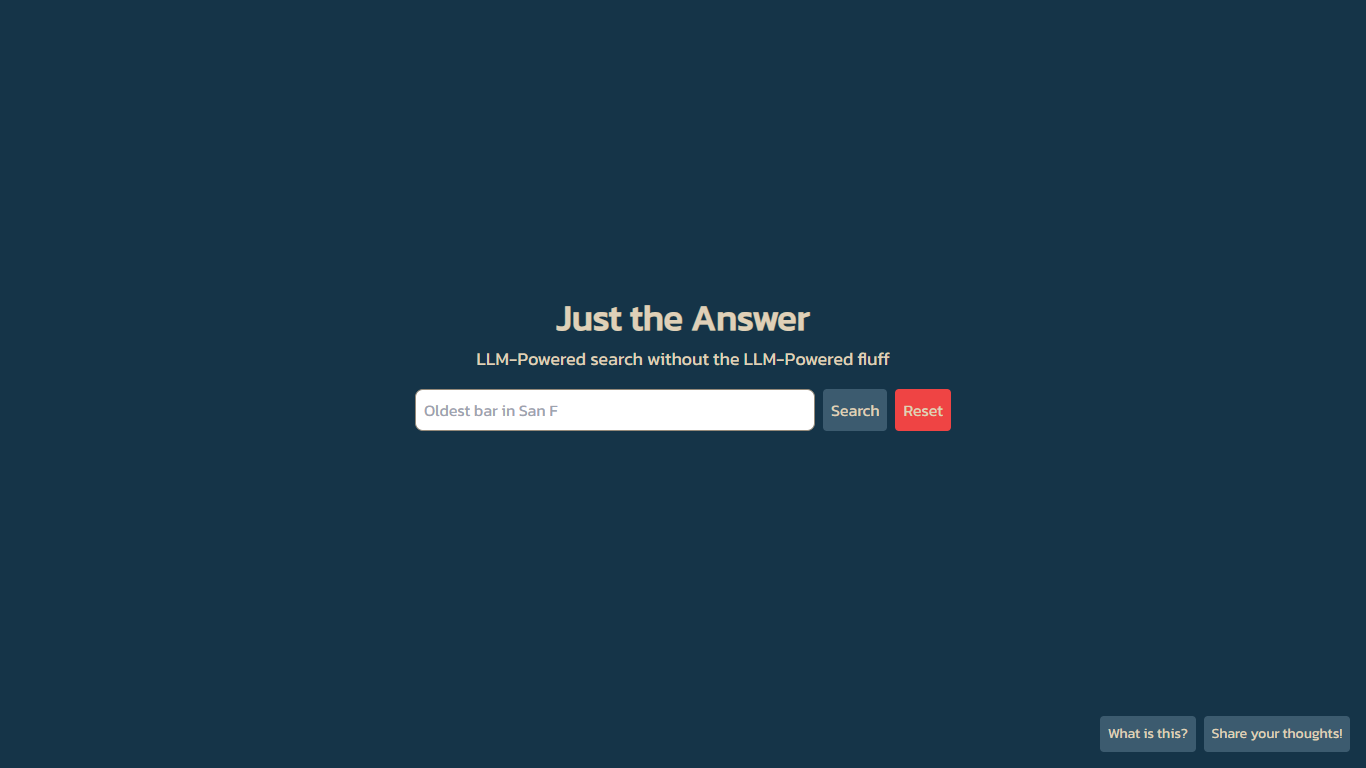
Just the Answer is a minimalist search engine that uses large language models to answer web queries in as few words as possible. The homepage centers on a single search box under the tagline "LLM-Powered search without the LLM-Powered fluff." You type a question and get a condensed answer instead of a long synthesized essay.
The site's own tagline calls out "LLM-Powered fluff" as the problem it avoids. The interface commits to that promise: one search field, three small utility buttons, and no feed of suggested follow-ups cluttering the screen. That narrow scope keeps the page lightweight but means you will not find advanced filters, saved history, or team workspaces here.
The site suits anyone who wants faster research without wading through filler text. Students, developers, and curious browsers who prefer a stripped-down search screen over feature-heavy assistants will find the layout familiar. The "Add as search engine" button lets you wire the tool into Chrome, Firefox, or Edge as a custom search shortcut.
Single-page search box under the tagline "LLM-Powered search without the LLM-Powered fluff"
"Add as search engine" browser integration button on the homepage bottom bar
Webhound BETA experimental mode via the top-right "Try Webhound" button
Next.js frontend hosted on Vercel with Tailwind CSS styling
In-page help through the "What is this?" button without leaving the search screen
Extremely minimal interface with one search box and no account signup
Free access with no visible pricing or paywall on the site
Browser search engine integration through a one-click setup button
Webhound BETA offers an alternate search mode to try from the homepage
Product documentation is limited to a single-page site with sparse on-page explanations
No mobile app or desktop client, web browser access only
Webhound mode is still labeled BETA with no published stability guarantees
What is Just the Answer?
Just the Answer is an LLM-powered search engine hosted at justtheanswer.vercel.app. It presents a single search box on a one-page interface with the tagline "LLM-Powered search without the LLM-Powered fluff." The site focuses on returning concise answers rather than lengthy explanations.
Is Just the Answer free to use?
Yes, Just the Answer is free to use. The homepage has no pricing page, login requirement, or paywall. You can search immediately from the main page without creating an account.
How do I add Just the Answer as a browser search engine?
Click the "Add as search engine" button on the Just the Answer homepage. That control sits in the bottom-right corner alongside "What is this?" and "Share your thoughts!" Add the shortcut in your browser settings to query the tool from the address bar.
What is Webhound on Just the Answer?
Webhound is an experimental search mode on Just the Answer, labeled BETA in the interface. You activate it through the "Try Webhound" button in the top-right corner of the homepage. The standard search box remains the default experience.
What technology powers Just the Answer?
Just the Answer runs on a Next.js frontend deployed on Vercel with Tailwind CSS styling. The site uses PostHog for analytics. It is a web-only application accessible from any modern browser.
Does Just the Answer have a mobile app?
No, Just the Answer has no dedicated mobile app listed on its site. It is a browser-based search page optimized for desktop and mobile web browsers.
How can I give feedback on Just the Answer?
Use the "Share your thoughts!" button on the Just the Answer homepage. It sits in the bottom-right corner of the page next to the search engine setup and help controls.