
Last updated 07-01-2026
Category:
Reviews:
Join thousands of AI enthusiasts in the World of AI!
linktime
linktime is a powerful tool designed to enhance user engagement on LinkedIn by optimizing posting strategies and facilitating meaningful interactions. Its core functionality revolves around analyzing user activity patterns to determine the optimal times for posting content, ensuring that messages reach the audience when they are most active. This tool is particularly beneficial for community managers, marketers, and professionals seeking to maximize their visibility and engagement on LinkedIn. By leveraging linktime, users can transform their LinkedIn presence, making it more impactful and effective in reaching potential clients and connections.
The target audience for linktime includes community managers, social media marketers, and professionals who rely on LinkedIn for networking and lead generation. These users often struggle with low engagement rates and ineffective communication strategies. linktime addresses these challenges by providing insights into audience behavior and offering tools to create engaging content that resonates with users. The unique value proposition of linktime lies in its ability to combine timing analytics with creative content strategies, allowing users to stand out in a crowded digital space.
Key differentiators of linktime include its advanced algorithm that detects peak activity times for users' networks, the ability to organize contacts into targeted lists, and features that enhance comment visibility through the use of GIFs and images. Additionally, linktime offers a Fanscore feature that identifies the most engaged followers, enabling users to focus their efforts on building relationships with their most valuable connections. With a user-friendly interface and a 14-day free trial, linktime empowers users to take control of their LinkedIn strategy and achieve their networking goals effectively.
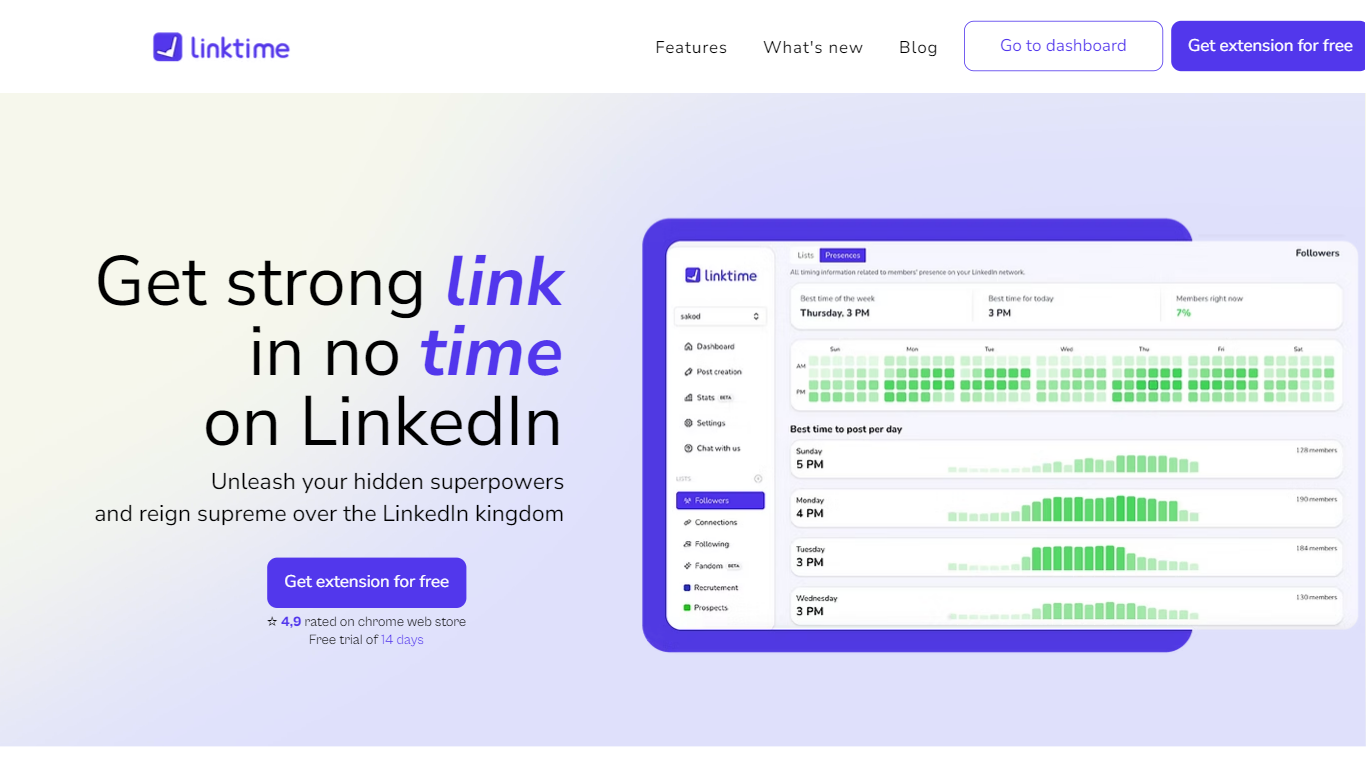
Builds activity graphs as it scans your LinkedIn connections over time
Surfaces peak posting windows after about 24 hours of background listening
Shows weekly audience stats once linktime has run for about a week
Organize contacts into lists for prospects, clients, and influencers
Drop GIFs and images into comments so they stand out in busy threads
Fanscore highlights the followers who engage with your posts most
Format posts with bold, italics, and emojis before you publish
Starts scanning your LinkedIn network immediately once you are logged in.
Runs in the background with your browser open, no LinkedIn tab required.
Support docs and a Discord community make it easy to troubleshoot setup issues.
The main linktime.co marketing site currently returns a 404 page.
Only one LinkedIn account per browser session can be tracked at a time.
Requires your computer on and browser running to keep collecting activity data.
Stats cover the last 24 hours only, with no longer historical view.
How long should I run linktime before it shows useful posting times?
linktime starts scanning as soon as you are logged into LinkedIn in your browser. Let it run for 24 hours to get the best posting-time data for the last day, and about a week to see weekly activity stats.
Do I need to keep a LinkedIn tab open for linktime to work?
No. linktime runs while your browser is open, but you do not need an active LinkedIn tab. Your computer does need to stay on with the browser running.
Can linktime track more than one LinkedIn account?
linktime scans one LinkedIn account at a time, the account signed into your browser. To track multiple accounts, open separate browser sessions and install linktime in each one.
Why does linktime show Online as 0?
linktime relies on LinkedIn active status to detect when connections are online. If Online stays at zero, enable the active status feature (the green dot) in your LinkedIn settings.
What time range do linktime stats cover?
linktime displays activity stats for the last 24 hours. It does not show historical data beyond that rolling window.
How do I get help from the linktime team?
Reach the linktime team at [email protected], via LinkedIn message, or through the Discord community linked from support.linktime.co.