
Last updated 08-15-2026
Category:
Reviews:
Join thousands of AI enthusiasts in the World of AI!
Makeup Removal AI
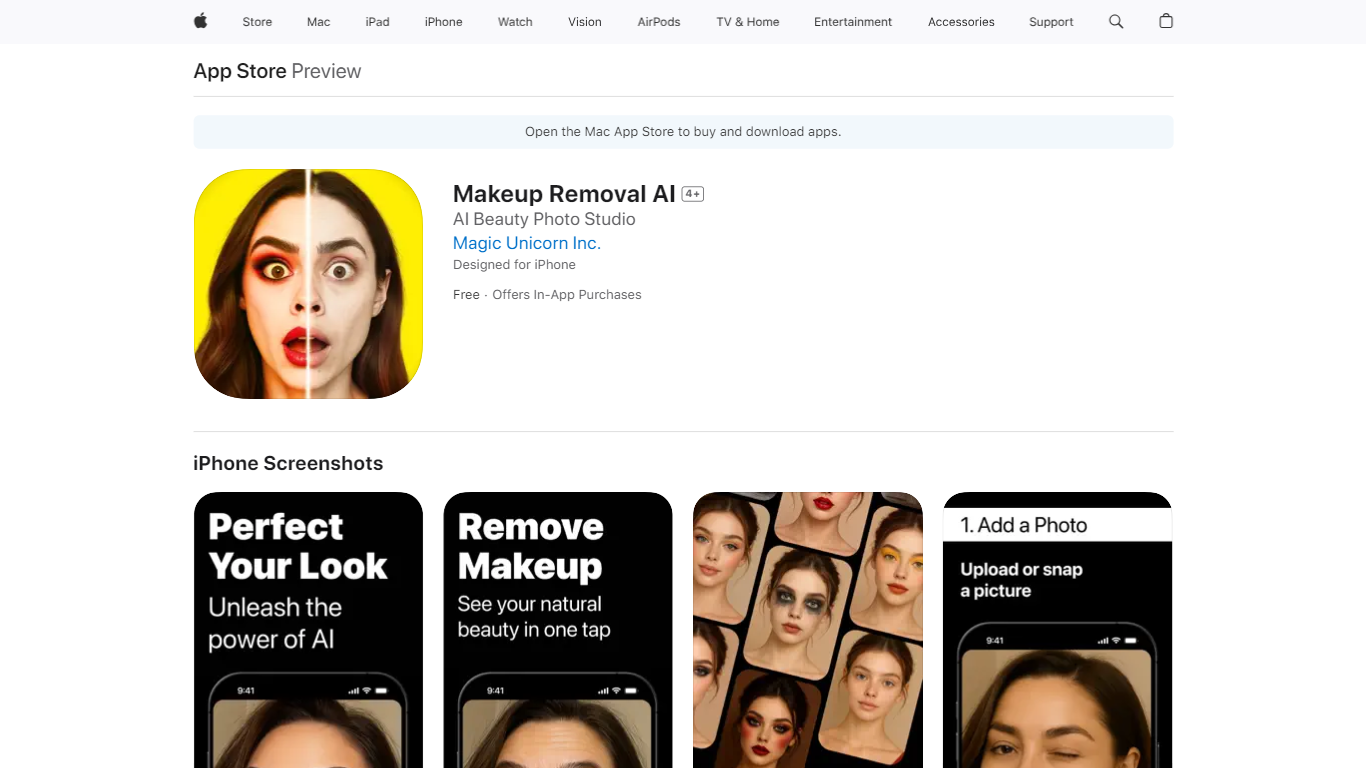
Makeup Removal AI removes virtual makeup from portraits or applies AI makeup filters on iPhone in one tap. You upload or capture a portrait, pick removal or a makeover style, and the app returns a before-and-after you can save or share. Magic Unicorn Inc. lists it under Photo and Video on the App Store with a 12.3 MB download size.
Unlike heavy desktop retouching tools, Makeup Removal AI stays inside a single portrait workflow on iPhone. Smart face detection is built to keep removals and filter applications aligned to facial features, and the App Store listing offers styles from natural to bold looks. Premium AI removal and virtual filters require a subscription, while the base app is free to install.
Beauty enthusiasts, makeup artists, and influencers use it to preview bare-skin looks or test event makeup digitally. The developer states the app collects no data, and the listing requires iOS 17.0 or later on iPhone.
AI makeup removal shows a natural no-makeup look from a portrait photo with a subscription
Virtual makeup filters apply multiple styles from natural to bold with a subscription
Requires iOS 17.0 or later on iPhone according to the App Store compatibility section
12.3 MB download size listed on the App Store information panel
App Store rating is 3.0 out of 5 from one review at research time
Free download with Pro Version in-app purchases listed at $4.99, $14.99, and $26.99
One-tap AI makeup removal and virtual filter try-ons on iPhone portraits.
Developer privacy label states no data is collected from the app.
Multiple Pro Version in-app purchase tiers on the App Store listing.
Supports saving and sharing before-and-after results.
AI makeup removal and virtual filters require a paid subscription.
App Store rating is 3.0 out of 5 from only one review at research time.
Designed for iPhone; macOS support is listed but not verified on the App Store page.
How does Makeup Removal AI work?
Makeup Removal AI lets you upload or take a portrait, choose makeup removal or a virtual makeover, and apply AI transformations in one tap. Makeup Removal AI then lets you save or share the before-and-after image from the app.
Does Makeup Removal AI require a subscription?
Makeup Removal AI is free to download, but AI makeup removal and virtual makeup filters require an auto-renewing subscription according to the App Store listing. Makeup Removal AI Pro Version in-app purchases are listed at $4.99, $14.99, and $26.99.
What devices support Makeup Removal AI?
Makeup Removal AI is designed for iPhone and requires iOS 17.0 or later on the App Store listing. Makeup Removal AI also lists Mac and Apple Vision compatibility, but the App Store marks macOS support as not verified.
Does Makeup Removal AI collect personal data?
Makeup Removal AI's App Store privacy label states that the developer does not collect data from the app. Magic Unicorn Inc. publishes separate terms and privacy policy links on the listing for full details.
Who is Makeup Removal AI for?
Makeup Removal AI targets beauty enthusiasts, makeup artists, influencers, and anyone curious about bare-skin or styled looks before an event. Makeup Removal AI focuses on portrait makeup removal and virtual filter try-ons rather than full photo editing suites.
What makeup styles can Makeup Removal AI apply?
Makeup Removal AI offers multiple virtual makeup styles from natural to bold looks through its AI filters. Makeup Removal AI applies those styles digitally so you can preview a look before using real products.