
Last updated 08-11-2026
Category:
Reviews:
Join thousands of AI enthusiasts in the World of AI!
MiniTAP
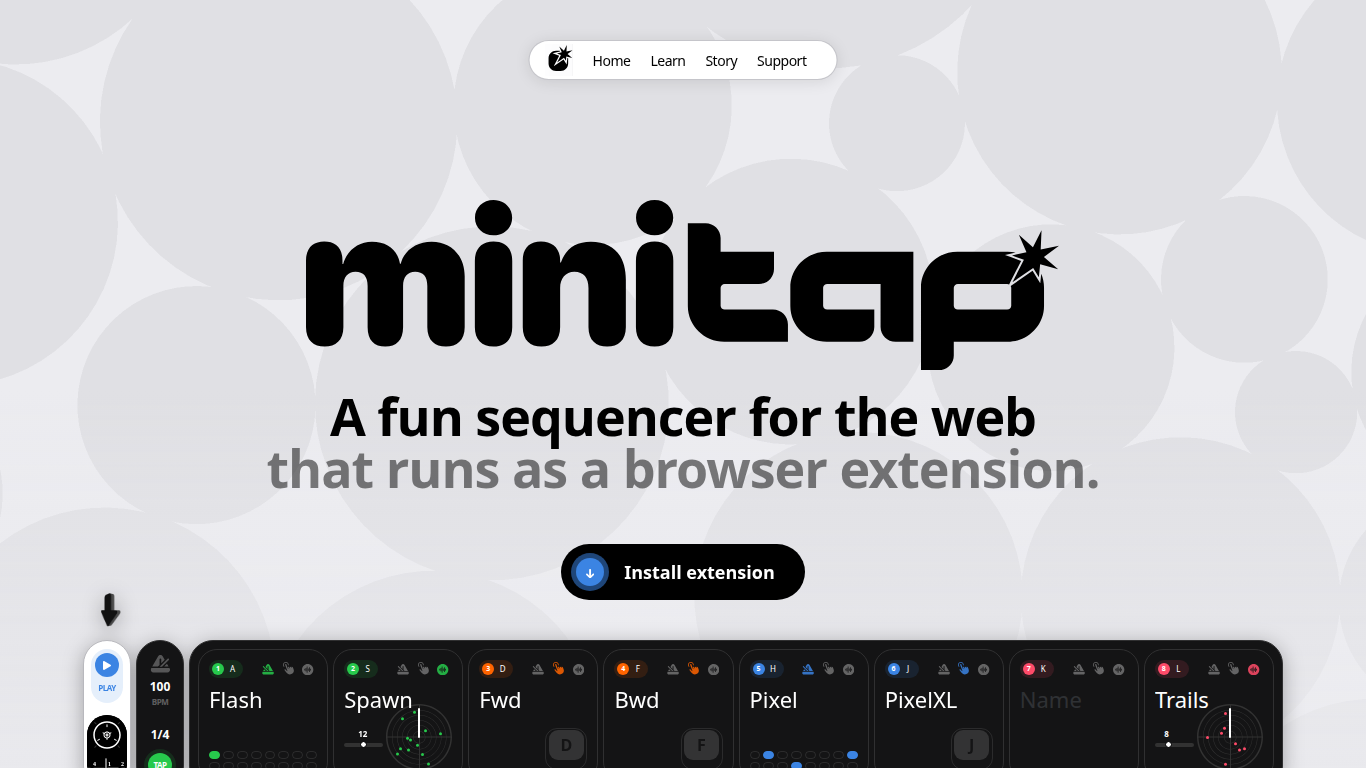
MiniTAP is a browser extension that turns your keyboard into a live web sequencer. It runs in Chrome and gives you eight channels you can trigger on the beat, on keystrokes, or at random. The whole interface is built for hands-on control during a set, so you can drive patterns without reaching for a mouse.
Most sequencers stay inside one app. MiniTAP instead posts window message events to whatever tab you are controlling, with events like mt-beat and mt-channel-on that your page can listen for. That makes it a bridge between a step sequencer and any web experience you are building, from 3D scenes to generative visuals.
It fits live performers, VJs, and creative developers who want tempo-synced triggers inside the browser. The creator built it to control 3D graphics in real time and shipped the extension in about a week, with documentation for keyboard bindings and the Connection API on minitap.io.
Eight channels, each set to beat, keystroke, or random trigger mode
Posts mt-play, mt-beat, and mt-channel-on window messages to the active tab
Keyboard bindings mapped for live performance with no mouse required
Tap tempo plus arrow keys for BPM guessing and fine tuning
Open source on GitHub at dkpfm/minitap with public source code
Installable from the Chrome Web Store as extension ID dmnepbgemmjegkkeddgmaoagmhakeiml
Free Chrome extension with public source on GitHub.
Window message API lets any web page react to beats and channel triggers.
Keyboard-first layout suits live performance without mouse input.
Eight channels with beat, keystroke, and random modes in one controller.
Chrome extension only; no Firefox or Safari build listed on the site.
You must wire your own page logic to MiniTAP message events.
No mobile app; control happens through the desktop browser extension.
What is MiniTAP?
MiniTAP is a Chrome browser extension that works as a web sequencer. You trigger eight channels from your keyboard and it sends beat and channel events to the tab you are controlling.
How many channels does MiniTAP have?
MiniTAP provides eight channels. Each channel can fire on the beat, on a keystroke, or at random, so you can layer rhythms and one-off triggers in one controller.
Is MiniTAP free?
Yes, MiniTAP is free. The extension is available on the Chrome Web Store at no cost and the project is open source on GitHub under dkpfm/minitap.
How does MiniTAP connect to my web page?
MiniTAP posts window message events such as mt-play, mt-beat, and mt-channel-on. Your page listens with addEventListener on window and reacts to channel index values from 0 to 7.
Can I use MiniTAP without a mouse?
Yes. MiniTAP is designed for keyboard-only control in live settings. The learn section documents channel, mode, and clock bindings so you can run a set hands-on.
Is MiniTAP open source?
Yes. MiniTAP is open source on GitHub at github.com/dkpfm/minitap. The site links to the repo and invites community contributions.
Which browser supports MiniTAP?
MiniTAP runs as a Chrome extension. Install it from the Chrome Web Store listing for MiniTAP; the site does not list Firefox or Safari builds.