
Last updated 07-30-2026
Category:
Reviews:
Join thousands of AI enthusiasts in the World of AI!
MixerBox AI
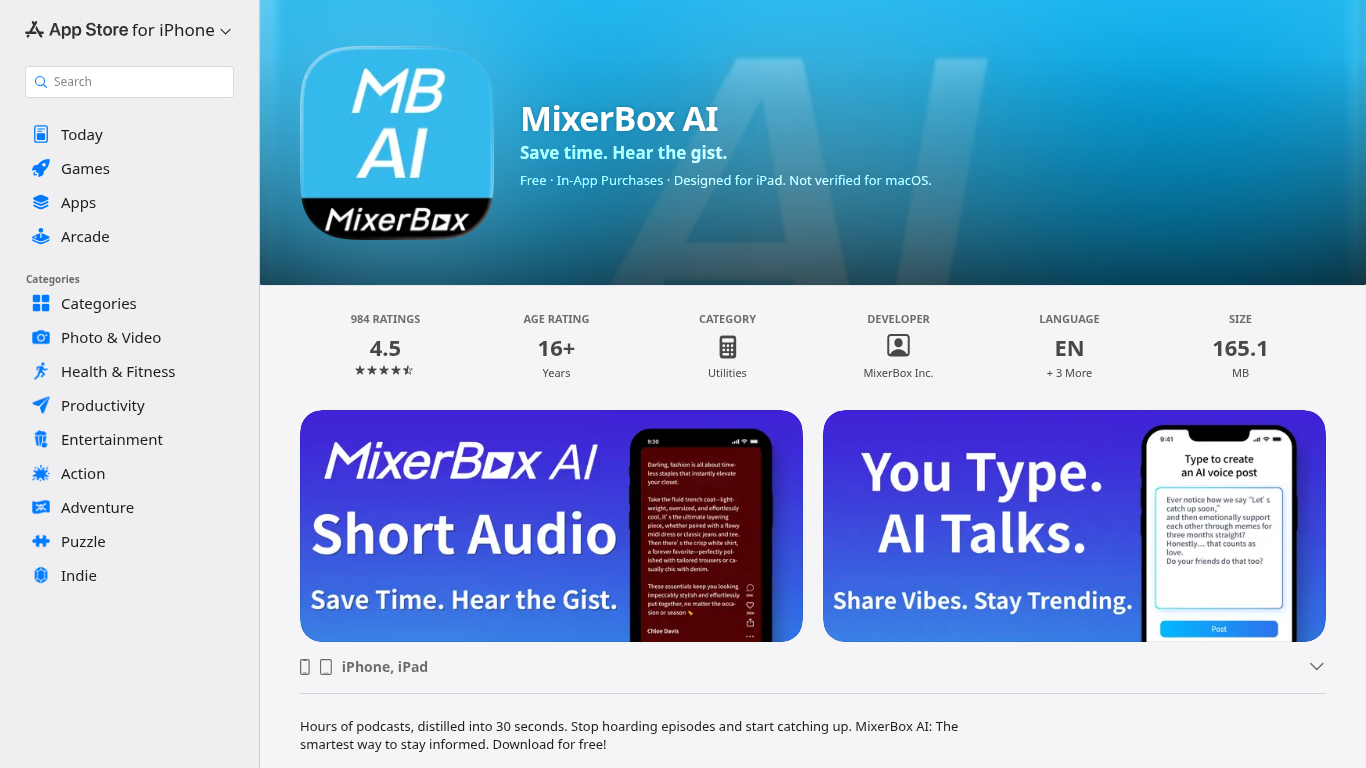
For podcast and news overload, MixerBox AI turns long episodes and updates into short audio highlights you can listen to or read. Pick topics or keywords, and it tracks new stories, then delivers 30-second previews with transcripts so you can decide what deserves a full listen.
Most podcast apps assume you will work through a backlog one episode at a time. MixerBox AI flips that by summarizing first. You hear the gist in about 30 seconds, skim the transcript, and only commit when the topic is worth the full runtime. It also includes AI voice posts that turn typed text into spoken audio.
The app suits commuters, news skimmers, and anyone with a growing saved-episode list. It runs on iPhone, iPad, Mac with Apple silicon, and Apple Vision, with a web version at mixerbox.ai and a Chrome extension. Longtime MixerBox users can still access the MB Player music feature from the home tab.
Preview any podcast episode in about 30 seconds before committing to the full runtime
Set topic keywords and MixerBox AI auto-tracks new updates with short audio digests
Every audio highlight ships with a readable transcript for skimming or saving
Type a post and let AI convert it into a spoken voice clip inside the app
Runs on iOS 14+, iPadOS, Mac with M1, visionOS, plus mixerbox.ai and a Chrome extension
984 App Store ratings averaging 4.5 stars with English, Japanese, and Chinese language support
30-second previews let you sample podcasts before committing to long episodes.
Topic keyword tracking delivers digests without manual feed scrolling.
Transcripts accompany every audio highlight for read-or-listen flexibility.
Available on iOS, iPadOS, macOS, visionOS, web, and Chrome extension.
Legacy MB Player music library remains accessible for longtime users.
Podcasts can auto-play on launch unless you enable Open MixerBox AI on mute in settings.
Subscriptions are managed through Apple with multiple overlapping Remove Ads tiers.
App size is 165.1 MB, larger than lightweight podcast players.
Is MixerBox AI free to download?
Yes, MixerBox AI is free to download on the App Store with optional in-app purchases. Paid tiers include MixerBox AI Plus at $9.99 per month or $6.99 per week, and MixerBox AI Pro at $9.99 per week. Remove Ads subscriptions are also available at several price points.
What does MixerBox AI do with podcasts?
MixerBox AI generates about 30-second audio previews of podcast episodes so you hear the key ideas before listening to the full show. Each preview includes a transcript you can read, skim, or save for later.
Which devices support MixerBox AI?
MixerBox AI requires iOS 14.0 or later on iPhone, iPadOS on iPad, macOS 11.0 with an Apple M1 Mac or later, and visionOS 1.0 on Apple Vision. A web version is at mixerbox.ai and a Chrome extension is listed on the Chrome Web Store.
How does MixerBox AI topic tracking work?
MixerBox AI lets you choose topics or keywords you care about. The app monitors new updates on those subjects and delivers short audio highlights without manual searching or scrolling through feeds.
Does MixerBox AI still include music playback?
Yes, MixerBox AI still includes the MB Player music feature from earlier MixerBox apps. Tap MB Player in the top right of the Home tab and log in with your previous MixerBox email to restore your music library.
How do I contact MixerBox AI support?
MixerBox AI lists [email protected] for questions and feedback. You can also use the in-app Report a Problem feature. The developer is MixerBox Inc. based in Taiwan.