
Last updated 08-21-2026
Category:
Reviews:
Join thousands of AI enthusiasts in the World of AI!
MotionVid
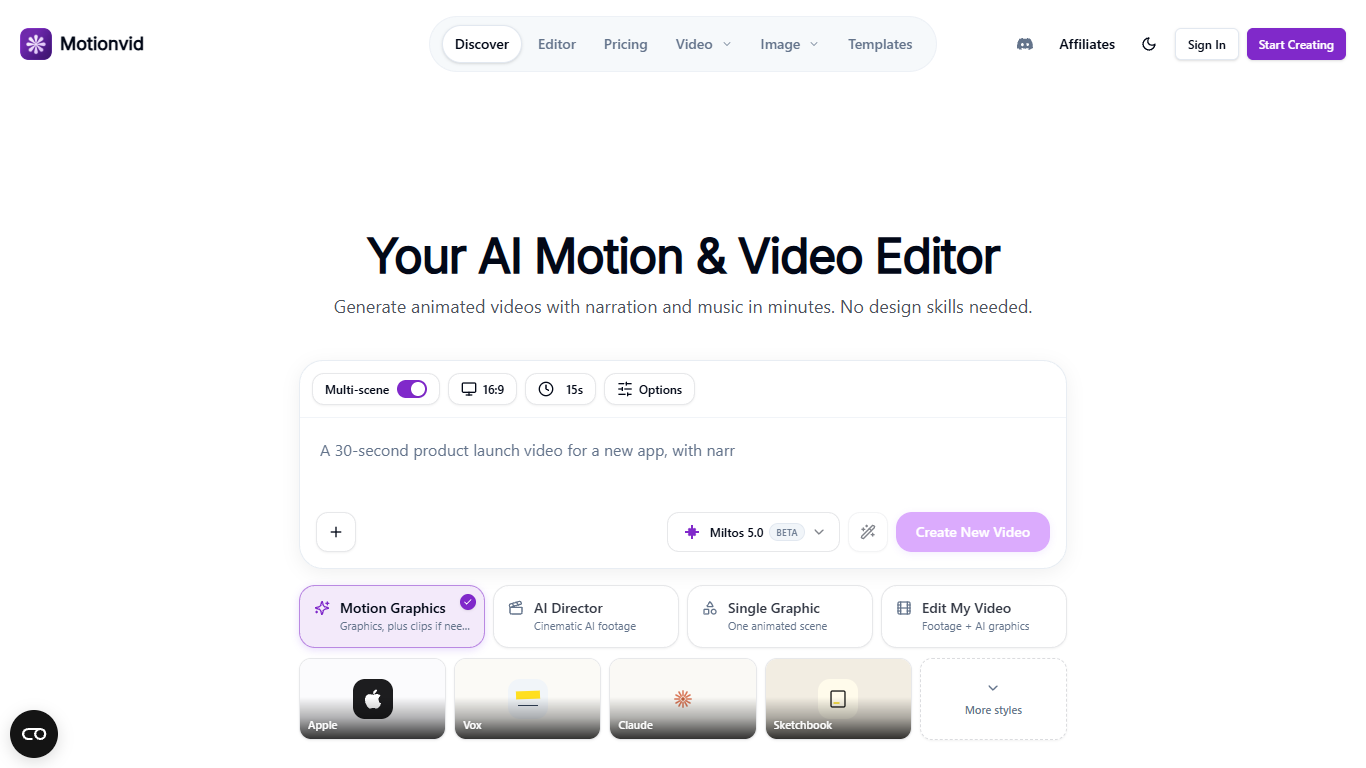
MotionVid turns a text prompt into a finished animated video with narration, music, and captions. You describe the story, and it plans multi-scene motion graphics or AI-directed footage you can tweak on a timeline. It targets creators, educators, and SaaS teams who need explainers, data videos, or social clips without opening After Effects.
Most AI video tools spit out a single clip you cannot easily re-edit. MotionVid treats each project like a mini production: scenes sit on a timeline, you refine through chat or by hand, and you can layer graphics over your own footage in Edit My Video mode. The template library mirrors styles from Johnny Harris, Vox, and Kurzgesagt rather than generic stock motion.
YouTube creators use it for map animations, character explainers, and title sequences. Product teams turn screenshots into demo walkthroughs, and educators build narrated lessons that export in both 16:9 and vertical 9:16. Four starting modes let you pick motion graphics, cinematic AI footage, a single animated scene, or graphics layered on uploaded footage.
Four creation modes: motion graphics, AI Director footage, single scenes, or edits on your uploads
Pro includes 500 monthly credits and 50 video exports; Creator lifts export caps entirely
Exports scale to 8K infographics on Creator, with 4K video on Ultimate
Ultimate adds a public API and MCP connector for Claude and Cursor at $49 per month
Miltos 5.0 video generations run about 10 credits each on the pricing comparison table
Templates cover maps, charts, character explainers, title animations, and sketch documentary styles
Multi-scene timeline editor lets you refine graphics scene by scene instead of accepting one raw clip.
Four starting modes cover motion graphics, AI footage, single scenes, and overlays on uploaded footage.
Template library includes creator styles modeled on Johnny Harris, Vox, and Kurzgesagt explainers.
Ultimate and Creator plans add a public API plus MCP connector for Claude and Cursor workflows.
Bring-your-own-key support on higher plans routes eligible generations through your own API accounts.
No free subscription tier; the Basic plan starts at $9 per month for 100 credits.
Unused subscription credits do not roll over to the next billing cycle.
Developer API and MCP access require the $49 per month Ultimate plan or above.
Some unlimited model access and bonus credits only unlock with annual billing on lower tiers.
How much does MotionVid cost?
MotionVid subscription plans start at $9 per month for Basic (100 credits, 25 exports), $29 for Pro (500 credits, 50 exports), $49 for Ultimate (1,000 credits, 150 exports), and $249 for Creator (5,000 credits, unlimited exports). All plans include every template and model.
Does MotionVid have an API?
Yes. MotionVid offers a public API and MCP server on Ultimate ($49 per month) and Creator ($249 per month) plans. The changelog describes creating and tracking videos from your own apps, and connecting assistants like Claude through MCP.
What resolution can MotionVid export?
MotionVid exports depend on your plan. Basic caps at 1080p, Pro reaches 4K infographics, Ultimate handles 4K video and infographics, and Creator supports up to 8K infographic exports. The motion-graphics page also notes exports ship without a watermark.
Can MotionVid edit footage I already filmed?
Yes. MotionVid's Edit My Video mode lets you upload a clip and layer AI motion graphics, captions, and lower-thirds on a timeline. The changelog describes driving edits through chat while keeping cuts and overlays in sync.
How do MotionVid credits work?
MotionVid bills generation in credits that refresh each billing cycle. Miltos 5.0 video runs about 10 credits per generation, while infographic images cost 3 credits each. Unused subscription credits do not roll over, but you can buy one-time credit packs if you run out.
What animation styles does MotionVid support?
MotionVid supports storytelling cut-outs, map animations, character explainers, 3D battle maps, title animations, and sketch documentary styles from the homepage. The templates library also includes charts, dashboards, typography, and editorial intros you can open and remix.