
Last updated 08-21-2026
Category:
Reviews:
Join thousands of AI enthusiasts in the World of AI!
Omni Video AI
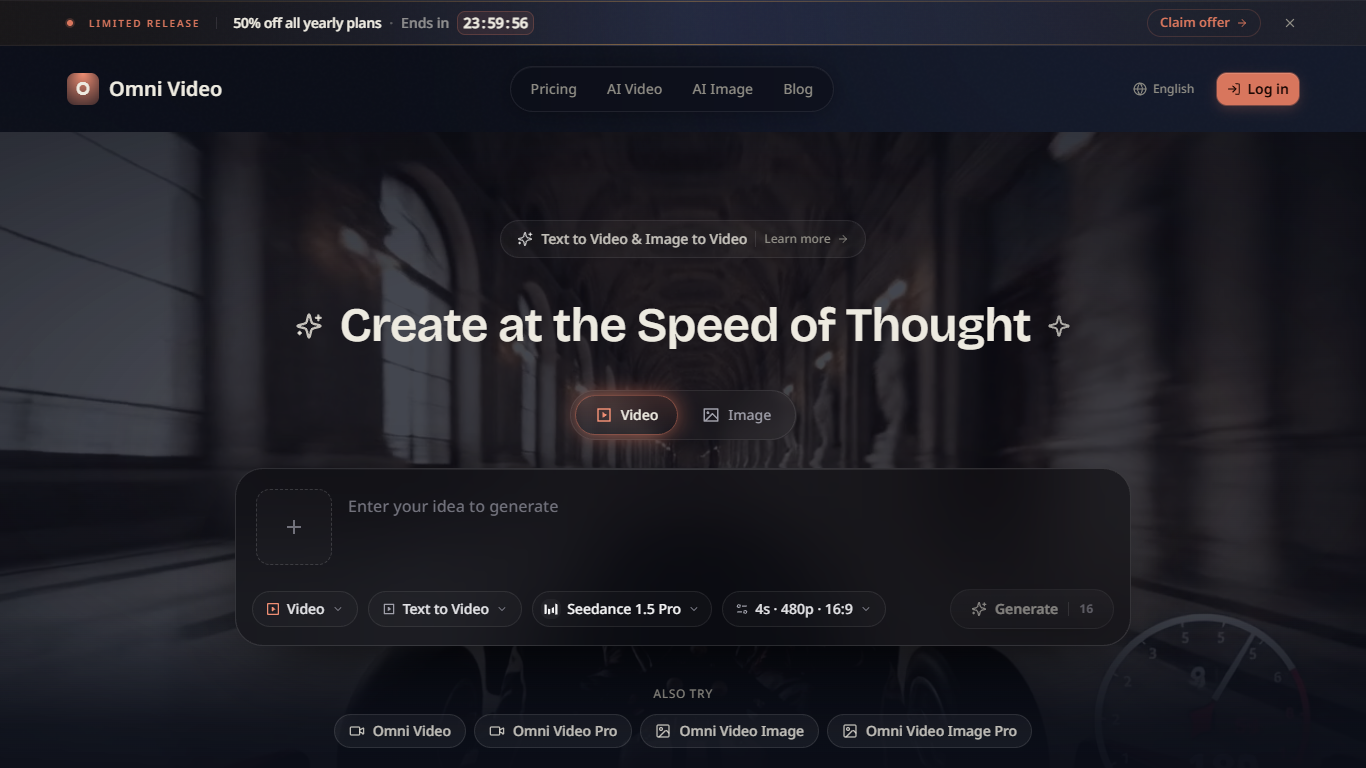
Omni Video AI turns text prompts or reference images into short clips for social posts, ads, explainers, and product stories. You pick a model like Seedance 1.5 Pro, set duration and aspect ratio, and generate landscape, portrait, or square videos without a traditional shoot.
Compared with single-model generators, Omni Video AI bundles text-to-video, image-to-video, and style presets (cinematic, anime, realistic, artistic, minimalist) behind one credit wallet. The homepage claims 50M+ images and videos created across 2M+ creators, with 5 free credits per day on login.
It fits solo creators, marketers, educators, and product teams who need fast drafts for TikTok, YouTube, Instagram, and presentation decks. Paid yearly plans add HD through 8K output, API access, and priority queues when daily free credits run out.
Text-to-video and image-to-video workflows with Seedance 1.5 Pro and related models
5 free credits per day on the free tier after login
Basic plan includes 400 credits per month at about $19.50 per month billed yearly
Pro plan unlocks 1,000 monthly credits with HD and 4K resolution plus API access
Style presets cover cinematic, anime, realistic, artistic, and minimalist looks
Landscape, portrait, and square exports sized for YouTube, TikTok, and Instagram
Combines text-to-video and image-to-video with multiple style presets in one tool
Free tier grants 5 daily credits after login with no credit card required
Yearly plans include API access starting on the Basic tier
Exports landscape, portrait, and square formats for major social platforms
Free tier caps output at 5 credits per day, which limits heavy testing
Listed pricing emphasizes annual billing; monthly rates are less prominent
Marketing claims such as 50M+ creations are self-reported on the homepage
Can I create videos from both text and images with Omni Video AI?
Yes. Omni Video AI supports text-to-video and image-to-video creation. You describe a scene or upload a reference image, choose style and format, then generate a short clip.
What video styles does Omni Video AI offer?
Omni Video AI lists cinematic, anime, realistic, artistic, and minimalist style presets so you can match the tone of social clips, ads, or explainers.
Which aspect ratios does Omni Video AI support?
Omni Video AI generates landscape, portrait, and square clips aimed at YouTube, TikTok, Instagram, presentations, and ads.
Is there a free plan for Omni Video AI?
Yes. Omni Video AI gives logged-in users 5 credits per day on the free tier with standard quality output and basic models, according to the pricing section on the homepage.
How much does Omni Video AI cost?
Omni Video AI Basic is $234 per year (about $19.50 per month), Pro is $474 per year (about $39.50 per month), and Max is $894 per year (about $74.50 per month). Annual billing saves 50% versus monthly.
Can Omni Video AI be used for marketing content?
Omni Video AI targets campaign visuals, product videos, social clips, education explainers, game trailers, and music visuals, so marketing and social teams are part of the stated audience.
How do I export videos from Omni Video AI?
Omni Video AI lets you preview a clip after generation, then download or share the result directly from the platform when rendering finishes.