
Last updated 07-25-2026
Category:
Reviews:
Join thousands of AI enthusiasts in the World of AI!
PageGPT - pageg.pt
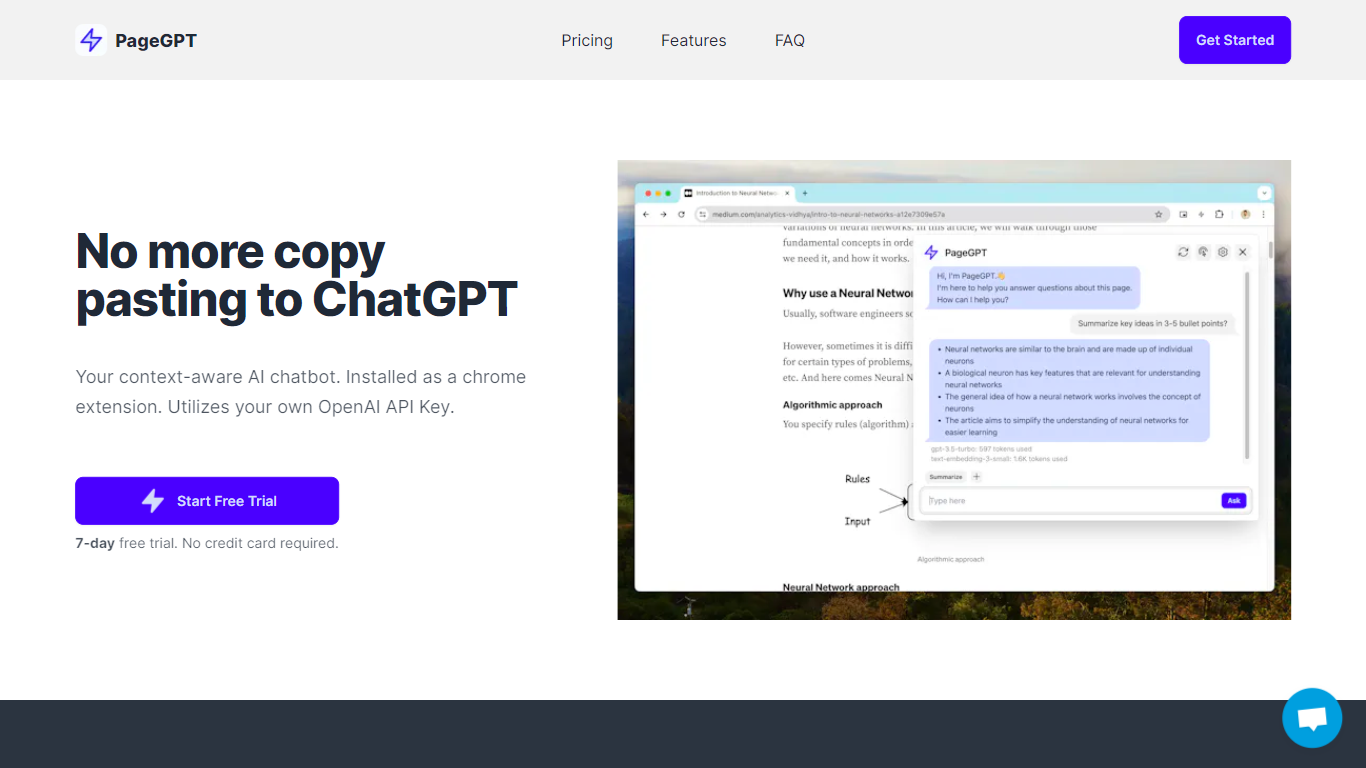
PageGPT is a Chrome extension AI chatbot that enhances your web browsing by providing context-aware assistance based on the page you're viewing. It uses your own OpenAI API key to generate responses, ensuring your data privacy and security. Unlike traditional chatbots, PageGPT eliminates the need to copy and paste content or explain context repeatedly. It understands the webpage context to help with tasks like summarizing content, extracting specific information, or drafting emails directly from the page.
The tool targets a wide audience including students, professionals, and researchers who want to boost productivity without switching tabs or losing focus. PageGPT offers a privacy-first approach by not storing conversations and only passing data to OpenAI's API, which retains it for 30 days solely for misuse detection before deletion. Users can save frequently used prompts for quick access, streamlining repetitive tasks.
Currently available as a Chrome extension compatible with Chromium-based browsers, PageGPT focuses on reducing context switching and information overload during web sessions. It supports multiple OpenAI models to balance response quality and cost. While it only supports OpenAI at present, the developer is open to feedback for other LLM integrations. The extension is easy to install and requires no credit card for a 7-day free trial, after which affordable subscriptions are available.
PageGPT’s design centers on simplicity and efficiency, making AI assistance accessible without compromising privacy. Its integration directly into the browser makes it a handy tool for anyone who frequently interacts with complex web content and needs quick, relevant AI help without extra steps or data exposure.
🧠 Context-Aware Chatbot: Understands the webpage you’re on to provide relevant answers and summaries.
🔒 Privacy Focused: Uses your OpenAI API key and does not store conversations, keeping your data secure.
💾 Saved Prompts: Save frequently used messages for quick reuse and faster interactions.
⚡ Easy Access: Start conversations with a single click without switching tabs or copying content.
🌐 Browser Compatibility: Works on Chrome and other Chromium-based browsers like Arc.
Context-aware AI chatbot that understands the webpage content.
Strong privacy focus with no conversation storage and user-controlled API key.
Convenient saved prompts feature for faster repeated queries.
Easy to install and use with no credit card needed for trial.
Compatible with multiple Chromium-based browsers.
Requires users to have and pay for their own OpenAI API key usage.
Currently supports only OpenAI models, no other LLM providers yet.
Limited to Chromium-based browsers at this time.
How does PageGPT use my OpenAI API key?
PageGPT uses your OpenAI API key to generate AI responses directly from your browser, so your data stays private and you control usage costs.
Can I use PageGPT on browsers other than Chrome?
PageGPT works on Chrome and other Chromium-based browsers like Arc. Support for other browsers may be considered upon request.
Does PageGPT store my conversations?
No, PageGPT does not store your conversations. Data sent to OpenAI is stored for 30 days only for misuse detection and then deleted.
Do I have to pay OpenAI separately?
Yes, you pay OpenAI directly for API usage based on their pricing. PageGPT only charges for the extension subscription.
Can I save prompts for reuse?
Yes, PageGPT lets you save frequently used prompts to access them quickly and streamline your workflow.
What tasks can PageGPT help with?
PageGPT can summarize pages, extract information, draft emails, and assist with research or productivity tasks based on the current webpage.
Is there a free trial available?
Yes, PageGPT offers a 7-day free trial with no credit card required to explore all features.