
Last updated 10-21-2026
Category:
Reviews:
Join thousands of AI enthusiasts in the World of AI!
Plimo
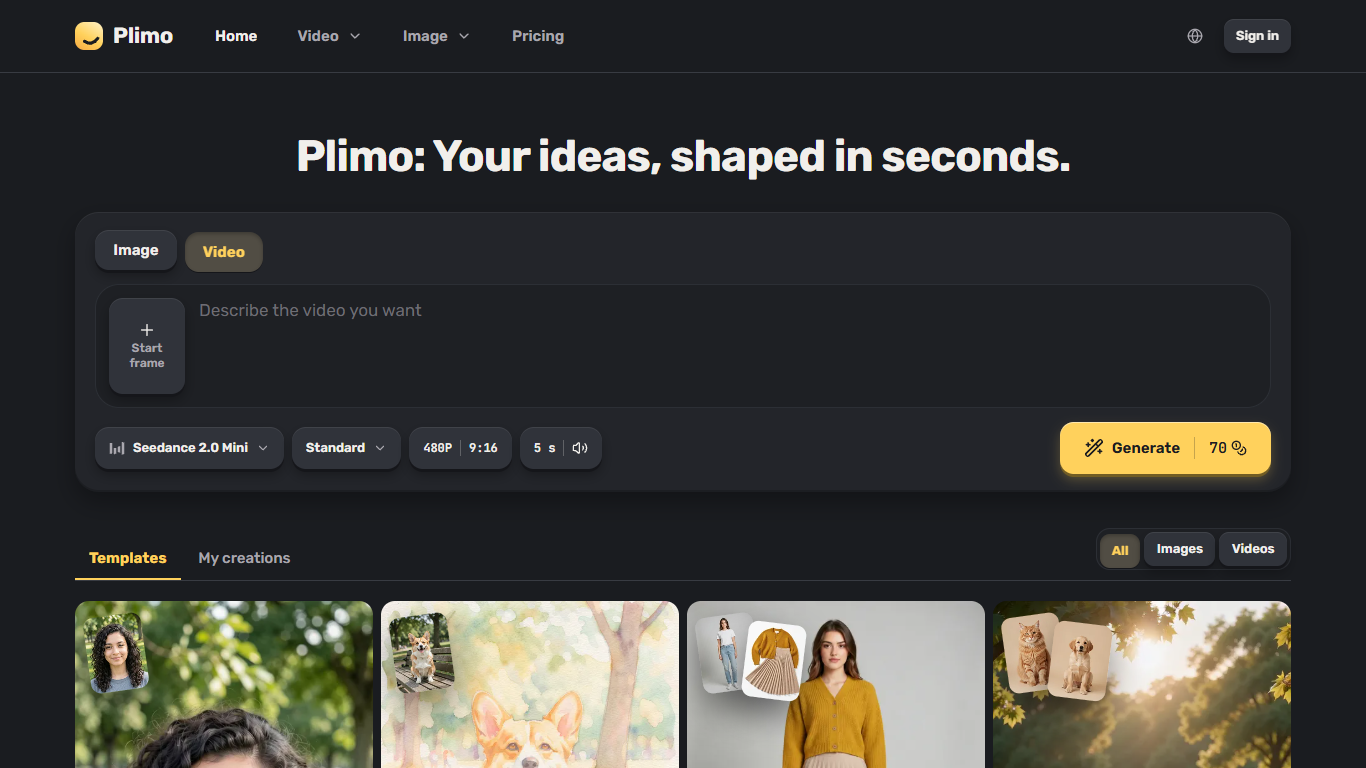
Plimo is a browser-based image and video generator that routes your prompt through third-party models from Google, OpenAI, ByteDance, and Kuaishou instead of locking you to one engine. You can switch the homepage workspace between stills and clips, pick a model from a grouped menu, and see the credit cost on the Generate button before anything runs.
Most creative apps ask you to learn prompt craft or juggle separate subscriptions for each model family. Plimo leans on ready-made templates with prompts and settings already filled in, so you upload the photos a trend asks for and hit one button. Free accounts still get 100 one-time credits that never expire, and the site refunds credits when a generation fails, which matters when video runs eat more balance than a single image.
It fits people posting for followers, mocking up hair or outfits on a selfie, or turning an old family photo into a short clip with Image to Video. Members drop the watermark, get commercial rights, and keep creations longer than the seven-day window on the free tier.
100 signup credits never expire on free accounts
Generate button shows credit cost before each run
Failed generations refund the credits you spent
Templates ship with prompts and settings pre-filled
Nano Banana 2.1 merges up to six reference photos
Seedance 2.0 Mini builds 4 to 15 second clips with sound
Shows credit cost on the Generate button before you commit to a run.
Bundles image and video models from several major providers in one interface.
Templates remove the need to write prompts for trending effects.
Refunds credits when a generation fails instead of charging for a broken output.
Free tier watermarks results and limits commercial use to paid members.
Non-members only keep creations for seven days unless they download them.
Plan credits reset each billing month and do not roll over.
Does Plimo have a free plan?
Yes. Plimo gives every new account 100 credits once, and those credits do not expire. The free tier uses trial models, caps images at 1K and video at 480p, adds a watermark, and keeps creations for seven days.
How much does Plimo Plus cost?
Plimo Plus is $15 per month on monthly billing, or $7.50 per month billed as $90 per year. The plan includes 3,000 credits each month, no watermark, commercial use, and creations kept for 30 days.
Do I need an account to use Plimo?
You can type a prompt on Plimo before signing in, but uploading a photo or pressing Generate requires an account. Plimo supports Google sign-in or a one-time code emailed to you, with no credit card on signup.
Can I use Plimo results commercially?
Only with a paid Plimo membership. Free outputs are for personal, non-commercial use and carry a small watermark in the bottom-right corner. Plus, Pro, and Ultra plans include commercial use rights and clean downloads.
Which AI models does Plimo offer?
Plimo lists models such as Plimo Image 1.0, GPT Image 2.5, Nano Banana 2.1, Seedance 2.0 Mini, Veo 3.1 Fast, and Kling 3.0 in one generator menu, grouped by provider. You pick the model per job rather than using a single fixed engine.
Does Plimo train on my uploads?
Plimo states it does not train on your uploads or results. Each generation still runs through the third-party model provider behind that request, which has its own terms.