
Last updated 09-21-2026
Category:
Reviews:
Join thousands of AI enthusiasts in the World of AI!
Seedance 3.0 AI
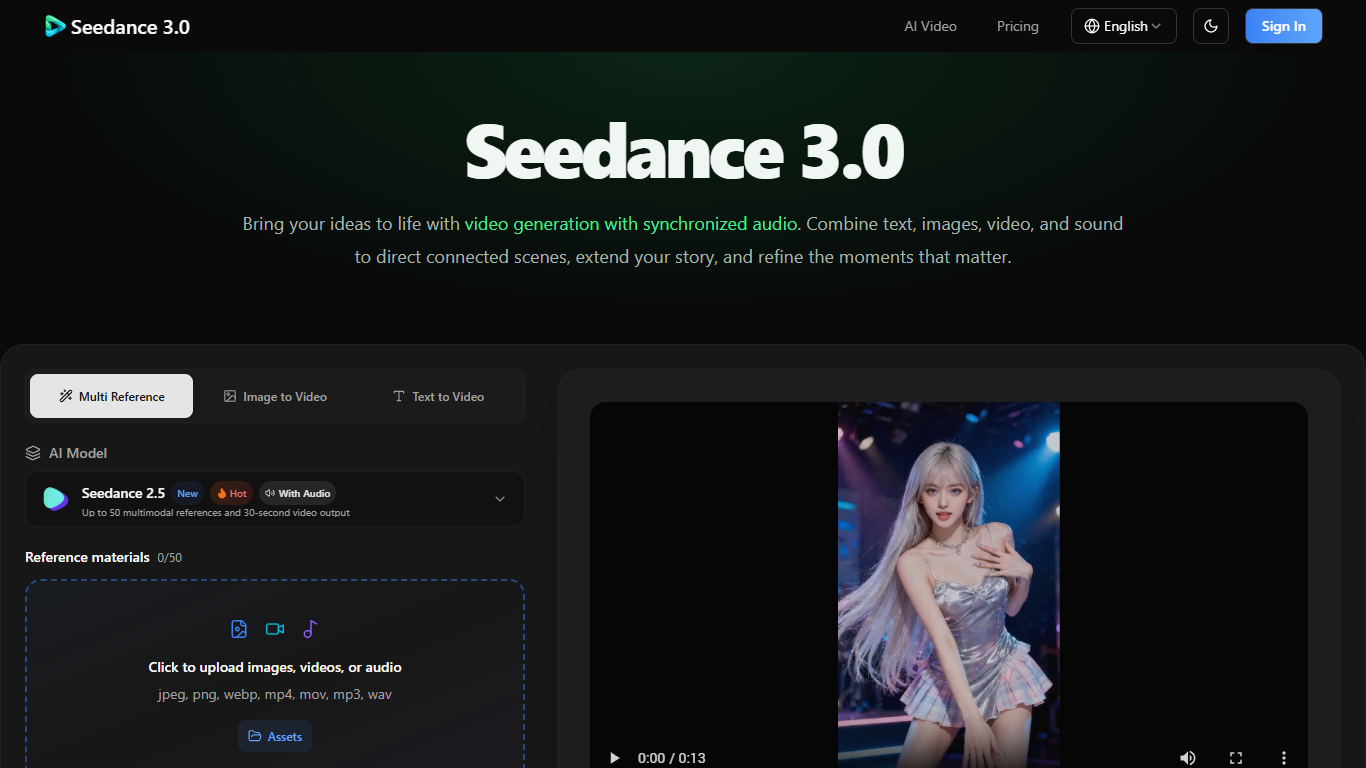
Seedance 3.0 is a browser-based AI video generator built around multimodal references: you mix text prompts with images, clips, and audio to steer characters, camera work, and sound in one pass. It targets creators who want short, story-shaped footage rather than a single silent clip from a text box.
Most text-to-video tools treat audio as an afterthought. Seedance 3.0 generates voices, ambience, and effects alongside the picture, and it exposes dedicated Video Extend and Video Edit switches so continuation jobs do not fight standard generation. The Seedance 2.5 mode advertises up to 50 reference assets and 30-second outputs, which is a heavier reference budget than the 30-image cap described in the FAQ for other modes.
Film pre-viz teams, social producers, and e-commerce creatives are the clearest fit. The site walks through product reveals, lesson demos, choreography planning, and multi-scene shorts, all tied to reference uploads instead of timeline editing.
You sign in, spend credits per render, and iterate by changing prompts or references. There is no in-app NLE; trimming and assembly stay in your usual editor.
Seedance 2.5 accepts up to 50 image, video, or audio references in one job
Single generations run up to 30 seconds with matched dialogue and ambience
Export at 480p, 720p, or 1080p with aspect ratios from 16:9 down to 21:9
Batch mode renders up to 10 videos with identical settings in one go
Dedicated extend and edit switches adapt duration when you continue a clip
Prompts allow 10,000 characters and @-tags to point at uploaded assets
Joint audio and video generation keeps dialogue and ambience aligned with the picture instead of bolting sound on later.
Up to 50 multimodal references on Seedance 2.5 give you room to lock wardrobe, props, and camera mood across shots.
Watermark-free exports with a commercial license on paid tiers suit client-facing ads and social campaigns.
Explicit extend and edit modes reduce failed runs when you continue an uploaded clip rather than starting from scratch.
Batch generation fires up to 10 variations with the same settings when you need quick creative options.
There is no free subscription tier; every workflow starts with a paid plan or credit pack.
The product does not include timeline editing, so precise cuts still require an external NLE.
NSFW or explicit prompts are blocked, which limits certain adult or horror concepts.
Credit costs per render can add up quickly on the Max tier if you iterate heavily on 1080p clips.
Does Seedance 3.0 offer a free plan?
No. Seedance 3.0 lists only paid subscriptions and one-time credit packs on its pricing page. You sign in, pick Basic from $14.90 per month or buy credits, then pay per generation from your balance.
How much does Seedance 3.0 cost per month?
Seedance 3.0 subscriptions start at $14.90 per month for 800 credits on Basic, $24.90 for 1,600 credits on Standard, $49.90 for 4,000 on Pro, and $99.90 for 10,000 on Max. Annual billing advertises a 50% discount on the same page.
What files can I upload to Seedance 3.0?
Seedance 3.0 accepts JPEG, PNG, WebP, BMP, TIFF, and GIF images plus MP4 and MOV video and MP3 or WAV audio in the generator. FAQ limits vary by mode, up to 30 images, 10 video clips, and 10 audio clips per request.
How long can a Seedance 3.0 video be?
Seedance 3.0 generates up to 30 seconds of video and audio in one pass. Multi-round extension continues an existing clip with new action while carrying style forward, so longer stories are built as chained segments rather than one file.
Are Seedance 3.0 downloads watermark-free?
Yes. Seedance 3.0 states that every export is watermark-free and ready for commercial use when your plan includes the commercial license. Paid tiers list private generation and no watermark among included features.
Can Seedance 3.0 extend footage I already have?
Yes. Seedance 3.0 provides a Video Extend mode that continues an uploaded clip and a separate Video Edit mode for reworked visuals or audio. The UI warns you to enable the matching switch so extend jobs are not treated as fresh text-to-video runs.
Does Seedance 3.0 train on my uploads?
No. Seedance 3.0's FAQ says uploaded references and generated outputs are not used to train models. The privacy policy also describes encrypted storage and no sharing with third parties for your projects.