
Last updated 08-21-2026
Category:
Reviews:
Join thousands of AI enthusiasts in the World of AI!
Spark Robin AI
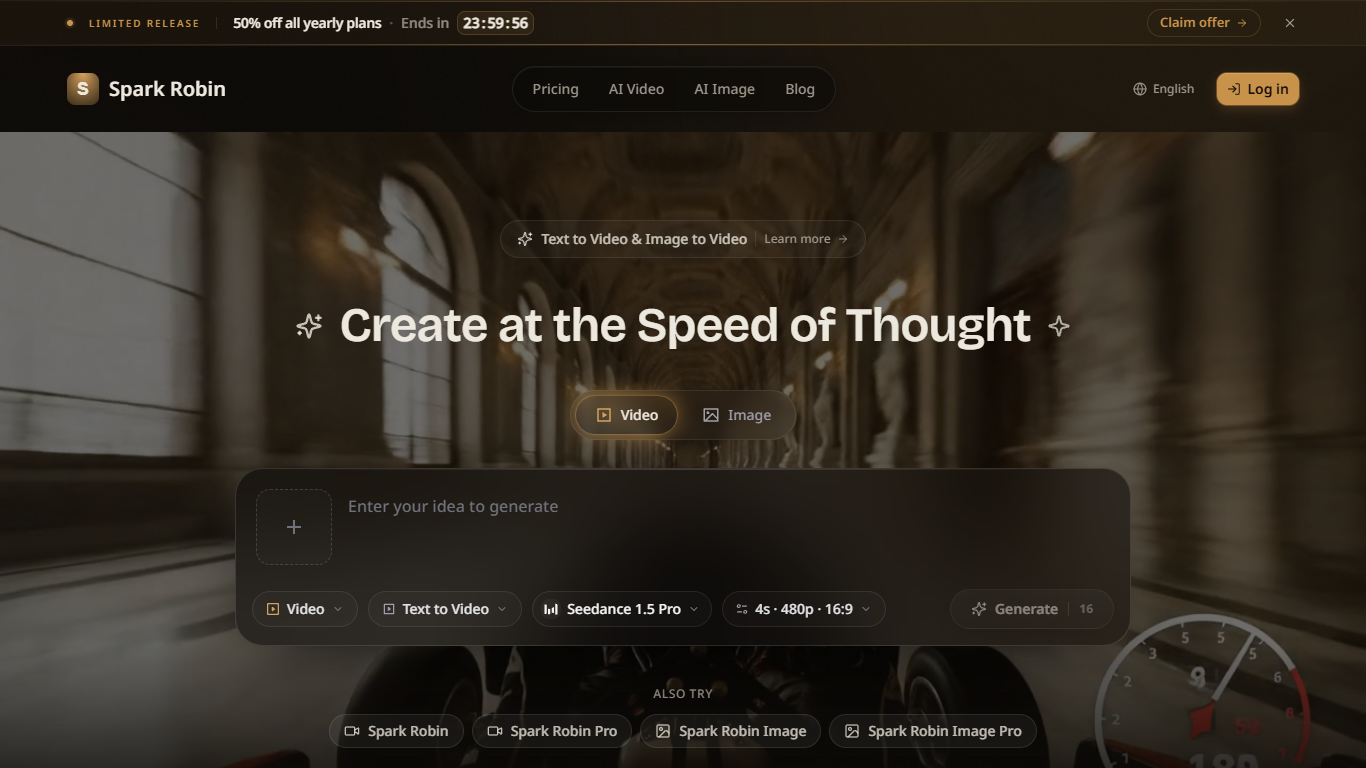
Spark Robin AI turns text prompts or reference images into short AI videos from a browser workspace. You pick a model such as Seedance 1.5 Pro, set clip length, resolution, and aspect ratio, then generate landscape, portrait, or square outputs for social posts, ads, and product demos. Image-to-video mode animates an uploaded still when you describe the motion you want.
Generic video generators often hide model choice behind one default engine. Spark Robin exposes multiple Spark Robin, Spark Robin Pro, and Spark Robin Image model lanes on the same site, with Seedance 1.5 Pro supporting 4s, 8s, and 12s clips at 480p through 1080p. That trade-off suits creators who want explicit control over clip specs, not teams that need long-form editing timelines inside one app.
Social media managers, marketers, indie filmmakers, and e-commerce sellers use Spark Robin to draft TikTok, Instagram, and YouTube clips without a full production crew. The free tier grants 5 credits per day after login, while paid annual plans scale to 400, 1,000, or 2,300 monthly credits.
Seedance 1.5 Pro supports 4s, 8s, and 12s clips at 480p, 720p, or 1080p
Aspect ratio presets include 16:9, 9:16, 1:1, 21:9, 4:3, and 3:4
Text-to-video and image-to-video workflows share one create page
Style presets cover cinematic, anime, realistic, artistic, and minimalist looks
Free tier includes 5 credits per day after login with no credit card required
Paid Max plan includes 2,300 credits per month and up to 8K resolution
Multiple Seedance video models with explicit 4s, 8s, and 12s length controls
Six aspect ratio presets cover vertical, horizontal, and square social formats
Free daily credits let you test prompts before buying an annual plan
Image-to-video mode animates reference stills with a motion description
Paid tiers add API access and up to 8K output on the Max plan
Clips cap at 12 seconds on Seedance 1.5 Pro, so long-form edits need external tools
A 32-credit create-page example means free daily credits cover limited generations
Domain Rating is low, so verify model availability before committing to annual billing
What is Spark Robin AI?
Spark Robin AI is an AI video generator for text-to-video and image-to-video creation. You write a prompt or upload a reference image, choose style, format, and duration, then generate a short clip in the browser.
Does Spark Robin AI support image to video?
Yes. Spark Robin AI lets you upload a reference image, describe how it should move, and animate it into a short AI video from the create workspace.
What video styles does Spark Robin AI offer?
Spark Robin AI supports cinematic, anime, realistic, artistic, and minimalist style presets. You pick a look before generating to match social, ad, or presentation tone.
How much does Spark Robin AI cost?
Spark Robin AI has a free tier with 5 credits per day after login. Paid annual plans start at $234 per year for Basic with 400 monthly credits, up to $894 per year for Max with 2,300 monthly credits.
Which aspect ratios does Spark Robin AI export?
Spark Robin AI generates landscape, portrait, and square clips with presets such as 16:9, 9:16, and 1:1. The create page lists 21:9, 4:3, and 3:4 options as well.
How do I contact Spark Robin AI support?
Spark Robin AI lists [email protected] on its homepage FAQ for additional help beyond the self-serve create and pricing pages.