
Last updated 08-22-2026
Category:
Reviews:
Join thousands of AI enthusiasts in the World of AI!
Usgen
Usgen turns uploaded photos into short cinematic video clips and styled stills through preset AI effect templates. Horizon AI Studio runs the product as a web gallery and Android app where you pick a filter, upload an image, and get an Input/Result preview before you run a generation. It targets people who want shareable couple, group, or festive scenes without opening a full video editor.
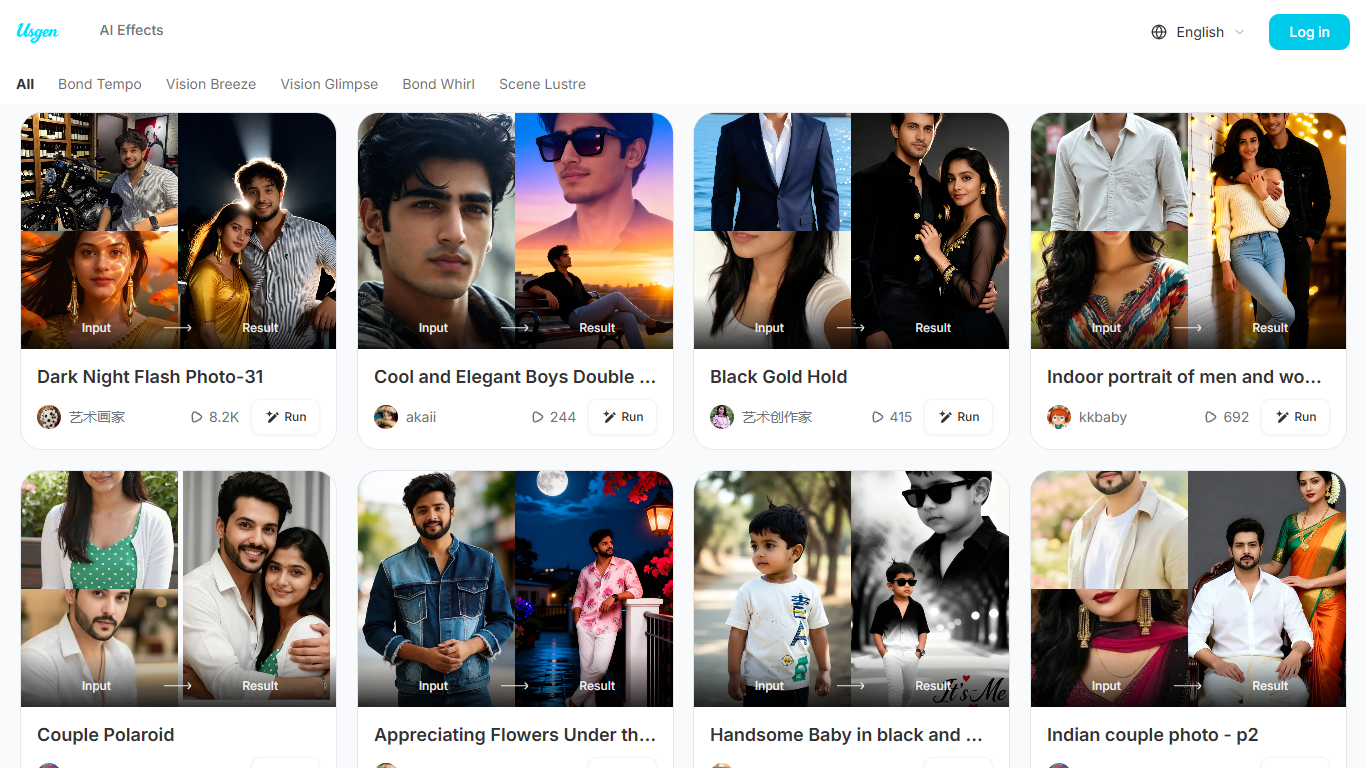
Most photo-to-video tools ask you to tweak timelines and export settings. Usgen skips that workflow: you browse community templates like Wings of Romance or After Rain Date, each showing an Input/Result pair with a Run button, and the site groups effects into five mood categories such as Bond Tempo and Scene Lustre. That template-first structure trades editing control for speed when you just need one clip for a feed post.
The effects landing page lists themed generators for holidays, school photos, celebrity selfies, and AI UGC testimonial clips, which points to social creators and marketers chasing trend formats. Inside the Android app, FAQ copy references Profile folders for Filters and Generations, so repeat users building a library of looks are part of the intended audience too.
Privacy policy notes face-swapping and face-merging services that process uploads only for the requested effect and do not store biometric templates, which matters if you are uploading portraits of real people.
Five web gallery mood lanes: Bond Tempo, Vision Breeze, Vision Glimpse, Bond Whirl, Scene Lustre
Community templates show Input and Result previews before you spend credits on a Run
Effects page lists 11 themed generators from Old Money portraits to AI UGC clips
VIP subscribers get an initial points grant, then fresh credits every 24 hours
Failed generations refund spent points automatically, per Usgen FAQ
Face swap and merge effects do not store biometric templates after processing
Template gallery shows Input/Result previews before you spend credits on a generation.
Points from failed generations refund automatically according to Usgen FAQ.
Themed generators cover holidays, portraits, celebrity selfies, and UGC clips in one product.
Five mood categories organize a large community template library on the web gallery.
No public pricing page exists; VIP plan prices are only visible inside Google Play checkout.
Subscription cancellation instructions in FAQ cover Android Google Play only.
Logging out twice on one device triggers a permanent device ban, per Usgen FAQ.
Does Usgen have a free plan?
Yes, Usgen offers free access on usgen.live with Try for Free and Get Started buttons on the effects page, and the homepage title calls it a free AI video maker. VIP subscriptions through Google Play add recurring points for heavier use.
How does Usgen pricing work with points?
Usgen runs on credits called points. FAQ states VIP users receive an initial points grant when they subscribe, then additional points every 24 hours. Failed generations refund the points you spent.
What platforms does Usgen run on?
Usgen is available through usgen.live in the browser and as the Usgen Android app on Google Play. Browser users log in on the site, while app users manage Filters and Generations under Profile.
Does Usgen store my face data?
Usgen processes face-swapping and face-merging uploads only to create the effect you selected. Its privacy policy says it does not extract biometric identifiers, store facial templates, or use photos for model training.
How do I cancel my Usgen subscription?
Cancel Usgen VIP through Google Play by opening Subscriptions, selecting the Usgen app, and tapping Cancel subscription. Usgen FAQ documents this Android-only cancellation flow step by step.
What happens if a Usgen generation fails?
Usgen generations can fail from unstable networks, sensitive content flags, or temporary server issues, per FAQ. Points spent on a failed run are automatically refunded to your account.