
Last updated 07-29-2026
Category:
Reviews:
Join thousands of AI enthusiasts in the World of AI!
VC Maker
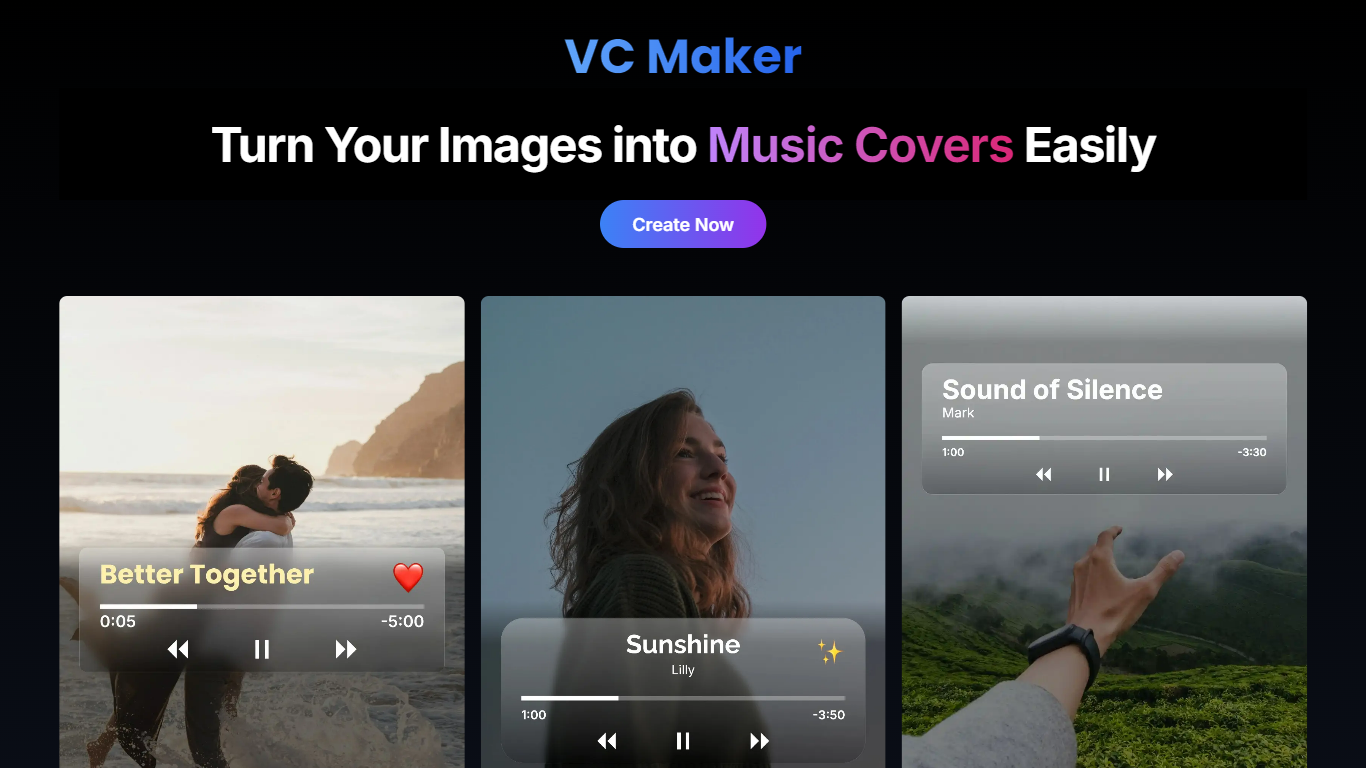
VC Maker enables users to transform their images into professional music covers and album art with ease. It provides tools to add custom text, music player overlays, artist names, and apply filters to enhance visual appeal.
Unlike general graphic design tools, VC Maker specializes in music-related visuals, offering features tailored specifically for musicians and content creators. It processes all image editing locally in the browser, ensuring privacy by not uploading or storing images on servers.
The tool supports multiple image formats including PNG, JPG, WEBP, HEIC, and HEIF, converting HEIC/HEIF files to JPEG locally for compatibility. Users can download high-quality covers and share them directly on social media without needing to create an account.
VC Maker emphasizes user ownership of created content, allowing full rights for personal or commercial use. Its mobile-friendly design and straightforward interface make it accessible for independent artists and small music businesses seeking specialized cover art creation.
Add custom titles and captions to personalize covers
Overlay music player controls for authentic music visuals
Apply stylish filters to enhance image appeal
Highlight artist names with creative text styles
Download high-quality covers ready for sharing
Supports PNG, JPG, WEBP, HEIC, and HEIF image formats with local HEIC/HEIF to JPEG conversion
No sign-up required; all editing happens locally in the browser
Completely free to use with no sign-up required
Processes images locally to protect user privacy
Supports multiple image formats including HEIC/HEIF with local conversion
Specialized features tailored for music cover creation
Allows direct social media sharing of designs
No advanced graphic design tools beyond cover creation
Limited to music-related visual content
No cloud storage or project collaboration features
Do I need to sign up to use VC Maker?
No, VC Maker does not require sign-up or account creation. You can start creating music covers immediately without any registration.
What image formats does VC Maker support?
VC Maker supports PNG, JPG, JPEG, WEBP, HEIC, and HEIF image formats. It converts HEIC and HEIF images to JPEG locally for compatibility.
Can I use my created designs for commercial purposes?
Yes, all designs created with VC Maker are your property and can be used for personal or commercial purposes without restrictions.
How does VC Maker protect my privacy?
VC Maker processes all images locally in your browser and does not upload or store any personal data or images on its servers, ensuring your privacy.
Can I add music player controls to my covers?
Yes, VC Maker allows you to overlay music player elements on your covers to create authentic music visuals.
Is VC Maker mobile-friendly?
Yes, VC Maker is designed to work smoothly on both mobile devices and desktop browsers for convenient use anywhere.
Can I share my covers directly to social media?
Yes, VC Maker provides options to share your music covers directly on social media platforms from within the tool.