
Last updated 07-02-2026
Category:
Reviews:
Join thousands of AI enthusiasts in the World of AI!
Video Face Swap
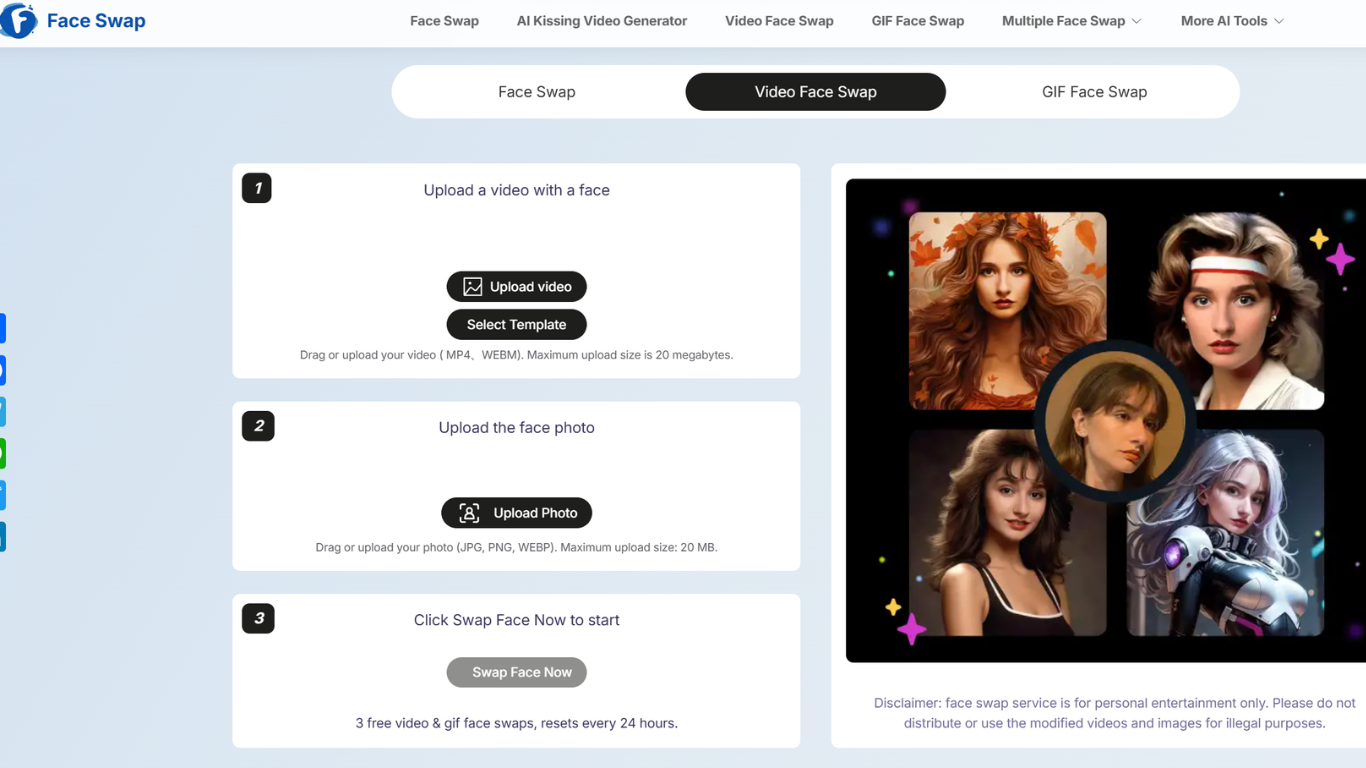
Video Face Swap on AI Face Swapper lets you upload a short clip and a face photo, then replace the face in the video while keeping expressions and movement intact. It runs in the browser with no sign up, which makes it easy to test a meme clip or social post before committing to anything.
The workflow is three steps: upload an MP4 or WEBM video (up to 20 MB), add a JPG, PNG, or WEBP face image (also up to 20 MB), and run the swap. You can also start from built-in video templates sorted by categories like TikTok, dance, Christmas, and movies instead of uploading your own footage.
It fits creators who want quick face swap videos for TikTok, reaction clips, or parody edits without installing desktop software. The site states uploads are for personal entertainment only and that it does not store your videos or photos without consent.
Swap a face in an uploaded MP4 or WEBM clip up to 20 megabytes
Pair each video with a JPG, PNG, or WEBP face photo up to 20 MB
Start from preset video templates for TikTok, dance, Christmas, and movie scenes
Preview results and revisit past swaps in a built-in history panel
Runs free in the browser with no daily usage cap listed on the site
No account needed to start swapping faces in videos.
Accepts common video and image formats with a clear 20 MB upload limit.
Includes ready-made video templates so you can skip filming your own clip.
Coin packs are one-time purchases with no subscription or auto-renewal.
Uploads are capped at 20 MB, which limits longer or higher-resolution clips.
Peak demand can add a short wait before your video is processed.
The service is limited to personal entertainment per the site disclaimer.
Does Video Face Swap require an account?
No. Video Face Swap on AI Face Swapper works without creating an account. You upload a video and face photo directly in the browser and can start swapping immediately.
What file formats does Video Face Swap support?
Video Face Swap accepts MP4 and WEBM videos up to 20 MB. Face photos can be JPG, PNG, or WEBP, also up to 20 MB per file.
Is Video Face Swap free to use?
Yes. The video face swap tool is free with no daily limits listed on the site. Optional coin packs are sold separately for heavier use across AI Face Swapper tools.
How much do AI Face Swapper coin packs cost?
Coin packs are one-time purchases with no subscription. As of July 2026, packs range from $9.99 for 800 coins to $159.99 for 25,000 coins. Purchased coins never expire.
Does Video Face Swap store my uploads?
AI Face Swapper states it does not collect, store, or share your videos or personal data for the face swap service. Its privacy policy also says data can be deleted within 72 hours on request.
Can I download and share swapped videos?
Yes. After processing, you can preview and download your swapped video for free. The site asks users to follow its terms and respect copyright when sharing results.