
Last updated 08-30-2026
Category:
Reviews:
Join thousands of AI enthusiasts in the World of AI!
Vora AI
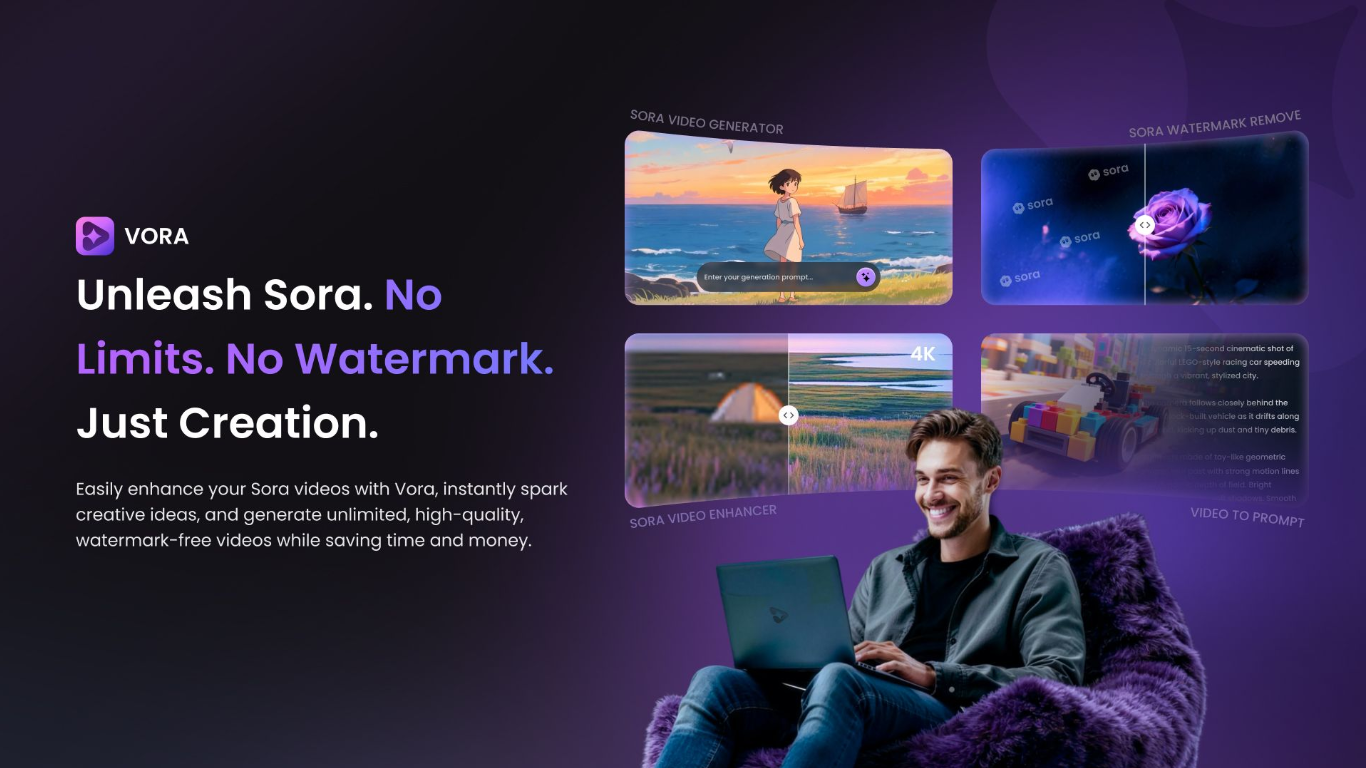
Vora is Fineshare's browser-based AI video generator. You write a text prompt or upload a reference image, pick duration and aspect ratio, and the tool returns a short clip with synced audio. Everything runs in the browser with no editing timeline or camera setup.
Where standalone Sora or Veo portals focus on one model, Vora bundles Sora 2 and Veo 3 generators with a video-to-prompt cloner, watermark remover, Sora downloader, and upscaler in one Fineshare workspace. That makes it easier to reverse-engineer a trending TikTok or YouTube Short, generate a matching clip, clean watermarks, and upscale before posting without switching tools.
Social media creators, marketers, and educators use it for vertical or landscape posts, product demos, tutorials, and ad tests. The free tier ships watermark-free 720P exports, daily credits, and a prompt library, while PRO unlocks 1080P on generation and higher tiers on the enhancer.
Sora 2 and Veo 3 generators share one workspace with watermark removal, download, and upscaling tools
Video-to-prompt accepts TikTok or YouTube links and returns editable prompts for style cloning
720P exports on the free tier; 1080P generation unlocks with PRO
Sora 2 clips support 10, 15, or 25 second durations at 16:9 or 9:16 aspect ratios
Main hub offers Vora Flash and Vora Pro models with 4 to 12 second clip lengths
Interface available in 9 languages including English, Spanish, French, German, Japanese, and Korean
Generates watermark-free videos without requiring a paid tier upfront
Video-to-prompt workflow makes it straightforward to study and recreate trending clip styles
Sora 2 and Veo 3 models available in one workspace with enhancer and downloader tools
Multi-language interface and prompt generation for global content workflows
Free credit system lets you test generation before committing to PRO
Video generation takes several minutes per clip rather than seconds
1080P resolution requires PRO; free tier is capped at 720P
Human faces cannot be used as image-to-video inputs
No dedicated mobile app; runs in the browser only
Is Vora AI free to use?
Yes. Vora AI gives every user free credits to generate videos, enhance quality, remove watermarks, and create prompts. You can earn additional credits by completing tasks in the app.
What video models does Vora AI support?
Vora AI runs dedicated Sora 2 and Google Veo 3 generators, plus Vora Flash and Vora Pro models on the main text-to-video hub. Veo 3 clips include native narration and ambient sound.
How long does Vora AI take to generate a video?
Sora 2 generation on Vora AI typically takes three to five minutes per clip. The main Veo 3 workflow on the homepage lists a two to five minute range depending on duration and resolution.
What resolutions does Vora AI offer?
Vora AI exports generated clips at 720P on the free tier. 1080P generation requires PRO. The Sora Video Enhancer upscales to 1080P, 2K, or 4K, with 2K and 4K marked as Pro options.
Can Vora AI clone viral videos?
Yes. Vora AI's Video to Prompt tool uploads a short clip or accepts a link, then extracts style, camera movement, and scene details into a prompt you can feed back into the Sora generator.
What aspect ratios does Vora AI support?
Vora AI supports 16:9 landscape and 9:16 portrait aspect ratios on the Sora 2 and main generators. Pick the format that matches your target platform before generating.
Can I use human faces as image-to-video input on Vora AI?
No. Vora AI does not accept human faces as input images. The tool recommends copyright-free characters, products, or other objects instead.