
Last updated 08-13-2026
Category:
Reviews:
Join thousands of AI enthusiasts in the World of AI!
ChatCraft
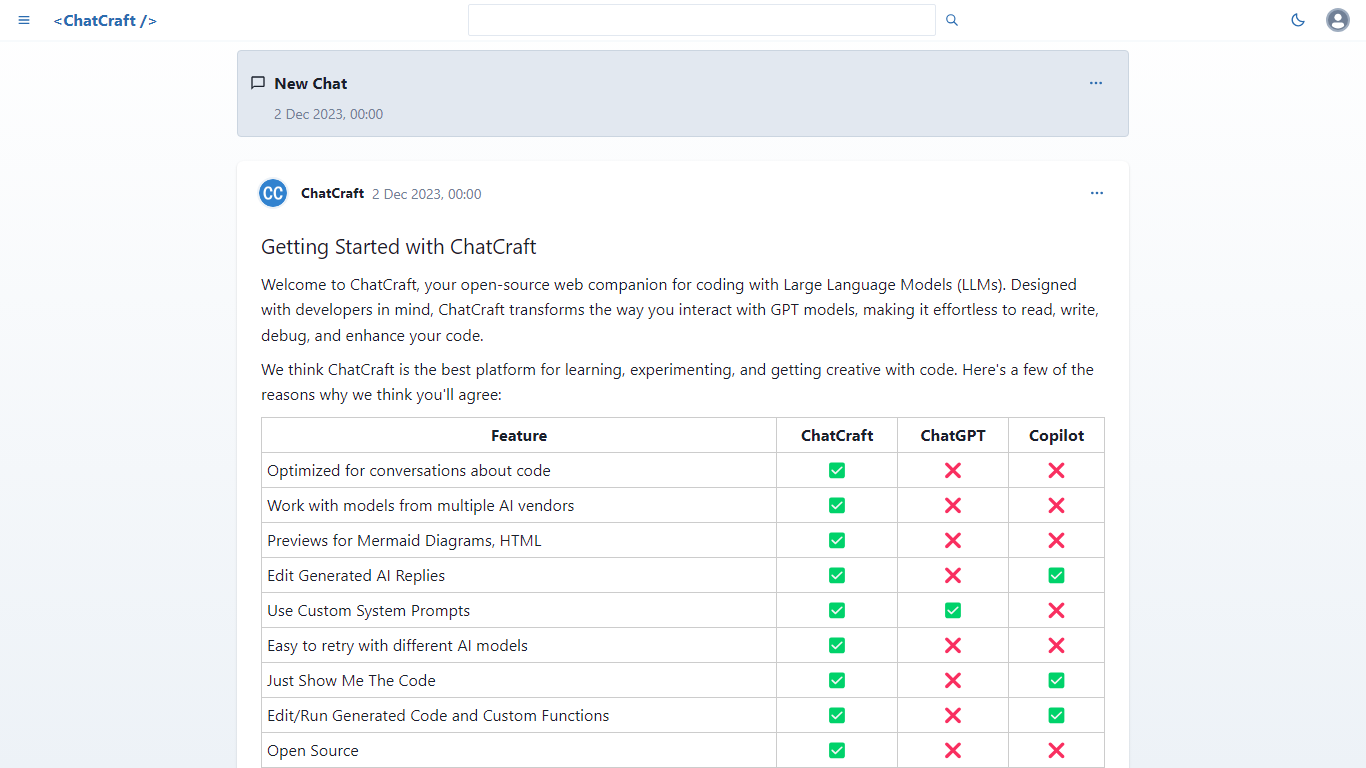
ChatCraft is a browser-based developer chat client for talking through code with large language models. You paste an OpenAI or OpenRouter API key, pick a model, and iterate on prompts with GitHub-flavored Markdown, syntax highlighting, and per-message edit, retry, and delete controls.
General chat UIs optimize for prose. ChatCraft stores every conversation in local IndexedDB, gives each chat its own URL, and lets you retry any assistant reply with a different model mid-thread. That makes it practical to compare GPT-4 against cheaper models on the same coding question without starting over.
The project is open source on GitHub, runs entirely client-side with no server install, and supports Mermaid diagram rendering plus optional sign-in with GitHub or Google. You pay only what your chosen provider charges per token.
Supports OpenAI and OpenRouter so you can switch models or vendors in one thread
Retries any assistant message with a different model without losing prior context
Stores chats locally in IndexedDB with optional GitHub or Google sign-in
Renders code blocks with syntax highlighting and converts prompts to Mermaid diagrams
Open-source MIT project linked directly from the ChatCraft sidebar
No ChatCraft subscription; you only pay the API provider you connect.
Retry-with-another-model flow is built for comparing answers on code tasks.
Open-source codebase lets teams fork the UI for internal workflows.
Requires your own OpenAI or OpenRouter API key before the first message sends.
Chats live in browser storage, so clearing site data can delete local history.
No native desktop app; everything runs in the browser tab.
What is ChatCraft?
ChatCraft is an open-source web chat client built for software developers who want to discuss code with large language models. It runs in the browser, stores conversations locally, and uses a GitHub-inspired Markdown interface tuned for programming workflows.
Is ChatCraft free to use?
Yes. ChatCraft itself is free and open source. You bring your own OpenAI or OpenRouter API key and pay only the per-token fees charged by whichever model provider you select inside the app.
Which AI providers does ChatCraft support?
ChatCraft integrates with OpenAI for GPT-3.5 and GPT-4 family models and with OpenRouter for additional vendors such as Anthropic, Google, and Meta. You can switch providers or models at any point during a chat.
Where does ChatCraft store my chats?
ChatCraft saves conversations in your browser's IndexedDB database, so data stays on your device by default. Each chat gets its own URL path, but other people cannot open your history unless you explicitly share a chat link.
Can ChatCraft retry a message with another model?
Yes. ChatCraft lets you edit, delete, or retry any assistant response using a different model while keeping the rest of the thread intact. That supports side-by-side comparisons of how models answer the same coding question.
Do I need to install ChatCraft?
No. ChatCraft runs entirely in a modern web browser with no server setup required. Visit chatcraft.org, add an API key in settings, and start a new chat from the sidebar without downloading a desktop app.