Audio AI vs HeardThat
In the clash of Audio AI vs HeardThat, which AI Noise Cancellation tool emerges victorious? We assess reviews, pricing, alternatives, features, upvotes, and more.
When we put Audio AI and HeardThat head to head, which one emerges as the victor?
Let's take a closer look at Audio AI and HeardThat, both of which are AI-driven noise cancellation tools, and see what sets them apart. There's no clear winner in terms of upvotes, as both tools have received the same number. Every vote counts! Cast yours and contribute to the decision of the winner.
Don't agree with the result? Cast your vote and be a part of the decision-making process!
Audio AI

What is Audio AI?
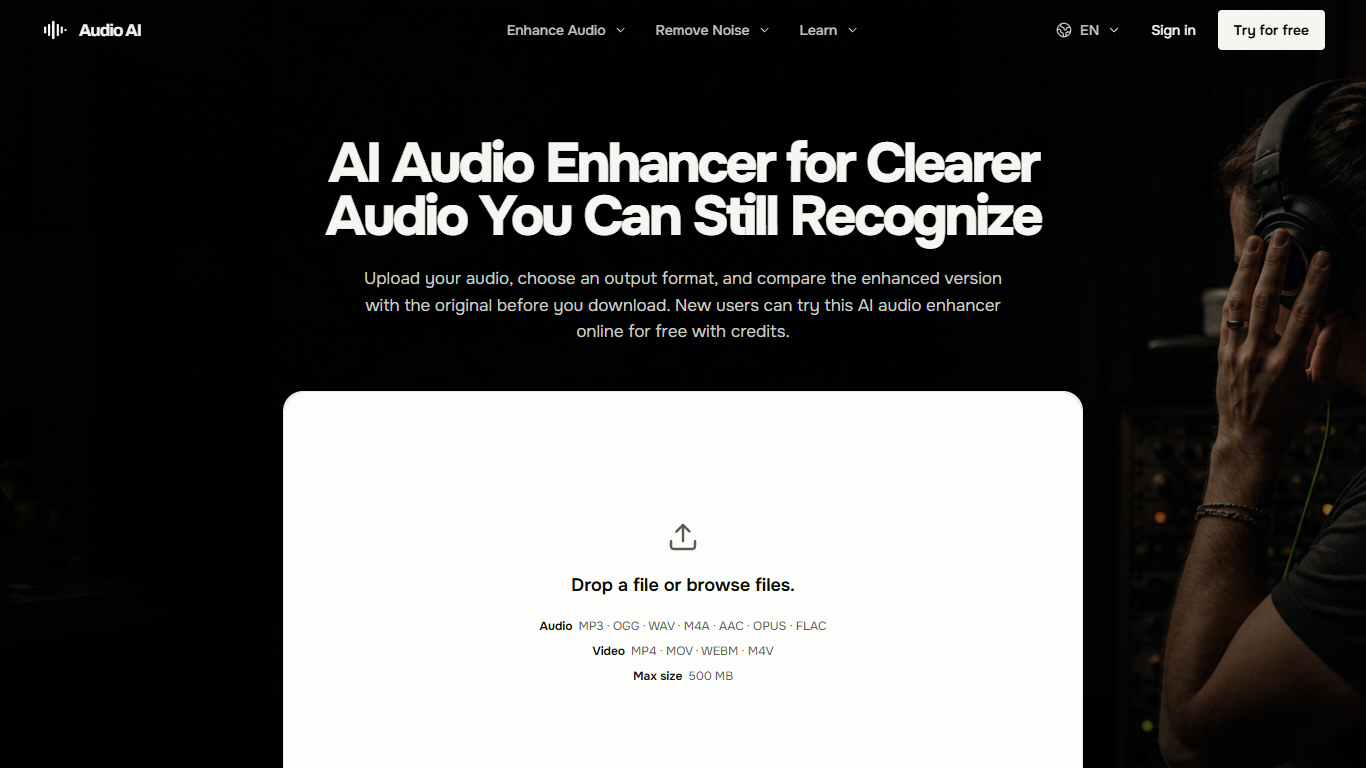
Audio AI is a browser-based audio enhancer for cleaning up a single recording without opening a full editor. You upload a file, pick an output format, and listen to the original beside the enhanced version before you download anything. It targets speech-heavy recordings where background noise, echo, uneven levels, or a buried voice make the message hard to follow.
Most cleanup tools either dump you into a timeline or process the file blindly. Audio AI stays narrow on purpose: one file in, one enhanced file out, with listening checks baked into the workflow. The site even tells you when enhancement is the wrong tool, pointing you to editors for cuts and filler removal or to a DAW for multitrack mixing.
Podcasters, course creators, remote interviewers, and video voiceover work are the sweet spot. The product pages walk through what to listen for on quiet consonants, natural pauses, and whether the room still sounds believable after processing.
Uploads cap at 500 MB, and you need to sign in before generation. New accounts get free credits to try a run, with monthly, yearly, or one-time credit purchases for ongoing use.
HeardThat

What is HeardThat?
HeardThat enhances hearing by using your smartphone and existing Bluetooth earbuds or hearing aids to separate speech from background noise. It leverages AI to isolate conversations, making it easier to understand speech in noisy environments.
Unlike traditional hearing aids that amplify all sounds, HeardThat processes audio locally on your phone, ensuring privacy and allowing you to control ambient sound levels. This approach helps users stay connected in social settings without the need for additional hardware.
The app features a simple interface with one-tap activation for noise removal and includes a gifting option to share subscriptions with loved ones who have hearing difficulties. By turning your smartphone into a hearing assistive device, HeardThat offers a practical and effective solution for clearer conversations in challenging noise conditions.
Audio AI Upvotes
HeardThat Upvotes
Audio AI Top Features
Upload MP3, OGG, WAV, M4A, or AAC files up to 500 MB in the browser
Pick from 7 output formats including Opus and FLAC
Side-by-side original vs enhanced preview before you download
Handles noise, echo, distortion, volume swings, and buried speech in one pass
Interface available in 8 languages including English, Spanish, and Japanese
HeardThat Top Features
Works with existing Bluetooth earbuds and hearing aids for easy setup
Separates speech from background noise using AI for improved clarity
Processes all audio locally on your smartphone to protect privacy
Offers a 30-day free trial with no credit card required
Subscription plans include monthly ($9.99) and yearly ($99.99) options with unlimited usage after trial
Simple one-tap activation to start noise removal instantly
Includes gifting feature to share subscriptions with others
Audio AI Category
- Noise Cancellation
HeardThat Category
- Noise Cancellation
Audio AI Pricing Type
- Freemium
HeardThat Pricing Type
- Freemium