FlowSavvy vs Atua
Explore the showdown between FlowSavvy vs Atua and find out which AI Productivity tool wins. We analyze upvotes, features, reviews, pricing, alternatives, and more.
In a face-off between FlowSavvy and Atua, which one takes the crown?
When we contrast FlowSavvy with Atua, both of which are exceptional AI-operated productivity tools, and place them side by side, we can spot several crucial similarities and divergences. There's no clear winner in terms of upvotes, as both tools have received the same number. Join the aitools.fyi users in deciding the winner by casting your vote.
Does the result make you go "hmm"? Cast your vote and turn that frown upside down!
FlowSavvy

What is FlowSavvy ?
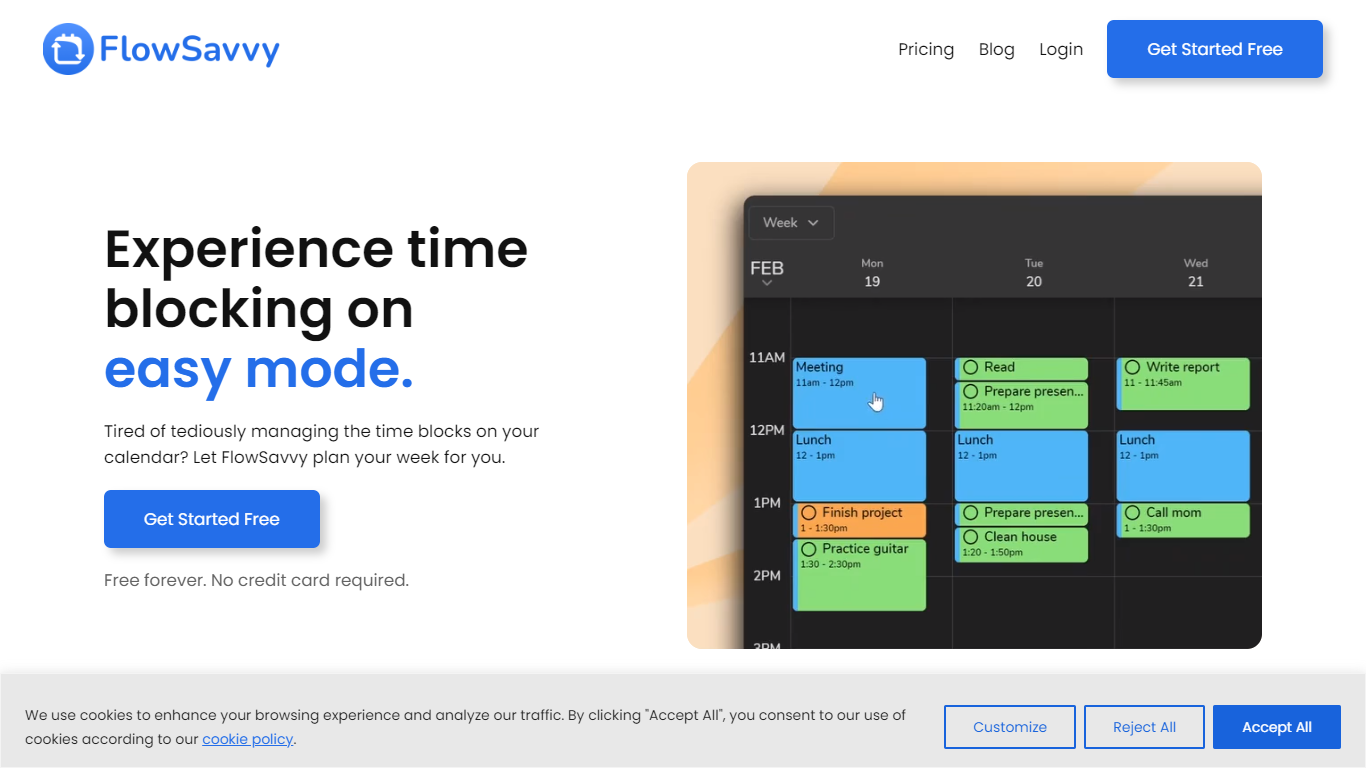
FlowSavvy offers a fresh take on time management by automating time blocking and task scheduling to reduce stress and manual effort. It acts like a digital assistant that creates weekly plans and adjusts them automatically when your schedule changes, so you don’t have to constantly rearrange tasks yourself. The platform supports habit building by letting you set recurring tasks that fit your lifestyle and work hours, helping you maintain a healthy work-life balance. It integrates smoothly with popular calendars like Google, iCloud, and Outlook, keeping all your appointments and tasks in one place. The interface is clean and easy to use, with color-coded tasks that give you a quick view of your workload. FlowSavvy is accessible on all devices and lets you start for free without needing a credit card. This makes it a practical tool for anyone looking to organize their time more effectively without the hassle of manual scheduling. Whether you’re a busy professional, a student, or managing a household, FlowSavvy adapts to your needs and helps you stay on track effortlessly.
Atua

What is Atua?
Atua puts AI inside any Mac app through a global hotkey bar, custom commands, and context pulled from selected text, screenshots, clipboard, voice, or screen OCR. You build reusable prompts once, assign keyboard shortcuts, and run them from Mail, Slack, Xcode, or any other window without copying content into a separate chat tab.
Browser-based assistants make you leave your workflow; Atua stays in the app you are already using and can chain actions through built-in Mac tools plus MCP servers for GitHub, Postgres, Slack, and more. The trade-off is platform lock-in: it is macOS only, and you bring your own API keys from OpenAI, Anthropic, Groq, and other providers rather than getting bundled credits.
Developers, writers, and creators who live in keyboard shortcuts use Atua to polish emails, summarize diffs, post MCP actions, and dictate voice paste locally. A one-time $29 license includes unlimited commands, system tool access, and lifetime updates with no subscription.
FlowSavvy Upvotes
Atua Upvotes
FlowSavvy Top Features
🗓️ Automatic weekly planning that adjusts as your schedule changes
🔄 Smart recurring tasks to build and maintain good habits
📅 Syncs with Google, iCloud, and Outlook calendars for unified scheduling
🎨 Color-coded tasks for quick workload visualization
📱 Available on all devices with no credit card required to start
Atua Top Features
Global Option+Space hotkey opens an AI bar from any Mac application
Commands pull selected text, screenshots, clipboard, voice, window content, or screen OCR as prompt context
Built-in Mac tools read and write Calendar, Reminders, Notes, Finder, Shortcuts, shell, and HTTP requests
MCP server support connects GitHub, Postgres, Slack, filesystem, and custom APIs inside commands
Supports OpenAI, Anthropic, Groq, Mistral, DeepSeek, xAI, Ollama, and any OpenAI-compatible endpoint
One-time $29 lifetime license with unlimited custom commands and free updates
Voice Paste runs locally on your Mac with no account or analytics tracking
FlowSavvy Category
- Productivity
Atua Category
- Productivity
FlowSavvy Pricing Type
- Freemium
Atua Pricing Type
- Paid