FlowSavvy vs Motion
In the battle of FlowSavvy vs Motion, which AI Productivity tool comes out on top? We compare reviews, pricing, alternatives, upvotes, features, and more.
Between FlowSavvy and Motion, which one is superior?
Upon comparing FlowSavvy with Motion, which are both AI-powered productivity tools, The upvote count reveals a draw, with both tools earning the same number of upvotes. You can help us determine the winner by casting your vote and tipping the scales in favor of one of the tools.
You don't agree with the result? Cast your vote to help us decide!
FlowSavvy

What is FlowSavvy ?
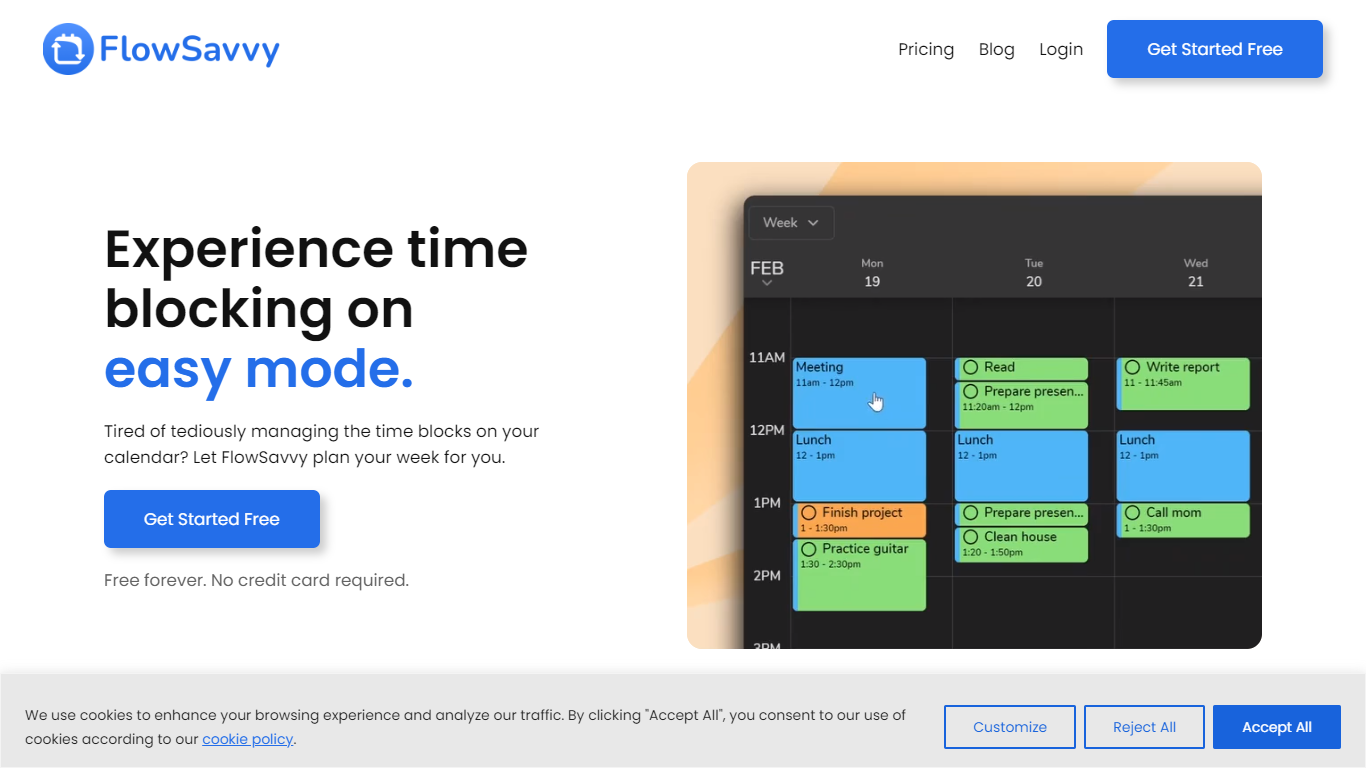
FlowSavvy offers a fresh take on time management by automating time blocking and task scheduling to reduce stress and manual effort. It acts like a digital assistant that creates weekly plans and adjusts them automatically when your schedule changes, so you don’t have to constantly rearrange tasks yourself. The platform supports habit building by letting you set recurring tasks that fit your lifestyle and work hours, helping you maintain a healthy work-life balance. It integrates smoothly with popular calendars like Google, iCloud, and Outlook, keeping all your appointments and tasks in one place. The interface is clean and easy to use, with color-coded tasks that give you a quick view of your workload. FlowSavvy is accessible on all devices and lets you start for free without needing a credit card. This makes it a practical tool for anyone looking to organize their time more effectively without the hassle of manual scheduling. Whether you’re a busy professional, a student, or managing a household, FlowSavvy adapts to your needs and helps you stay on track effortlessly.
Motion
What is Motion?
Motion combines tasks, projects, calendar, meetings, and docs, then auto-schedules your day around deadlines and focus time. It watches dependencies and available hours, builds a daily plan, and reshuffles blocks when priorities change. Over one million users and teams rely on it for productivity planning without juggling separate tools.
What sets Motion apart is how tightly the pieces connect. Meeting notes become tasks, docs turn into project plans, and calendar blocks shift automatically when priorities change. The system re-optimizes your schedule throughout the day instead of leaving you to manually reshuffle every time something slips.
Motion fits solo professionals, startups, and service businesses that need one place to run projects and protect focus time. It replaces stacks of apps like Asana, Calendly, Notion, and Otter by keeping context in one workspace.
FlowSavvy Upvotes
Motion Upvotes
FlowSavvy Top Features
🗓️ Automatic weekly planning that adjusts as your schedule changes
🔄 Smart recurring tasks to build and maintain good habits
📅 Syncs with Google, iCloud, and Outlook calendars for unified scheduling
🎨 Color-coded tasks for quick workload visualization
📱 Available on all devices with no credit card required to start
Motion Top Features
Pro AI starts at $19 per seat per month with 7,500 AI credits monthly
Business AI adds Gantt charts and 15,000 credits per seat at $29 per month
Auto-schedules tasks onto your calendar and re-plans when deadlines shift
Captures meeting notes, summaries, and action items automatically
Syncs Google, Outlook, and iCloud calendars into one view
Connects with Slack, Zoom, Gmail, Zapier, HubSpot, and Salesforce
Native apps for iOS, Android, and desktop
FlowSavvy Category
- Productivity
Motion Category
- Productivity
FlowSavvy Pricing Type
- Freemium
Motion Pricing Type
- Paid