Zia vs Flux
When comparing Zia vs Flux, which AI tool shines brighter? We look at pricing, alternatives, upvotes, features, reviews, and more.
In a comparison between Zia and Flux, which one comes out on top?
When we put Zia and Flux side by side, both being AI-powered tools, The community has spoken, Flux leads with more upvotes. Flux has attracted 11 upvotes from aitools.fyi users, and Zia has attracted 6 upvotes.
Disagree with the result? Upvote your favorite tool and help it win!
Zia
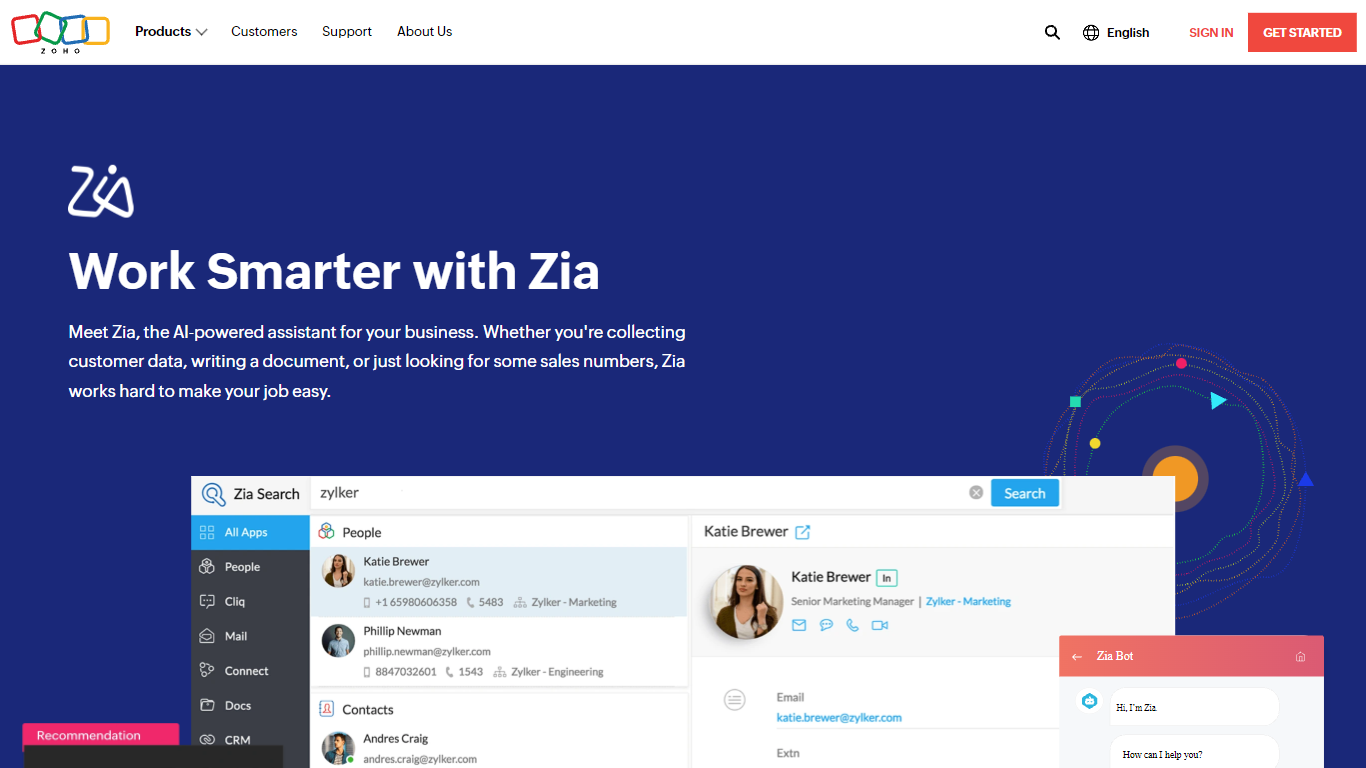

What is Zia?
Zia is Zoho's AI assistant woven into CRM, Desk, Books, and dozens of other Zoho apps. It answers questions through Ask Zia, automates sales and support workflows, and powers Zia Agents that handle department-specific tasks. The assistant draws on data across your Zoho account rather than operating as a standalone chatbot.
Most AI add-ons charge per seat or per token on top of your existing software bill. Zoho positions Zia as built into its ecosystem, with Zia Agents free to build and deploy while model usage follows prepaid credits or your own API keys. The company owns its full stack from data centers to applications, which it cites as the basis for private, on-your-data training.
Sales reps, support agents, and operations teams already on Zoho are the natural users. Zia surfaces deal predictions, routes tickets, generates reports, and runs grammar and translation checks without leaving the app you are working in.
Flux

What is Flux?
Flux runs ECAD in the browser so hardware engineers design printed circuit boards from idea through manufacturing without desktop installs. You describe what you want to build, and Flux Copilot plans the work, generates schematics and layouts, and checks in before key steps so you stay in control.
Compared with traditional desktop ECAD suites, Flux combines collaborative schematic and layout editing with live component data, supply chain pricing, and explainable automation in one workspace. Copilot handles planning, part research, BoM generation, placement, routing, and design reviews while you approve key steps instead of clicking through every net manually.
Flux supports multi-layer PCBs up to eight layers for IoT devices, wearables, robotics, and production-bound hardware. You can import from Altium, Cadence, KiCad, Eagle, and EasyEDA, then export Gerbers, drill files, BoMs, pick-and-place files, and standard netlists for fabrication.
Zia Upvotes
Flux Upvotes
Zia Top Features
Ask Zia conversational assistant answers queries across your Zoho workspace
Zia Agents platform is free to build and deploy with 100 plus pre-built agents in the store
Zoho-hosted LLMs include 30 million free tokens per month on Standard tier models
Bring Your Own Key option connects OpenAI, Gemini, or Claude with no Zoho platform fee
Embedded in CRM, Desk, Books, and 60 plus Zoho apps for contextual suggestions
Anomaly detection and auto-generated reports in Zoho analytics dashboards
Flux Top Features
Describe a board in plain language and Copilot maps a plan for approval
Generates schematics, BoMs, and layouts with placement and routing
Runs design reviews for unconnected pins, missing caps, and tolerance issues
Multi-layer PCBs up to eight layers, from prototype to production
Imports Altium, Cadence, KiCad, Eagle, and EasyEDA projects
Exports Gerbers, drill files, BoM, pick-and-place, and netlists
14-day free trial covers all features before Explore, Build, or Pro billing starts
Zia Category
- Meeting Assistant
Flux Category
- Design
Zia Pricing Type
- Freemium
Flux Pricing Type
- Freemium