
Last updated 09-29-2026
Category:
Reviews:
Join thousands of AI enthusiasts in the World of AI!
Humanize Max
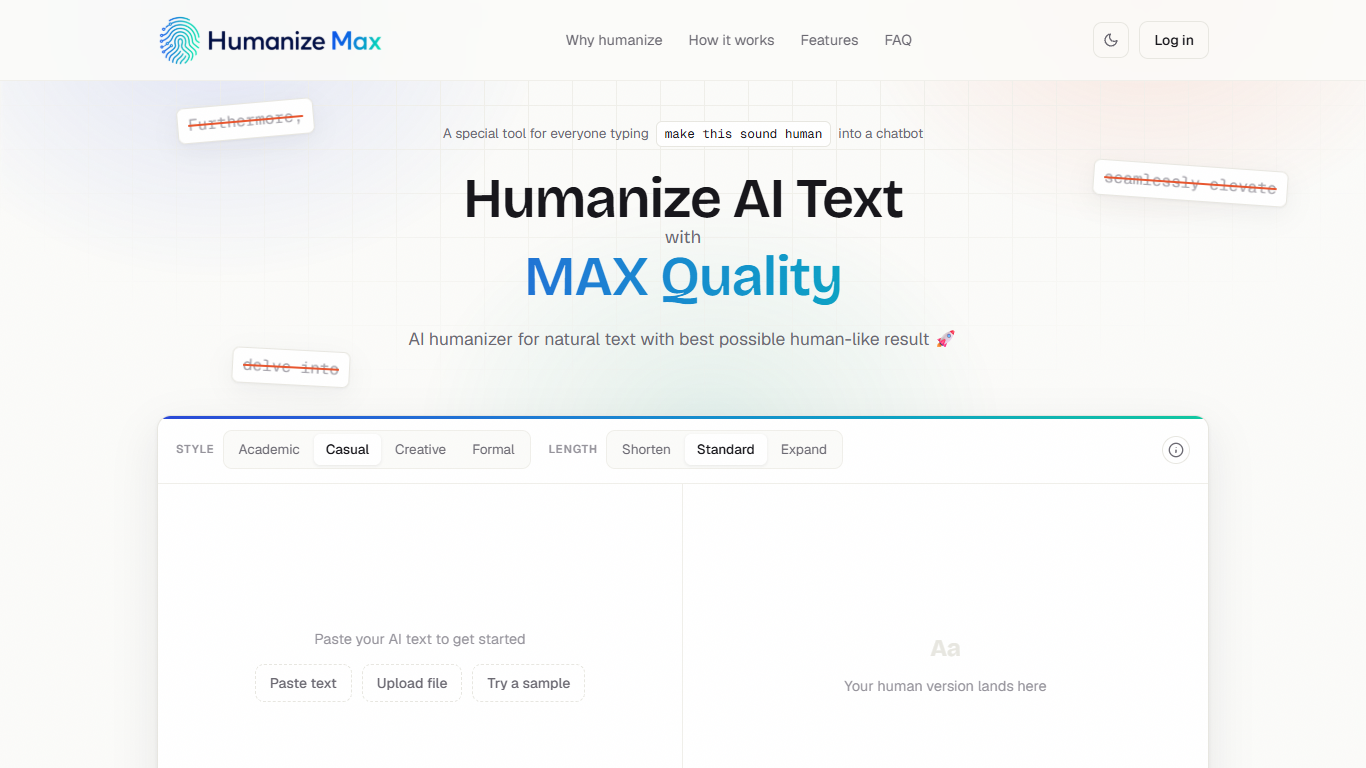
Humanize Max is a free browser AI humanizer that rewrites ChatGPT, Claude, Gemini, or DeepSeek drafts so they read like a person wrote them. You paste text, pick a style and length, and get a revised version in seconds without creating an account. It targets bloggers, marketers, ESL writers, and students who need polish, not another generic paraphrase.
Most people still ask their chatbot to "make this sound human," and the model answers with throat-clearing intros and filler phrases that read worse than the original. Humanize Max is built as a dedicated rewriter with tone controls, term locking, and single-line fixes, and it keeps the full output free instead of blurring it behind a signup wall like many humanizer sites.
Marketers can lock keywords and headings in place while the surrounding copy loosens up. ESL writers get help with stiff collocations without changing the point. The about page states the service is for users 18 and older and discourages academic dishonesty, which frames it as an editing aid rather than a bypass tool.
4 tone presets: academic, casual, creative, and formal
2000-word cap per paste in the on-page counter
Locks ChatGPT, Claude, Gemini, or DeepSeek terms you mark
Rephrase 1 sentence without rerunning the whole draft
3 length modes: shorten, standard, or expand
The full humanizer stays free with no paywall on your rewritten text.
Term locking lets SEO writers keep exact keywords and brand strings in place.
Single-line rephrase fixes one awkward sentence without a full rerun.
Four tone presets cover academic, casual, creative, and formal drafts.
The editor UI shows a 2000-word limit per paste despite unlimited reruns.
The site is browser-only with no documented API or desktop app.
Humanize Max is intended for users 18 and older per its about page.
Is Humanize Max free to use?
Yes. Humanize Max is free with no paid plan on the site. Every listed feature, including all four styles, term locking, and single-line rephrase, is available without a subscription or paywall on your result.
Do I need an account for Humanize Max?
No. Humanize Max states on its FAQ that you can open the page and humanize text with no sign-up or login. A sign-in link exists in the header, but the product FAQ does not require an account to run the tool.
What writing styles does Humanize Max offer?
Humanize Max offers four styles: academic, casual, creative, and formal. You pick one before you hit Humanize it, or leave standard length and style settings if you want a light touch.
Can Humanize Max keep my keywords unchanged?
Yes. Humanize Max includes term locking so you mark names, brands, or keywords that must stay word for word. The rewriter adjusts phrasing around those locked terms, which helps SEO copy keep exact match strings in place.
Which AI tools does Humanize Max accept text from?
Humanize Max says it works with output from ChatGPT, Claude, Gemini, DeepSeek, and other chatbots. You paste plain text or upload a file; there is no vendor-specific import on the homepage.
How many words can I paste into Humanize Max at once?
The Humanize Max editor shows a 2000-word counter on each run. Marketing copy also says there is no cap on how many times you rerun, so long pieces may need multiple pastes even though usage is free.