
Last updated 08-20-2026
Category:
Reviews:
Join thousands of AI enthusiasts in the World of AI!
re:write
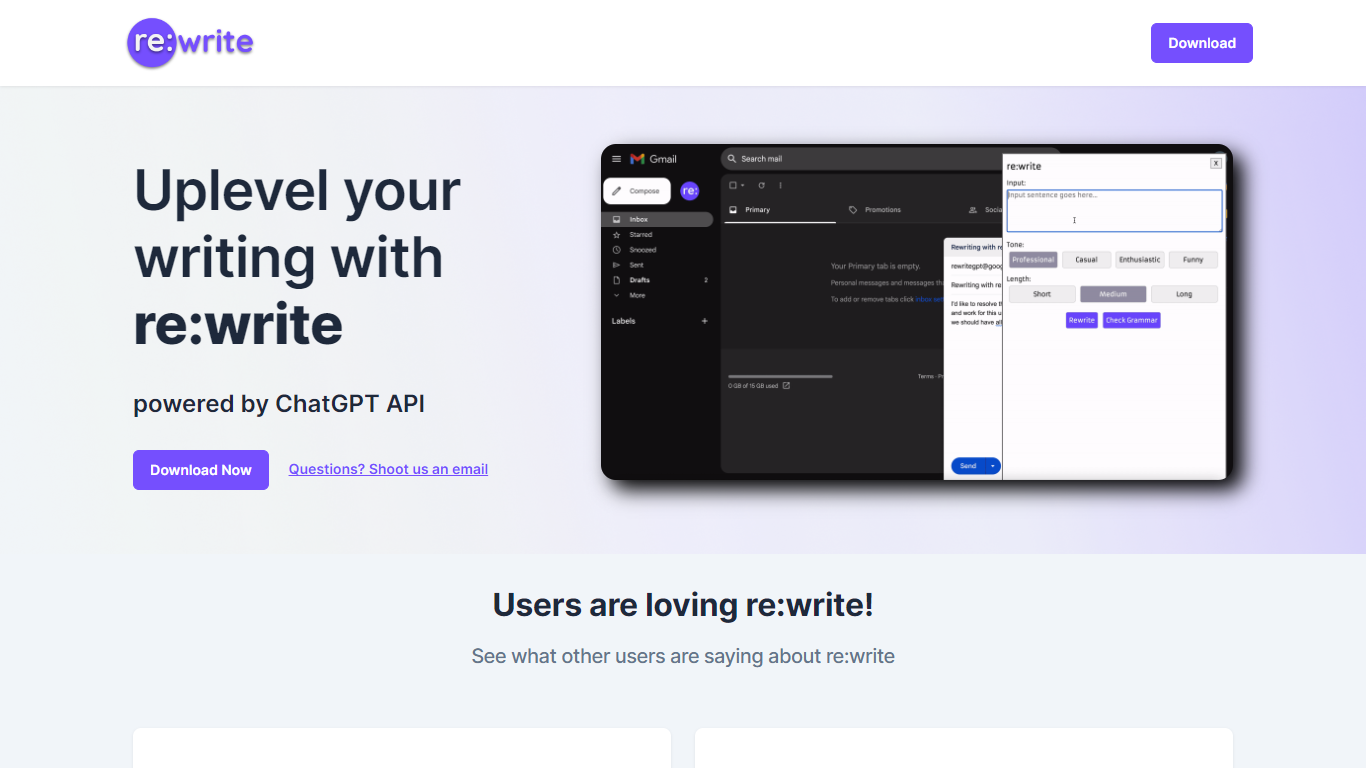
re:write is a free Chrome extension that rewrites whatever text you select using the ChatGPT API. Install it from the Chrome Web Store, highlight text in any webpage or email compose window, and get a polished rewrite with one click. The extension runs locally in your browser and sends the selected passage to ChatGPT for rewriting.
Unlike full writing suites that open a separate editor, re:write stays inside the page you are already working in. Grammarly and Wordtune offer similar inline rewriting, but re:write keeps the scope narrow: it rewrites selected text and nothing else. There is no dashboard, no document upload, and no subscription gate on the homepage.
Developers and office workers who write emails, Slack messages, or documentation in the browser are the core audience. The site lists software engineers among its testimonials and points to a Chrome Web Store listing titled 'Rewrite: Your Writing Companion.'
One-click rewrite of any selected text inside Chrome without leaving the page
Powered by the ChatGPT API for grammar and clarity improvements
Free Chrome Web Store extension with no paid tier listed on the homepage
Works in email compose windows and any text field in the browser
Install from Chrome Web Store listing pjifjiphadppnphhcmkiempbimcbhjoo
Completely free with no paid tier listed on the homepage
Rewrites text inline without opening a separate editor or dashboard
One-click workflow from any selected text in Chrome
Powered by ChatGPT API for quality rewrites
Chrome-only extension with no Firefox or Safari version listed
Requires an internet connection to reach the ChatGPT API
Thin site with no pricing, privacy, or feature documentation beyond the landing page
Landing page URL returns a storage error when fetched directly
Is re:write free?
Yes. re:write is free according to its homepage, which states 'And it's FREE' with no paid plan listed. The Chrome Web Store extension can be installed at no cost.
What browser does re:write work in?
re:write is a Chrome extension available from the Chrome Web Store. Install the 'Rewrite: Your Writing Companion' listing (ID pjifjiphadppnphhcmkiempbimcbhjoo) to use it in Google Chrome.
How does re:write rewrite text?
re:write sends your selected text to the ChatGPT API and returns a rewritten version. Highlight any passage in a webpage or email, trigger the extension, and the improved text replaces your selection.
What is re:write powered by?
re:write is powered by the ChatGPT API, as stated on the rewritegpt.com homepage. The extension handles the API call so you do not need to open ChatGPT separately.
Who is re:write for?
re:write targets anyone who writes in the browser, especially developers and office workers drafting emails or messages. Testimonials on the site cite software engineers using it for email rewriting.
How do I contact re:write support?
re:write lists [email protected] as the contact email on its homepage. Use that address for questions about the Chrome extension.