
Last updated 09-29-2026
Category:
Reviews:
Join thousands of AI enthusiasts in the World of AI!
ImagesArt AI Image Editor
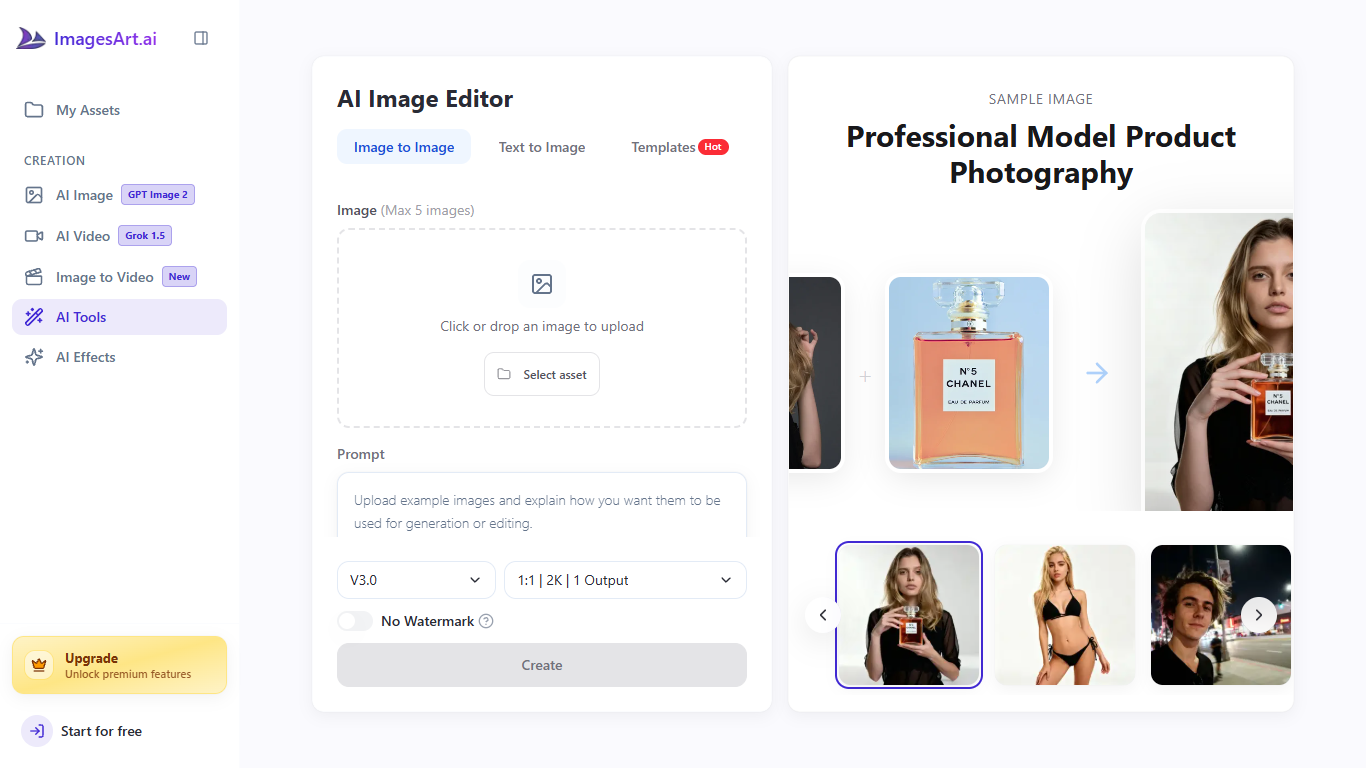
ImagesArt AI Image Editor is a browser-based image editor where you upload a photo, type what should change, and download the result. You can recolor products, swap clothing, remove backgrounds, add text, or blend up to five reference images in one job without layer masks. It fits sellers, marketers, and casual photographers who want fast fixes instead of opening Photoshop.
Unlike a single-purpose inpainting tab, this page bundles image-to-image editing with shortcuts into ImagesArt.ai effect tools for Pixar, anime, cartoon, pose, and virtual try-on workflows. The site also advertises broad prompt latitude within legal limits and suggests running its separate image describer when you need help phrasing an edit.
E-commerce teams use it to keep listing photos consistent, while social creators restyle one shot for several placements. Most edits return in 10 to 30 seconds at up to 2K resolution using the on-page V3.0 defaults (1:1 aspect, one output).
Upload up to five images per edit session
500-character prompt box for each generation
V3.0 defaults ship at 2K, 1:1 aspect, one output
Most edits finish in 10 to 30 seconds
One-click jumps to Pixar, anime, pose, and try-on effects
Sign-up grants 12 credits that never expire, so you can spread trials across multiple edits.
Compound instructions work in one prompt, such as recoloring a product and removing its background together.
The editor links into specialized effect pages so you can jump from a basic fix to anime, Pixar, or try-on tools.
You must create a free account; there is no anonymous editing mode on the public editor page.
Free-tier downloads include a watermark until you upgrade or buy credits.
The /subscription page is login-gated, so full plan tiers are hard to compare without signing in.
Does ImagesArt AI Image Editor have a free plan?
Yes. ImagesArt AI Image Editor is available on ImagesArt.ai's free tier with 12 image credits when you create an account. Those credits do not expire, and the editor FAQ states core editing features stay available before you upgrade.
How much does ImagesArt AI Image Editor cost?
ImagesArt AI Image Editor shares ImagesArt.ai billing: paid plans start at $9.90 per month with 450 image credits on the entry tier, per the homepage FAQ. Credit spend per edit depends on the model and resolution you pick in the editor.
What file formats does ImagesArt AI Image Editor support?
ImagesArt AI Image Editor accepts JPEG, PNG, WebP, and other common formats. The FAQ recommends at least 512 by 512 pixels with clear lighting for sharper edits.
Do I need an account to use ImagesArt AI Image Editor?
Yes. ImagesArt AI Image Editor requires a free ImagesArt.ai account before you can edit. Registration takes a few seconds and no credit card is needed to open an account.
Does ImagesArt AI Image Editor watermark free exports?
Yes on the free tier. ImagesArt AI Image Editor outputs from free accounts carry a small watermark until you move to a paid plan or buy a one-time credit pack, according to the editor FAQ.
How many images can I upload per edit on ImagesArt AI Image Editor?
ImagesArt AI Image Editor lets you attach up to five images per job on the main editor UI. That supports reference shots, product pairs, or multi-image blends described in a single prompt.
Is there a trial before paying for ImagesArt AI Image Editor?
Yes for yearly billing. ImagesArt AI Image Editor follows ImagesArt.ai's refund policy: yearly subscriptions include a 3-day free trial before the annual charge processes, and you can cancel during that window to pay nothing.