
Last updated 07-28-2026
Category:
Reviews:
Join thousands of AI enthusiasts in the World of AI!
JitBlox
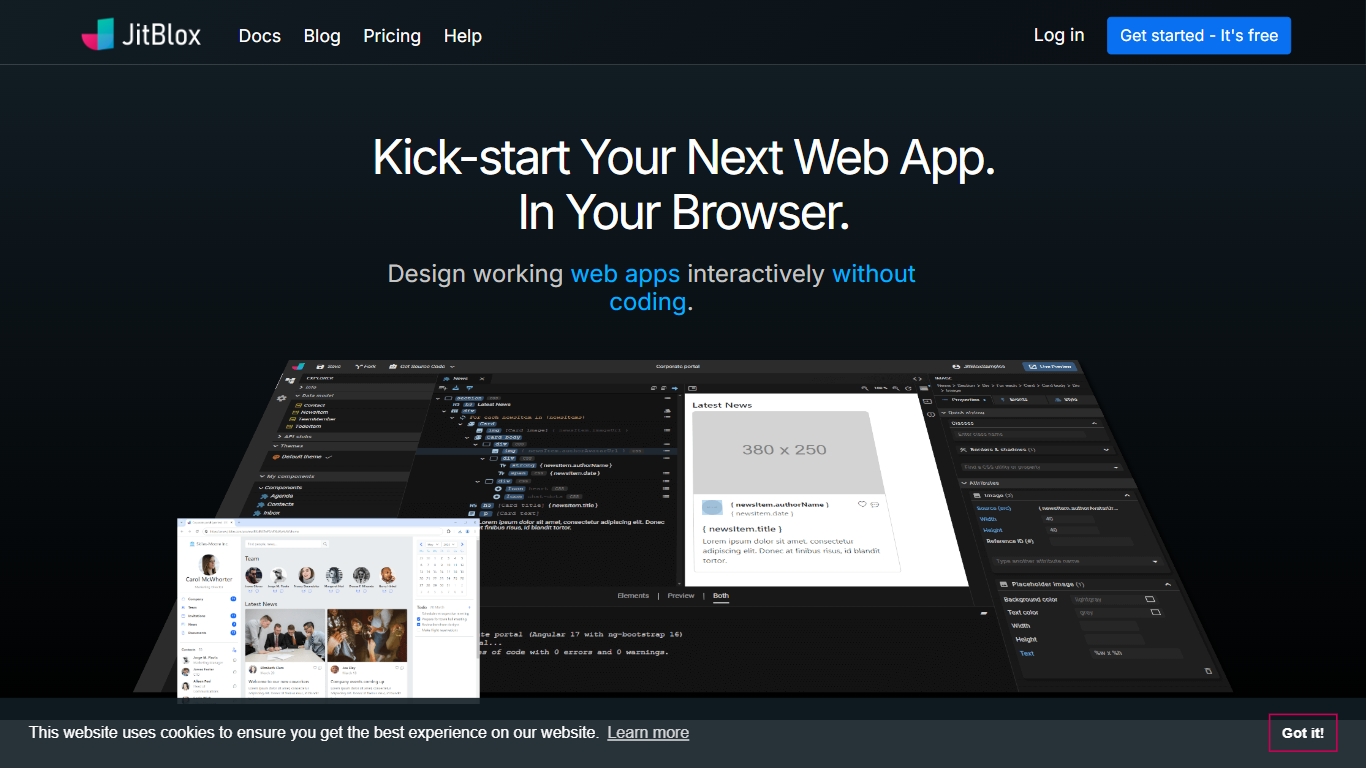
JitBlox lets you design working Angular applications in a visual drag-and-drop editor without writing code. You assemble pages, components, and UI blocks from Bootstrap, Tailwind CSS, Shoelace, or Material Design libraries, then wire them to mock data, API stubs, and in-app navigation. Everything runs in your browser with live previews on any device.
Most no-code app builders keep your project locked on their hosting stack. JitBlox exports a full Angular app you can download or push to GitHub, built with standard ng-bootstrap, Shoelace, or Material widgets instead of a proprietary runtime. That trade-off makes it a better fit than Bubble or Glide when you need a portable prototype developers can take over, not a hosted app you rent indefinitely.
Front-end developers and tech-savvy designers use JitBlox to prototype dashboards, portals, and component-based SPAs faster than hand-coding HTML. Teams validate layouts with realistic mock data before backend APIs exist, share live previews with clients, and hand off clean TypeScript source when the design is approved.
Pick Bootstrap 5 with ng-bootstrap, Tailwind CSS, Shoelace, or Material Design as your project foundation
Download or push full Angular 21 source to public or private GitHub repositories
Pro includes 2,000 AI credits per month; the Free tier grants 1,000 AI credits once
Mock data editor and API stubs let you test UI against realistic data without a backend
Custom theme editor on Pro; Free plan exports include a JitBlox header in downloaded source files
AI layout assistant supports Claude Haiku 4.5, Sonnet 4.6, and Opus 4.5 models in beta
Exports downloadable Angular source code with no vendor lock-in or proprietary runtime
Supports Bootstrap, Tailwind, Shoelace, and Material Design UI libraries in one designer
Built-in mock data editor and API stubs for backend-free prototyping
Real-time cross-device preview while editing pages and components
AI assistant generates layouts inside the visual editor before you apply changes
Angular-only output today; Vue.js support is planned but not yet available
AI assistant is unavailable for Material Design projects
Free plan exports include a JitBlox header in downloaded source files
Private projects require a paid Pro subscription
Is JitBlox free to use?
Yes. JitBlox offers a Free plan at $0 with unlimited public projects, cross-device live preview, full source code download, and a one-time grant of 1,000 AI credits. Private projects and advanced export options require JitBlox Pro.
How much does JitBlox Pro cost?
JitBlox Pro is $15 per month on an annual plan or $18 per month on a monthly plan. Pro adds unlimited private projects, 2,000 monthly AI credits, source exports without JitBlox headers, private GitHub uploads, custom themes, and always-available previews.
What framework does JitBlox export?
JitBlox generates Angular applications and targets Angular 21. The help docs note that Vue.js support is planned next. Downloaded projects run with npm install and npm start after extraction.
Does JitBlox have an AI assistant?
Yes. JitBlox includes a beta AI assistant that generates page and component layouts from prompts inside the visual designer. It is not available for Material Design projects. Pro subscribers receive 2,000 AI credits per month on the paid plan.
Can I make private projects on JitBlox?
Private projects require JitBlox Pro. Free accounts create public projects by default. Pro subscribers can set project privacy in the Settings panel, and new Pro projects default to private visibility.
What UI libraries does JitBlox support?
JitBlox supports Bootstrap 5 with ng-bootstrap widgets, Tailwind CSS, Shoelace with Tailwind, and Angular Material Design. You choose the library when creating a project, and the designer configures each widget through property editors.
How do I run downloaded JitBlox code?
Extract the JitBlox zip, install Node.js and NPM, then run npm install followed by npm start in the project directory. JitBlox documents this workflow on its help page for exported Angular source.