
Last updated 08-12-2026
Category:
Reviews:
Join thousands of AI enthusiasts in the World of AI!
Prisma Editor
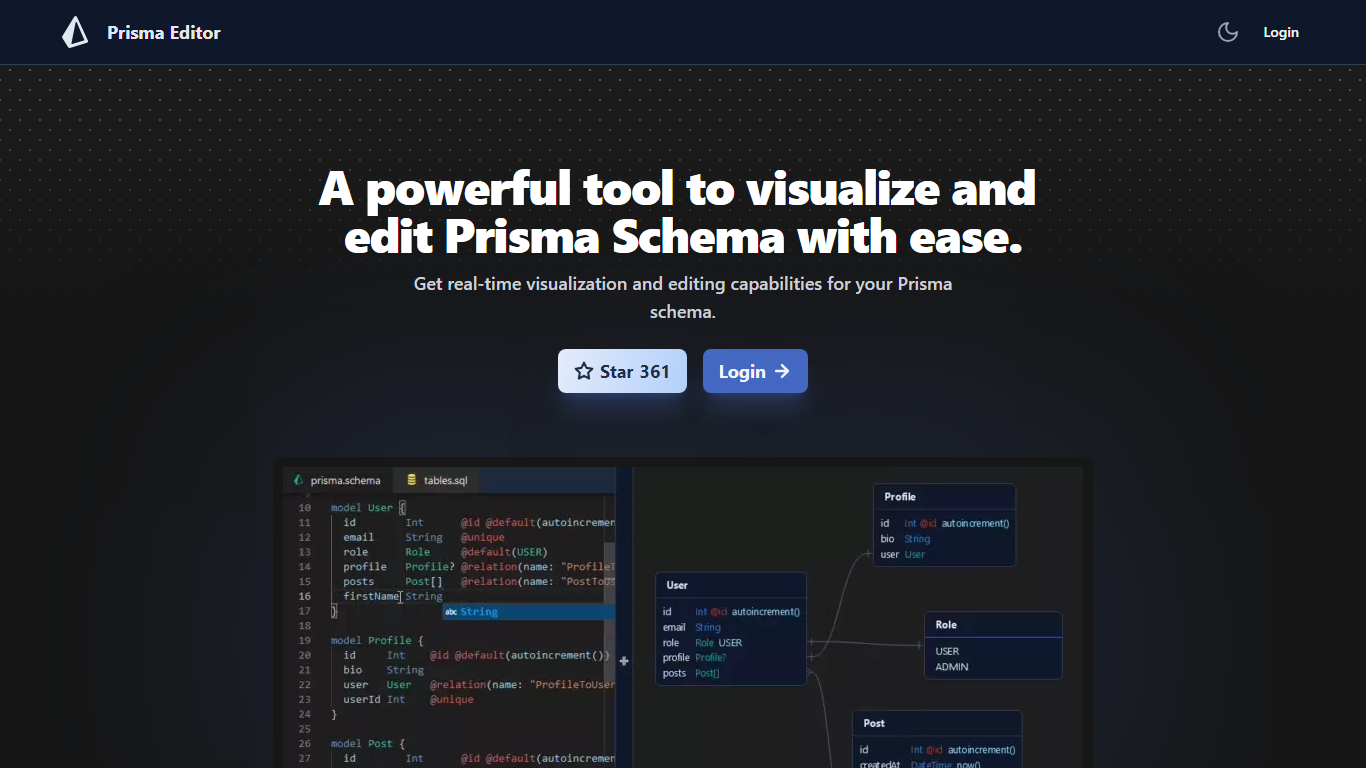
Prisma Editor is a browser-based visual editor for Prisma schema files that renders your models as an interactive graph while you edit. Changes update the diagram in real time, and you can tweak fields directly on the graph instead of scrolling through plain text.
Prisma Studio shows data rows, while Prisma Editor focuses on schema design with shareable links and natural-language schema generation through OpenAI. The site labels itself a community project that is not affiliated with Prisma HQ, and the open-source repo on GitHub reports more than 1,000 stars.
TypeScript teams prototyping databases use it to whiteboard relations before committing schema.prisma changes. Login unlocks the editor, and shared links let teammates review the same graph without passing files around.
Real-time graph visualization updates as you create or modify Prisma models
Direct schema editing from the visual graph without leaving the diagram view
Shareable schema links for collaborative reviews across a team
OpenAI integration turns natural language prompts into boilerplate schema code
Open-source project on GitHub (mohammed-bahumaish/prisma-editor) with 1,035 stars listed on the homepage
Featured in Awesome Prisma, the T3 collection, and Product Hunt according to site badges
Visual graph makes Prisma relations easier to sanity-check than raw schema text alone
Share links speed up schema reviews without exporting screenshots
Open-source codebase with an active GitHub community (1,035 stars on the homepage)
OpenAI prompt helper jump-starts boilerplate models for new projects
Free access fits side projects and classroom use
Not an official Prisma product, so support comes from the community maintainer
Login is required and there is no offline or CLI-native workflow
Thin homepage documentation means advanced features must be discovered inside the app
What does Prisma Editor do?
Prisma Editor visualizes Prisma schema files as an interactive graph and lets you edit models directly from that view. It targets developers who want faster feedback while designing database relations in schema.prisma.
Is Prisma Editor official Prisma software?
Prisma Editor is a community project and the homepage states it is not associated with Prisma. It complements the official Prisma ORM docs but is maintained independently on GitHub.
Does Prisma Editor cost money?
Prisma Editor is free to use according to its homepage, though you need to log in before opening the editor. No subscription tiers or credit limits are advertised on the landing page.
How does Prisma Editor use OpenAI?
Prisma Editor accepts natural language prompts and generates boilerplate Prisma schema code through OpenAI's API according to its feature list. You still review and edit the suggested models in the visual editor.
Can teams collaborate in Prisma Editor?
Prisma Editor lets you share a schema through a link so teammates can open the same graph. This is useful for design reviews before merging schema changes into your repository.
Where is Prisma Editor's source code?
Prisma Editor publishes its source on GitHub at mohammed-bahumaish/prisma-editor, and the homepage links to the issue tracker for bug reports. The README and stars count are surfaced on the landing page.