
Last updated 09-01-2026
Category:
Reviews:
Join thousands of AI enthusiasts in the World of AI!
MindMap AI
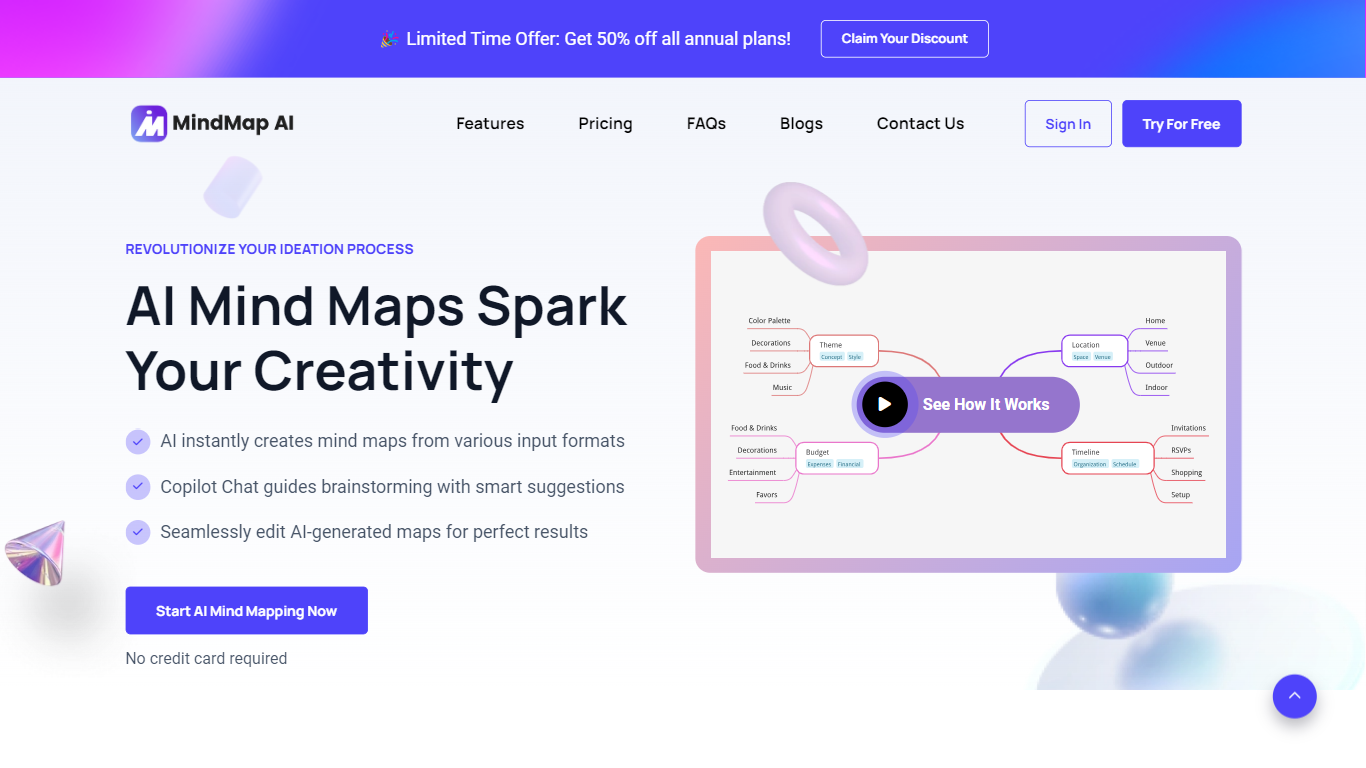
MindMap AI is a mind map generator that turns prompts, PDFs, video, audio, and webpages into editable visual maps. You start from raw material instead of a blank canvas, then refine the structure in a full manual editor or through an in-map chat assistant. The free plan needs no credit card and includes unlimited manual maps plus 50 AI credits each month.
Most AI mind map tools spit out a one-shot diagram you cannot really edit afterward. MindMap AI anchors every branch in your uploaded content rather than inventing structure, then lets you keep iterating through chat so the map evolves instead of being regenerated from scratch. Manual drag-and-drop editing stays free on every plan, which is unusual in a category where AI credits gate even basic layout work.
Students paste lecture PDFs into study maps, consultants turn client call transcripts into action-item charts, and product teams drop 40-page requirements docs to agree on scope the same afternoon. The same nodes switch between mind map, logic chart, org chart, and outline views without rebuilding.
Maps sync across web, iOS, Android, and browser extensions. MindMap AI also ships an MCP connector for Claude and a ChatGPT app, so maps created in a conversation land in your account for full canvas editing. Import covers XMind, MindManager, FreeMind, and other major formats; export runs to PDF, PNG, SVG, CSV, Markdown, or a full project file.
Drop a PDF (up to 50 MB on Pro), video, audio, or webpage and get a structured map back in seconds
Chat with the map to expand branches, summarize sections, or rebuild around one topic without regenerating
Switch between mind map, logic chart, org chart, and outline views on the same content
Import maps from XMind, MindManager, FreeMind, .mmap, and other major formats in one click
Connect via MCP to Claude or use the ChatGPT app to create maps from conversations on the free plan
Works in 29+ languages, including RTL scripts like Arabic and Hebrew
Free plan includes unlimited manual maps; paid Basic adds 2,000 AI credits per month
Free plan includes unlimited manual mind maps with no credit card required
Manual editing, undo, and importing shared maps never consume AI credits
In-map chat refines existing maps instead of regenerating one-shot diagrams
Same content switches between mind map, logic chart, org chart, and outline layouts
MCP connector for Claude and ChatGPT app work on the free plan
Free tier includes only 50 AI credits per month with no add-on purchases
SVG, HTML, and CSV exports require a paid plan
Timestamped transcripts from audio and video require Basic plan or higher
Thinking Mode reasoning is limited to Basic plan and above
Is MindMap AI free?
Yes. MindMap AI offers a free forever plan with unlimited manual mind maps and 50 AI credits per month. No credit card is required to start. Paid plans add more monthly credits, larger file upload limits, and advanced export formats.
What can I turn into a mind map with MindMap AI?
MindMap AI accepts text prompts, PDFs, images, audio recordings, video files, meeting transcripts, Markdown, CSV, JSON, XML, HTML, and webpages captured through its browser extension. A typical 40-node map costs about 13 credits from a prompt or 26 credits from a 10-page PDF.
Does MindMap AI work on mobile?
Yes. MindMap AI has native iOS and Android apps, a web app, and Chrome browser extensions. Maps sync across all devices so you can start on a laptop and continue on your phone.
Can I import maps from other mind mapping tools?
Yes. MindMap AI imports directly from XMind, MindManager, Mapify, FreeMind, Freeplane, Coggle, and SimpleMind. Nodes, branches, and notes come across intact so you can keep editing without rebuilding.
How much do MindMap AI paid plans cost?
MindMap AI Basic costs $9.99 per month or $4.99 per month billed annually at $59.88. Pro costs $14.99 per month or $7.99 per month billed annually at $95.88. Lifetime plans start at $157 for 100,000 credits that never expire.
What export formats does MindMap AI support?
MindMap AI exports to PDF, PNG, SVG, CSV, Markdown, HTML, and its own project file format. Free plans include PDF, PNG, and Markdown exports. Paid plans unlock SVG, HTML, and CSV without watermarks.
Can I use MindMap AI from Claude or ChatGPT?
Yes. MindMap AI has an MCP connector for Claude and an app for ChatGPT. You can create, edit, and export maps in your account directly from a conversation, and every map syncs to the MindMap AI canvas for full editing. Both integrations work on the free plan.