
Last updated 07-17-2026
Category:
Reviews:
Join thousands of AI enthusiasts in the World of AI!
Pseudoface
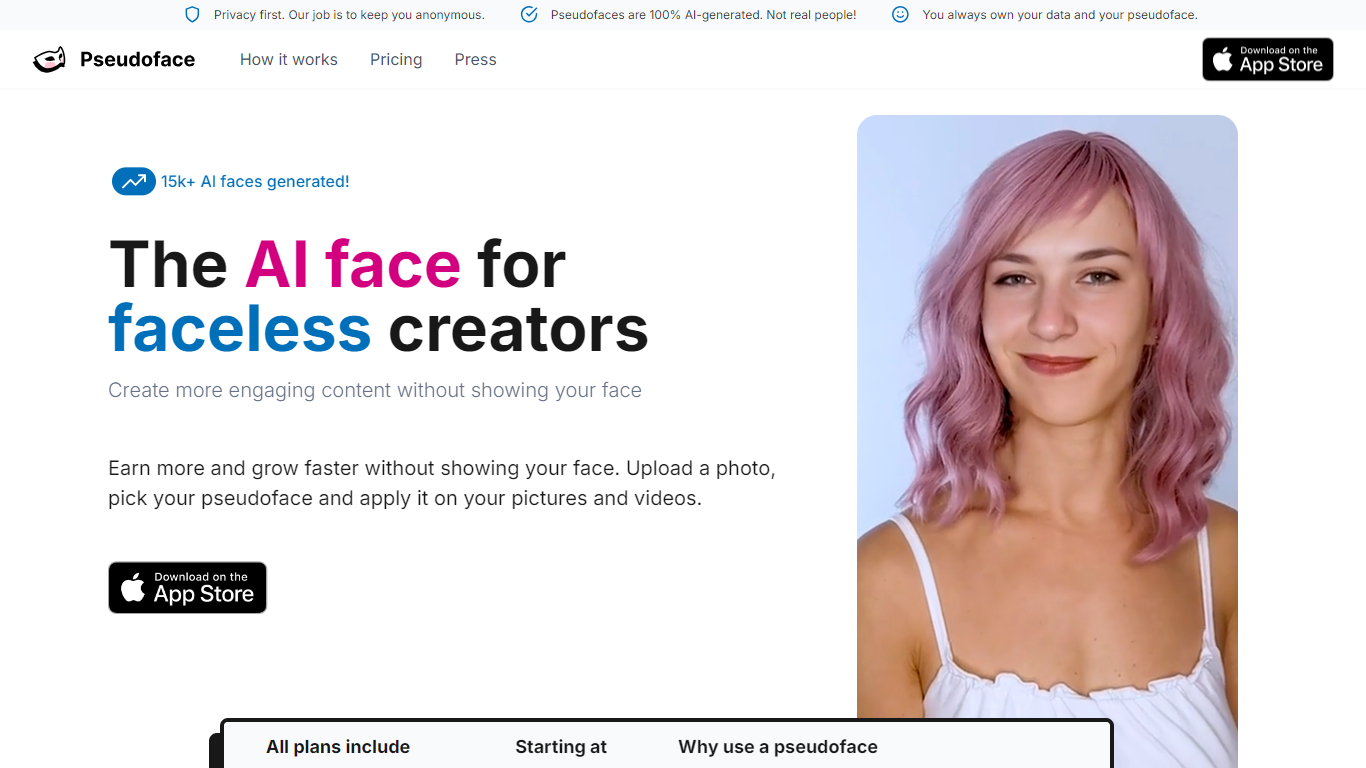
Pseudoface is an iOS app built for content creators who want a face on camera without revealing their real identity. It swaps your face in photos and videos with a photorealistic mask that adapts to your face shape and movements. Every mask is fully generated by AI and is not a photo of a real person.
You build a mask by uploading one reference photo, then run your images and videos through the app on iPhone or iPad. The mask tracks your expressions and lighting while changing your features enough to stay unrecognizable. Video processing runs in the background, and Pseudoface estimates roughly 20 to 30 minutes of processing time per minute of footage.
The product is developed by Aelusive Ltd, a UK company run by a small team focused on privacy for faceless creators. It is aimed at people who earn more when they show a face on platforms like OnlyFans or social media, but cannot risk exposing their real identity. Subscription plans include monthly image and video allowances, with extra credits available on every tier.
AI-generated masks adapt to your face shape and track your expressions in video
Process photos and videos directly on your iPhone or iPad
Create unlimited masks on any paid plan and refine them in the built-in editor
Every mask is a synthetic face, not a photo of a real person
Schedule background processing so long video jobs run while you do other work
You keep full commercial ownership of all masked and unmasked content
Buy extra image and video credits beyond your monthly plan allowance
Gives faceless creators a realistic on-camera face without exposing their real identity.
Unlimited mask creation on all paid subscription plans.
You retain full commercial ownership of all masked content.
Supports both photos and video with background processing.
iOS only with no Android or desktop app listed on the website.
No free tier; a paid subscription is required after the trial.
Video processing is slow, with roughly 20 to 30 minutes needed per minute of footage.
Requires uploading a face photo to create each mask.
Does Pseudoface have a free plan?
No. Pseudoface does not offer a free version, but it includes a free trial and tutorial so you can preview how an AI mask looks on you before subscribing.
What devices does Pseudoface support?
Pseudoface is available on iPhone and iPad through the App Store. The website does not list an Android or desktop version.
How long does Pseudoface take to mask a video?
Pseudoface estimates 20 to 30 minutes of processing per minute of video. Jobs run in the background, so you can schedule them and return when processing finishes.
Do I own the content I create with Pseudoface?
Yes. Pseudoface grants you full commercial license and ownership over your photos and videos, whether masked or not.
Can I use a Pseudoface mask for identity verification on other platforms?
No. Pseudoface states that using an AI mask for identity verification violates other platforms terms of service. You must verify with your real identity, then use masks on your content afterward.
Where does Pseudoface store my uploaded photos and videos?
Pseudoface stores content on secured servers in Europe. Data is encrypted in transit and at rest and is not linked to identifiable information beyond what is needed to run the service.