
Last updated 07-03-2026
Category:
Reviews:
Join thousands of AI enthusiasts in the World of AI!
ScanRelief
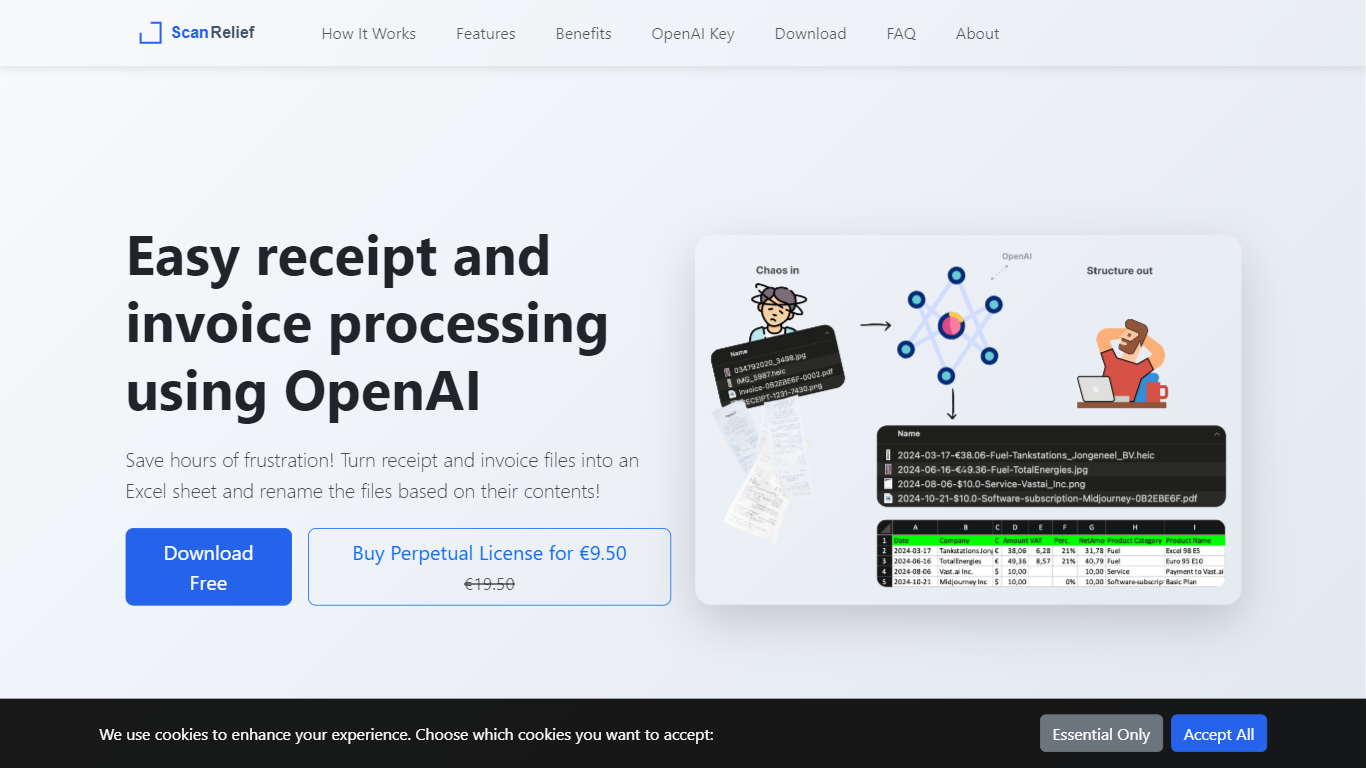
ScanRelief is a desktop app for Windows and Mac that turns a folder of receipt and invoice photos into organized files and a single Excel report. You point it at files on your own hard drive, and it uses the OpenAI API to read each image and rename files with the date, amount, vendor, and product type so they sort chronologically in Finder or Explorer.
Unlike cloud receipt services that charge monthly subscriptions, ScanRelief runs locally on your computer. You buy a perpetual license after a one-week free trial and pay OpenAI directly for API usage, which the site estimates at about $0.005 per receipt. The app also rotates crooked photos, converts iPhone HEIC files to JPEG, and downsizes images before sending them to OpenAI.
It is built for freelancers, small business owners, and anyone who matches receipts to bank transactions for quarterly bookkeeping or tax prep. Developer Hans van Dam created it after writing a personal script to rename his own receipt files and export them to Excel.
Renames receipt files with date, amount, vendor, and product type for chronological sorting
Exports a dated Excel sheet listing every scanned receipt in one report
Processes JPEG, PNG, HEIC, and PDF receipts in batch from a local folder
Runs on Windows and Mac with parallel processing on your machine and at OpenAI
Auto-rotates images and downsizes them before upload to cut API transfer time
Processes receipts locally on your computer instead of uploading them to a subscription cloud service.
Perpetual license has no recurring ScanRelief fees after the one-time purchase.
OpenAI API usage costs about $0.005 per receipt according to ScanRelief's site.
Batch handles JPEG, PNG, HEIC, and PDF files in a single run.
Requires your own paid OpenAI API key with prepaid credits before you can scan receipts.
Desktop app only for Windows and Mac with no mobile or web version.
Free access lasts one week before a paid perpetual license is required.
Is ScanRelief free to use?
ScanRelief offers a free one-week trial with full access. After that, you need a perpetual license, currently priced at ?9.50 on the ScanRelief site.
Do I need an OpenAI API key to use ScanRelief?
Yes. ScanRelief requires your own paid OpenAI API subscription with prepaid credits. The app sends receipt images to OpenAI for analysis and is separate from a ChatGPT Plus subscription.
How much does scanning receipts cost with OpenAI?
ScanRelief estimates about $0.005 per receipt through the OpenAI API, or roughly 50 cents per 100 receipts. The app shows total OpenAI cost after each processing run.
What file formats does ScanRelief support?
ScanRelief supports JPEG, PNG, HEIC, and PDF files, including both text-based and image-based PDFs. HEIC conversion is available on Windows and on macOS version 12 or newer.
Does ScanRelief store my receipt data on its servers?
No. ScanRelief processes files from folders on your local drive and does not store receipt data on its own servers. Images are sent to the OpenAI API under OpenAI's enterprise privacy policy.
Does ScanRelief work on both Windows and Mac?
Yes. ScanRelief is available as a desktop download for Windows and macOS. There is no mobile app or browser-based version.