
Last updated 07-29-2026
Category:
Reviews:
Join thousands of AI enthusiasts in the World of AI!
Side Space
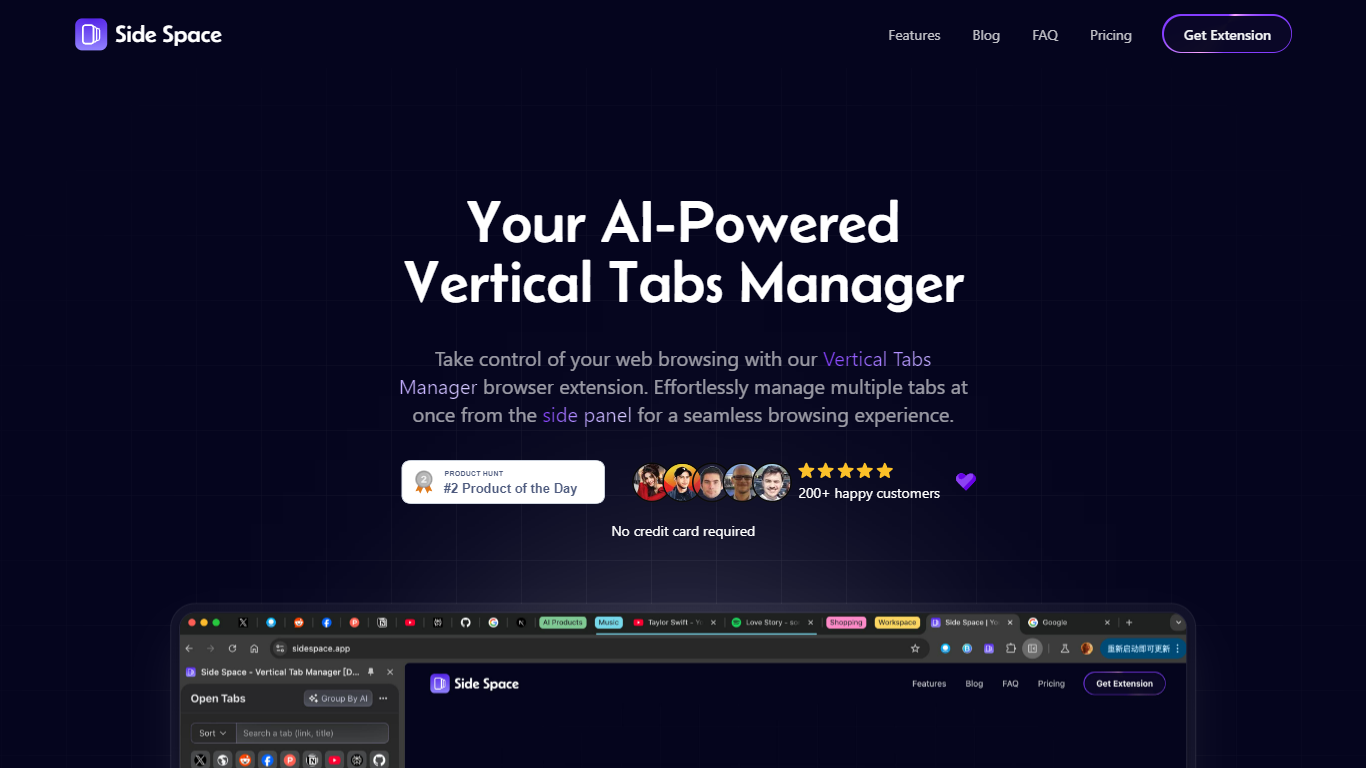
Side Space is an AI-powered vertical tabs manager that transforms your browser's tab layout into a vertical side panel. It helps users organize, navigate, and manage multiple tabs efficiently by grouping them into customizable spaces dedicated to different topics like work, social media, shopping, and study. The tool supports syncing across multiple browsers and devices, ensuring your tab organization stays consistent wherever you browse.
It also features AI-driven chat and agent modes that assist with automating browser tasks, summarizing content, and managing tabs through natural language commands. Side Space targets professionals, researchers, and productivity enthusiasts who handle numerous tabs daily and want to reduce clutter while boosting workflow efficiency. Its key strengths include customizable themes, multi-language support, tab suspension to save memory, and advanced grouping options such as AI-based categorization and domain grouping.
These features make Side Space a versatile and intelligent companion for managing complex browsing sessions.
🗂️ Spaces for Tab Organization: Group tabs into dedicated spaces for work, hobbies, or social media to keep browsing focused.
🤖 AI Copilot Agent Mode: Automate browser tasks like grouping tabs, managing windows, and researching topics without interrupting your flow.
💬 AI Copilot Chat Mode: Chat with your open tabs to summarize content, extract information, or get quick answers based on your browsing context.
🔄 Sync Across Devices: Automatically sync your spaces and tab groups across multiple browsers and devices for consistent access.
🎨 Customizable Interface: Personalize your tab manager with themes, dark mode, and adjustable side panel placement for comfort and style.
Organizes tabs into customizable spaces for better focus
AI-powered automation reduces manual tab management
Syncs tab organization across multiple browsers and devices
Supports multiple languages and dark mode for comfort
Offers both chat and agent AI modes for versatile use
AI grouping may not be 100% accurate and requires user adjustment
Some advanced features require paid subscription
Limited browser support outside major Chromium-based browsers
How does Side Space work?
Side Space is a browser extension that places a vertical tab manager in your side panel, allowing you to organize tabs into spaces and use AI features to manage and automate your browsing.
What is the difference between Chat Mode and Agent Mode?
Side Space chat Mode lets you interact with your open tabs by asking questions or summarizing content, while Agent Mode automates browser tasks like grouping tabs and managing windows autonomously.
Which browsers support Side Space?
Side Space supports popular browsers including Chrome, Edge, Brave, Vivaldi, Sigma, Comet, Firefox, and others that allow extensions.
Can I sync my tab spaces across devices?
Yes, Side Space automatically syncs your saved spaces and tab groups across multiple browsers and devices when you log into your account.
Is there a free version of Side Space?
Side Space yes, the free plan allows up to 5 spaces with cloud sync and access to the Chat Mode for the current page.
What is BYOK in Side Space?
BYOK stands for Bring Your Own Key, allowing you to use AI models from your own providers within Side Space for enhanced privacy and customization.
Can I customize the appearance of Side Space?
Yes, you can personalize the color palette, switch to dark mode, and adjust the side panel placement to suit your preferences.