
Last updated 08-14-2026
Category:
Reviews:
Join thousands of AI enthusiasts in the World of AI!
Sidenote
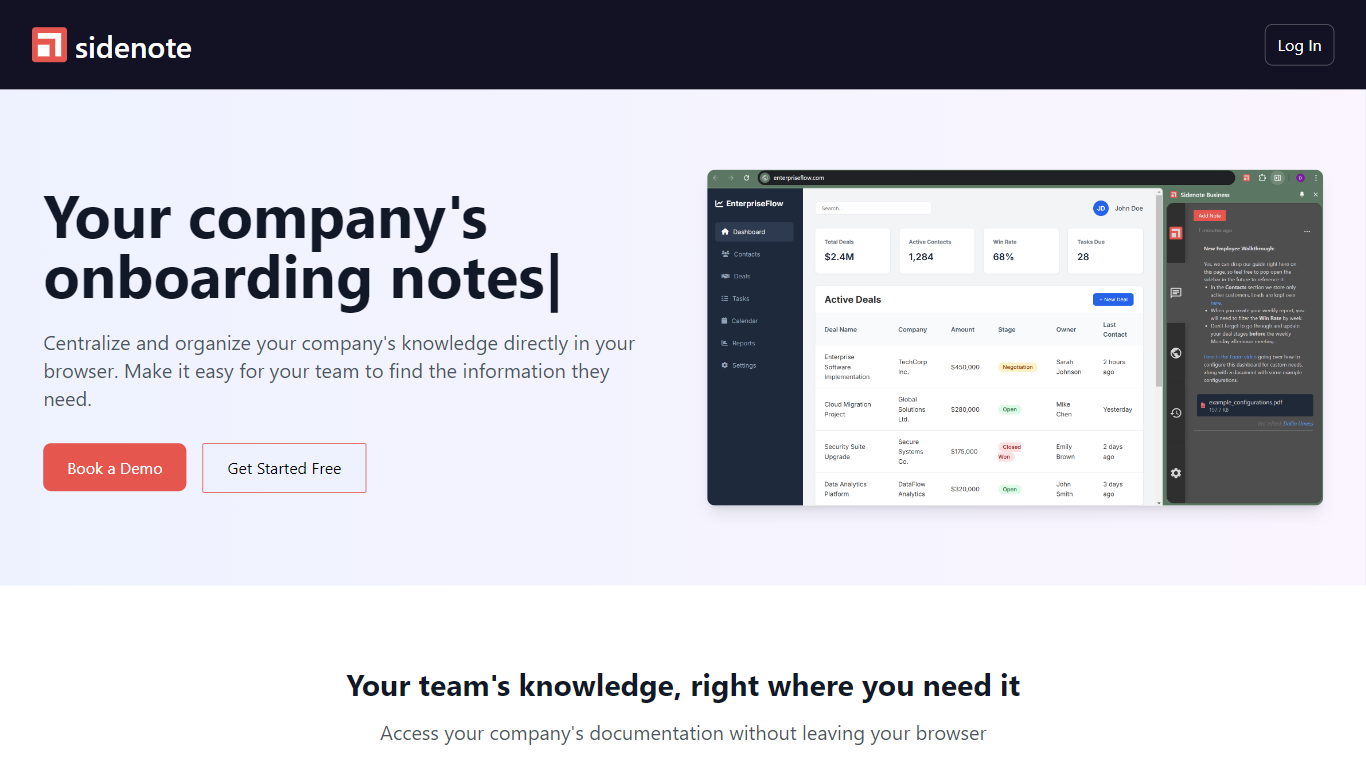
Sidenote is a team productivity browser extension that pins onboarding notes and internal documentation to the exact web pages your team uses every day. You capture step-by-step guides, API notes, and troubleshooting tips in context so new hires follow instructions while they work in Chrome.
Traditional wikis sit in a separate tab, so engineers and CS reps constantly context-switch to hunt for the right doc. Sidenote attaches knowledge to live URLs inside the browser, which keeps onboarding walkthroughs and debugging notes visible where the work happens instead of buried in a shared folder.
Engineering, sales, customer success, HR, product, and marketing teams use Sidenote to document internal tools, share research while browsing, and build a growing knowledge base. The site offers free signup at sidenoteapp.com/signup plus Calendly demo booking for teams that need a guided rollout.
Free signup at sidenoteapp.com/signup with no public paid tiers listed
Attach notes and docs directly to the web pages they describe
Create step-by-step guides for 6 team types including engineering and sales
Book a 30-minute demo through Calendly for team rollout
Capture research insights while browsing and share with teammates
Browser extension keeps docs visible without leaving the active tab
Contextual documentation for API integrations and troubleshooting steps
Pins documentation to live URLs so teams skip wiki tab switching.
Step-by-step onboarding guides run inside the browser extension.
Free signup with no credit card listed on the public site.
Useful for engineering API notes and CS troubleshooting playbooks.
No public pricing page beyond free signup and demo booking.
Requires a browser extension instead of a standalone web app.
Limited to workflows inside supported browsers, not offline docs.
What is Sidenote?
Sidenote is a browser extension that centralizes company onboarding notes and internal documentation on the pages where your team works. It helps teams find contextual guidance without opening a separate wiki.
Is Sidenote free to use?
Sidenote offers a Get Started Free signup on sidenoteapp.com. The public site does not list paid tier prices, and teams can book a demo through Calendly for guided onboarding.
How does Sidenote help onboarding?
Sidenote lets you build step-by-step guides for internal tools and processes that appear inside the browser while new hires work. Team members follow instructions on the same page they are learning.
Which teams use Sidenote?
Sidenote targets engineering, customer success, sales, HR, product, and marketing teams. Each group can document APIs, troubleshooting steps, playbooks, and research notes in context.
Does Sidenote replace a wiki?
Sidenote complements wikis by attaching short contextual notes to live URLs instead of storing everything in one distant knowledge base. Teams still build a shared library, but docs appear where they are needed.
How do I install Sidenote?
You install the Sidenote browser extension after creating a free account at sidenoteapp.com/signup. Documentation and onboarding notes then appear alongside the sites your team uses daily.